
Week Off
Article A3BnMYLu · sourceDescription: The week Off tab is for giving a holiday (week off) for the rider.
→ To create a week off category.
-
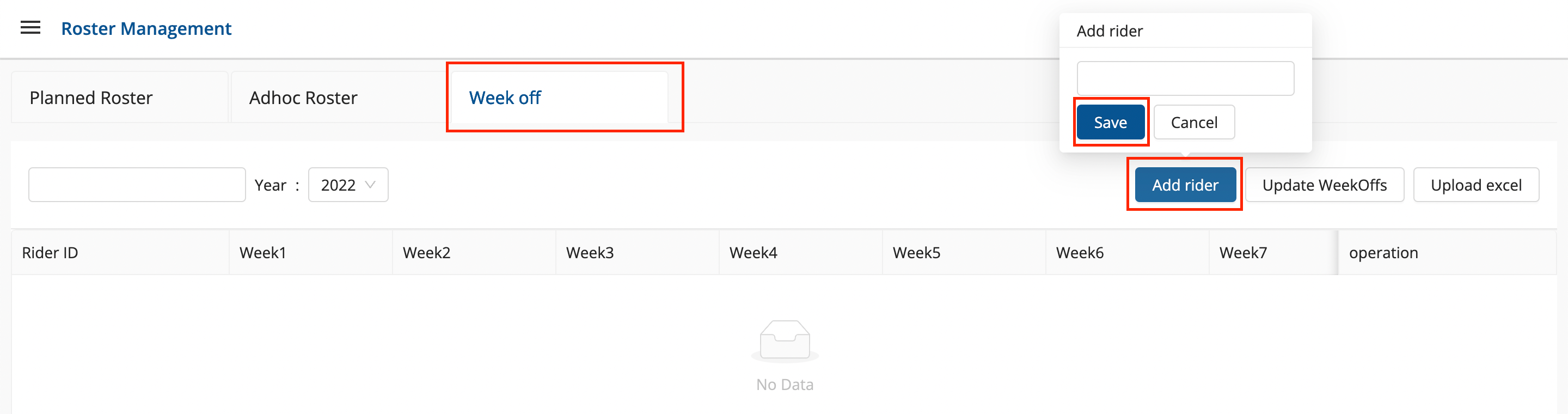
Click on the hamburger menu () → Roster Management.
-
Select the Week Off tab
-
Method 1- Add Rider Button Option → A box shall appear with required rider names to add.-
Enter the Rider name and Click the Save button.
-
You’ve successfully added a New Rider for Week off.
-
-
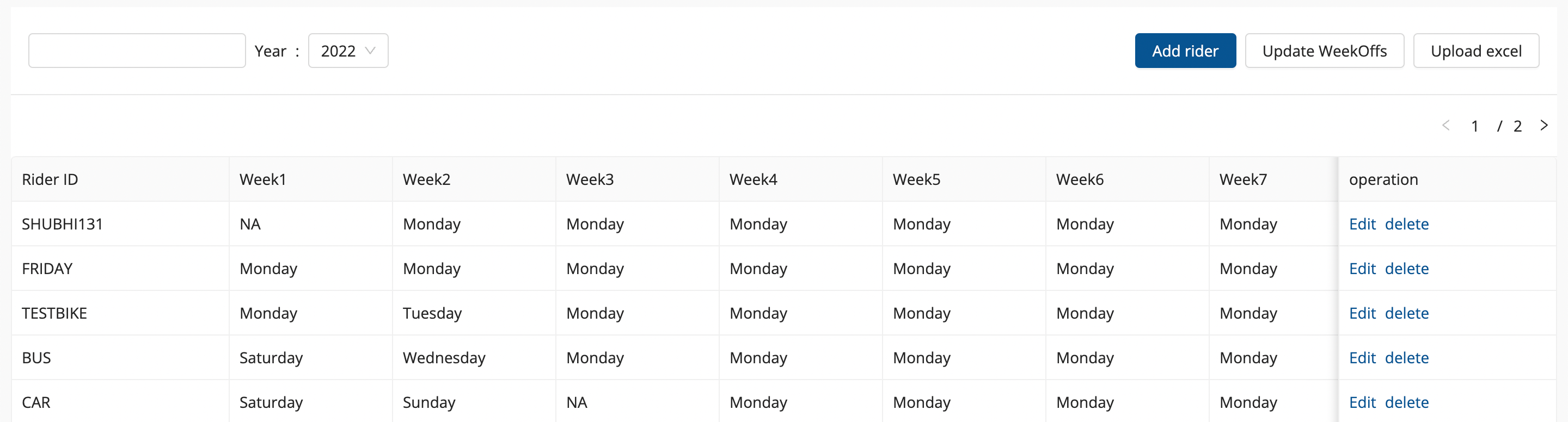
Once the Rider is added, the name will get visible below with the Edit and Delete Button.
-
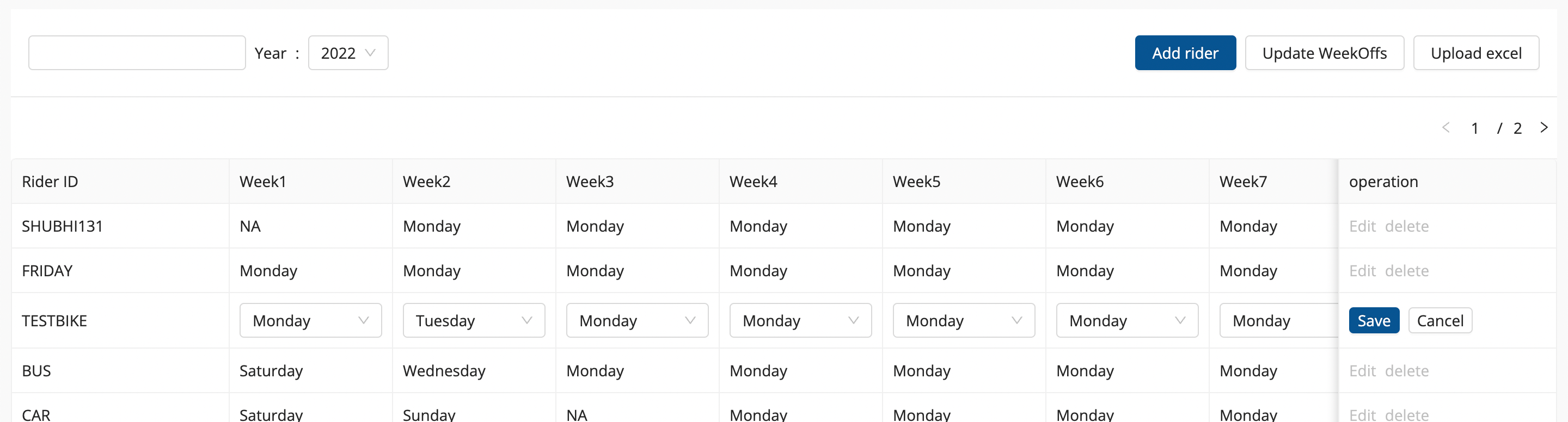
Click on Edit Button to edit any week off day for the rider.
-
Click on Save button once the changes is made.
-
Method 2- Upload Excel option → A file upload window appears. This method is used to create multiple week off against any rider. -
Click on the Select From Computer button to upload your Excel sheet and click on UPLOAD button.
-
One can also drag and drop your file into the space provided in the window.
-
You can download a sample Excel file to understand what data has to be entered by clicking on Download Sample Excel option from the window.
-
You’ve successfully added multiple week off.