
Shipsy Call Centre Process - Enhancement
Article 4DeHYGyE · sourceShipsy Call Centre Process - Enhancement
Description:
This page covers the process of assigning calls to the employee and the overview of the call center page.
In the hamburger menu,
Go to CRM → Calls Overview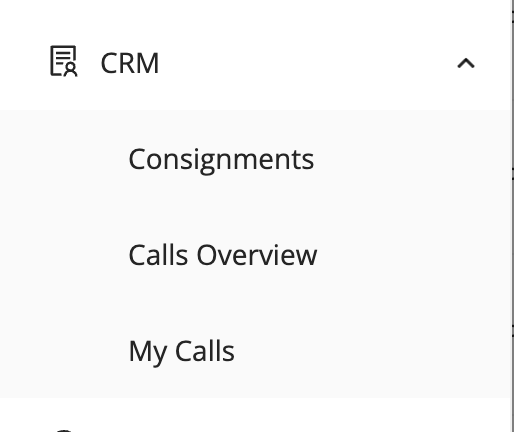
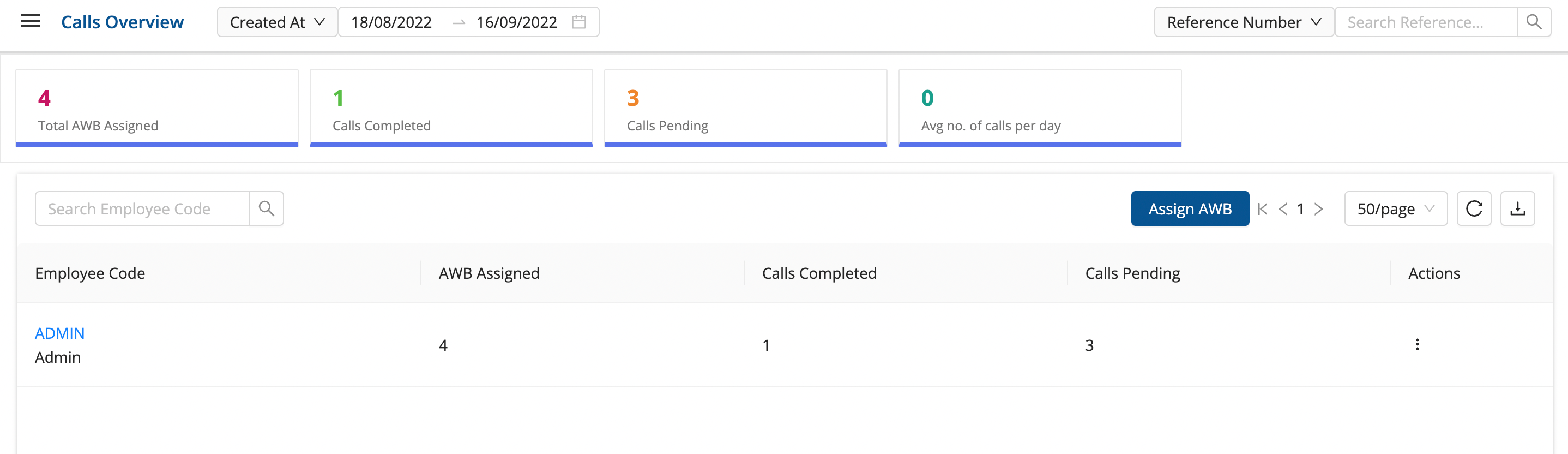
Calls Overview Page
This is the Calls Overview page.
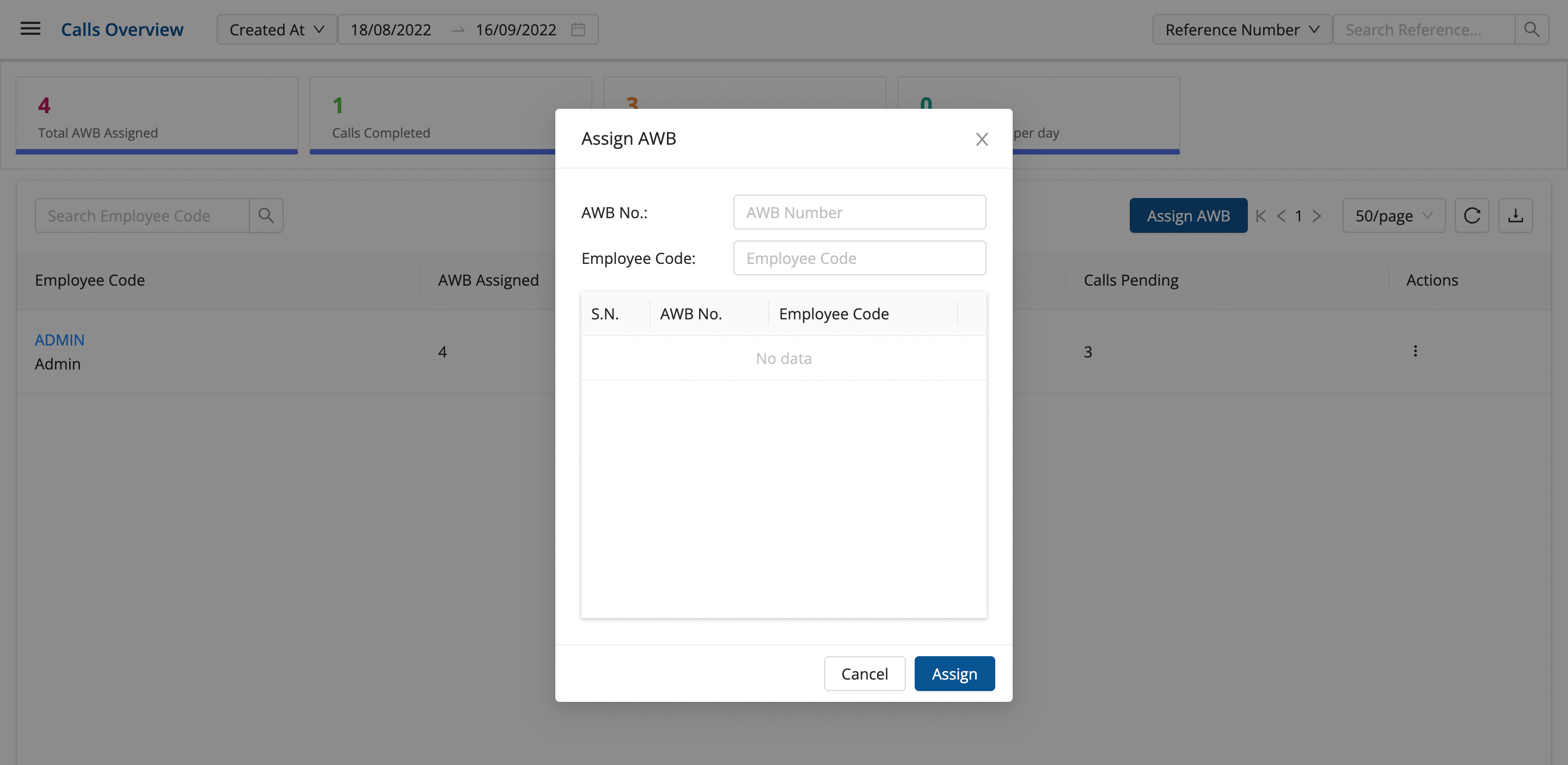
Click on “Assign AWB” and enter CN number and employee code, and click on Assign to assign a CN calls operation to the employee.
My Calls Page
This page shows the CNs assigned to the logged in employee.
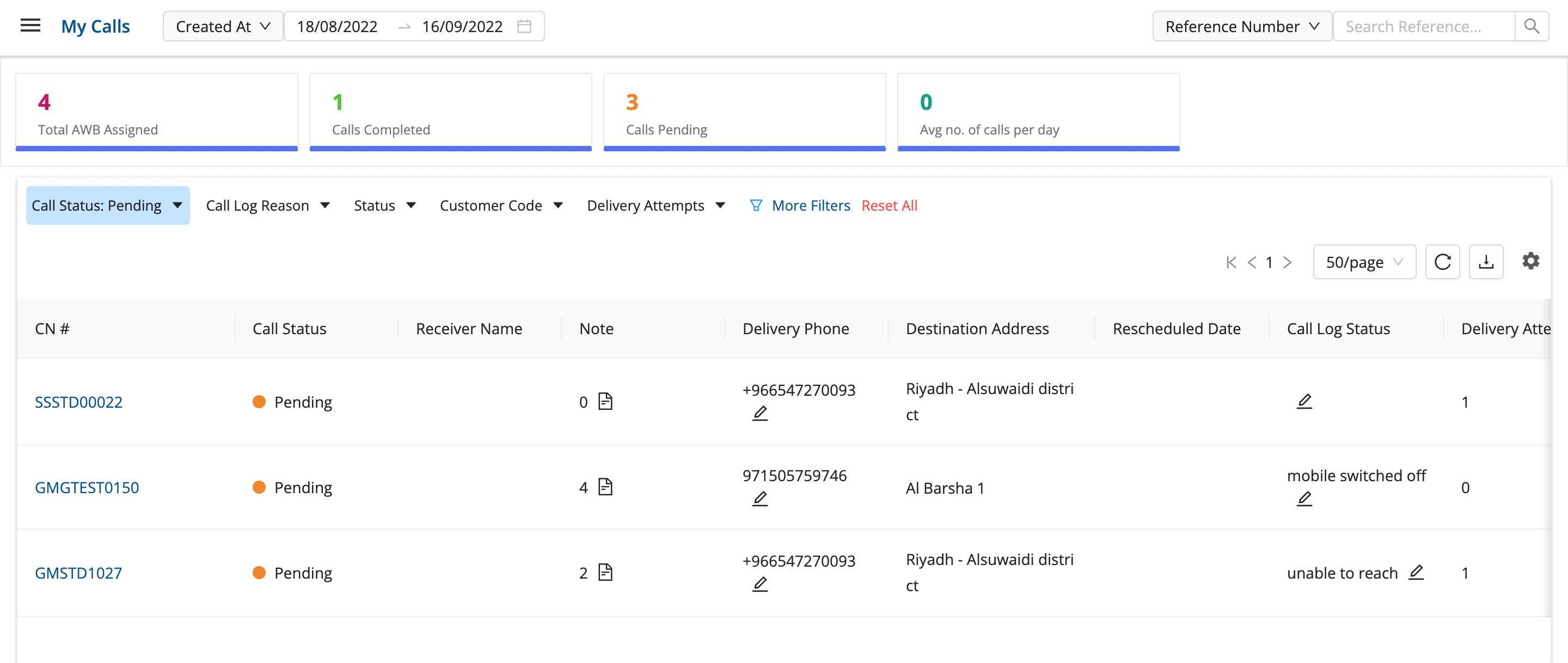
The employee can log a call by clicking on the pencil icon present on the Call Log Status.
Here, whenever a CN gets Delivered or RTO, the call status becomes Completed automatically.
Also, on clicking on the download option, it downloads the Excel file containing these CNs and their call log status.
Was this article helpful?