
How to edit an existing message template?
Article dFBt-Vy8 · sourceIn the dashboard :
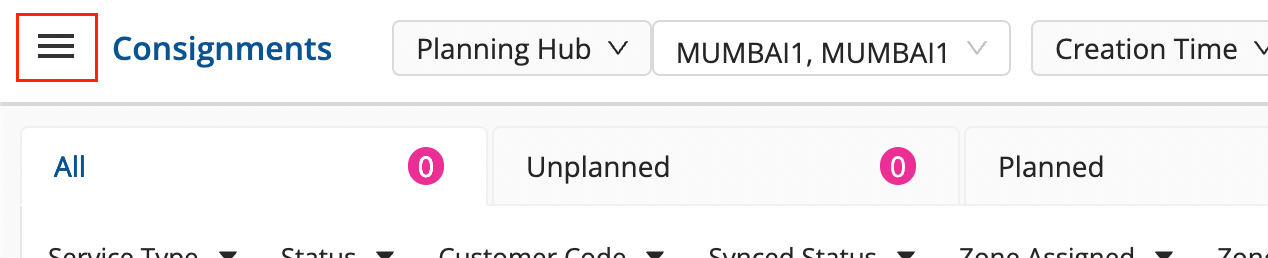
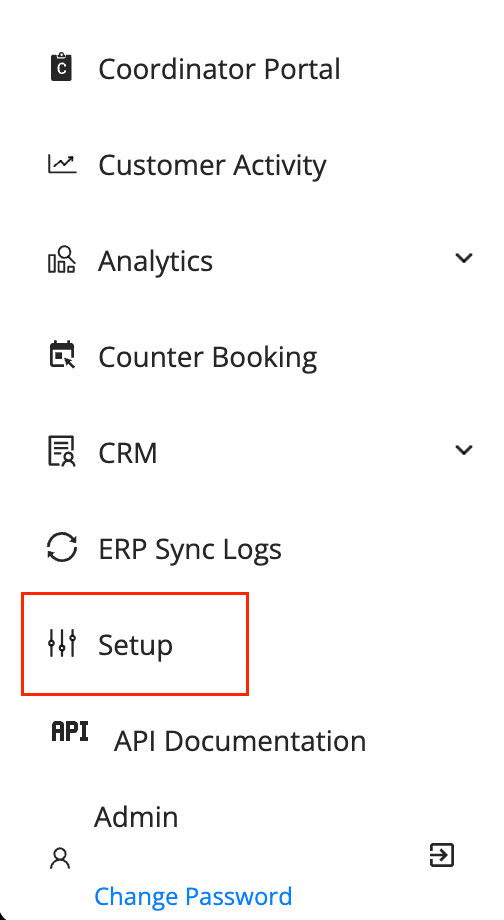
- Click on the Hamburger Menu () → Setup → SMS Management () → Message Setup
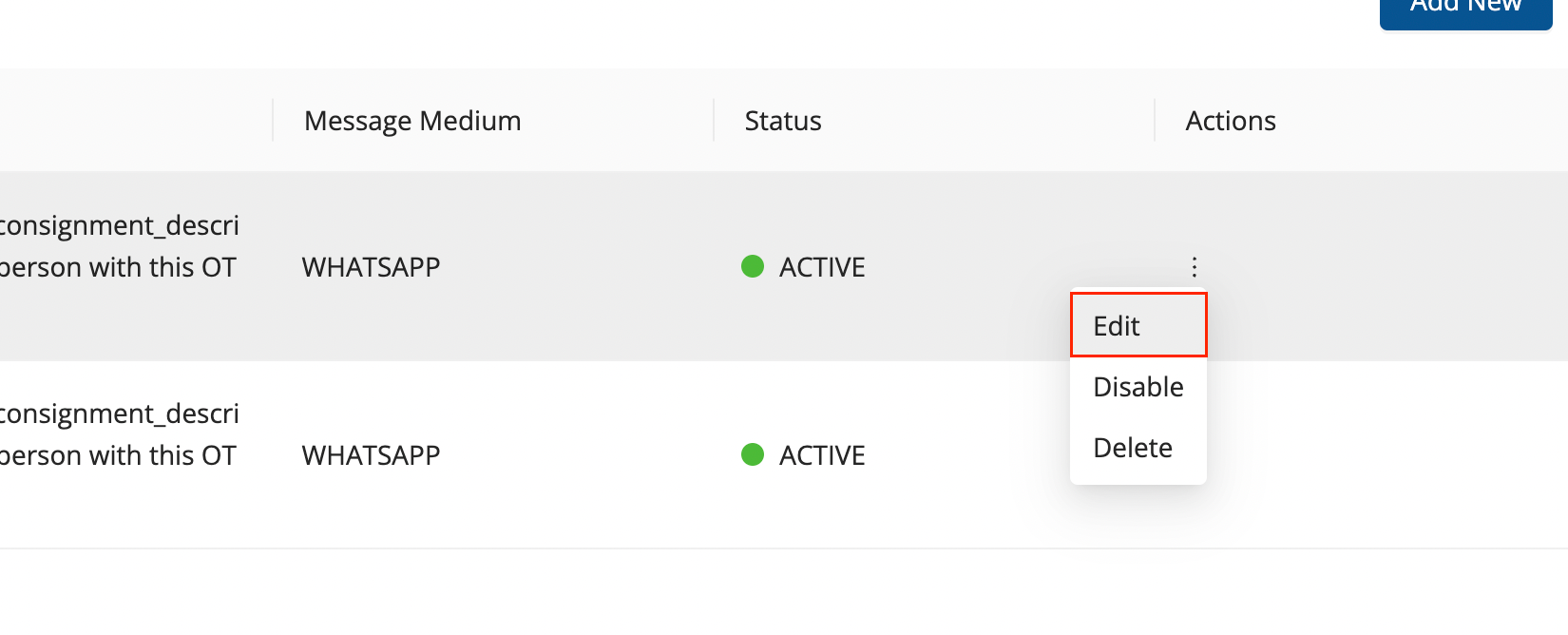
- On an existing message, hover on the kebab menu under
ActionsColumn. Click onEdit.
-
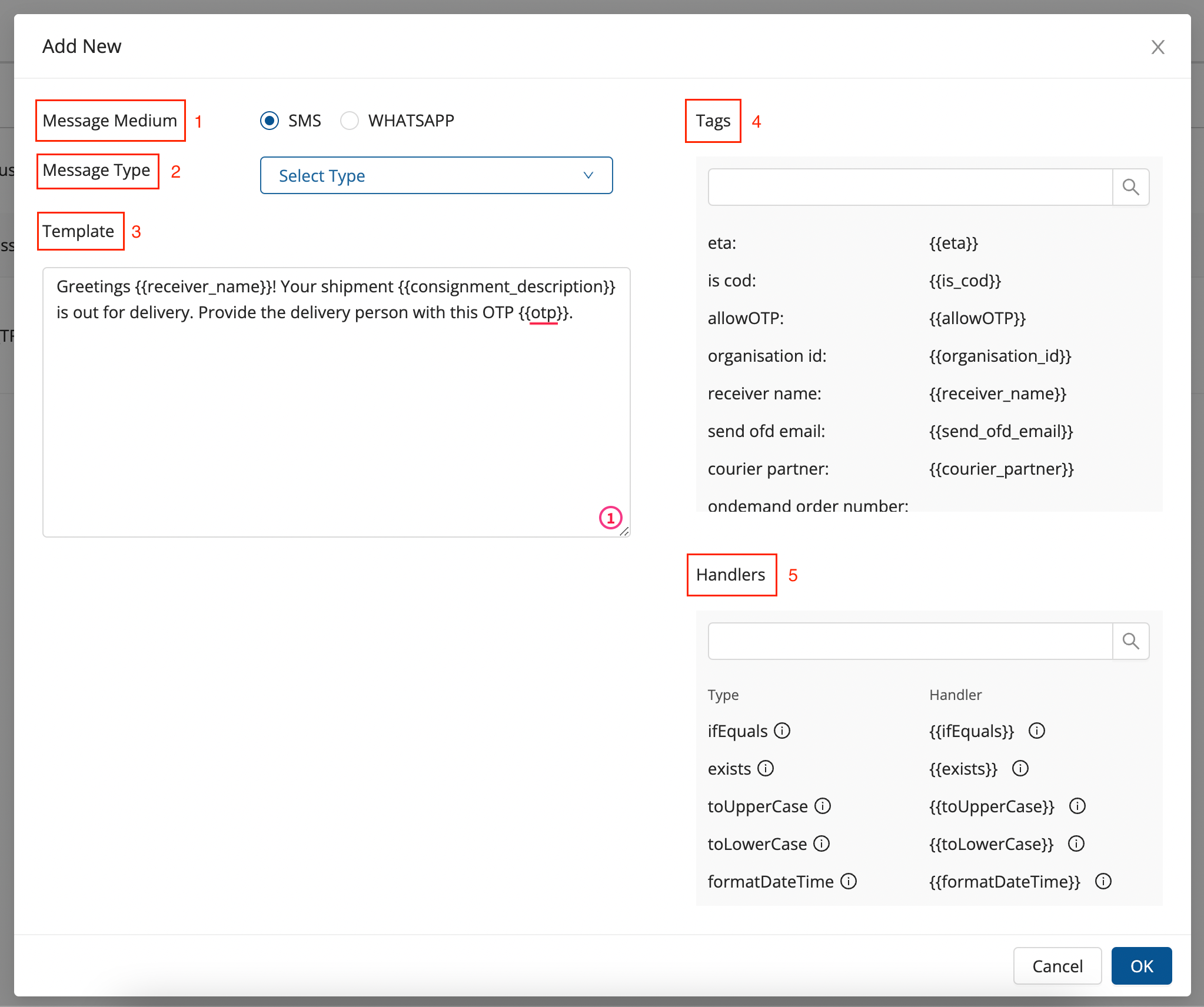
The form with prefilled data in the following required fields comes up:
-
- Message Medium : The mode through which the message is to be sent.
-
- Message Type : The status at which the message has to be triggered via its medium.
-
- Template : The message template, add the message here.
-
- Tags : Tags are those data elements that shall be fetched from the metadata for an org.
-
- Handlers : Case and conditional handlers
-
- Once re-filled/edited, click on OK.
- It shows a success window, click on OK.
- The message template has been edited.
Was this article helpful?