
Mark Order Delivered through Dispatch screen
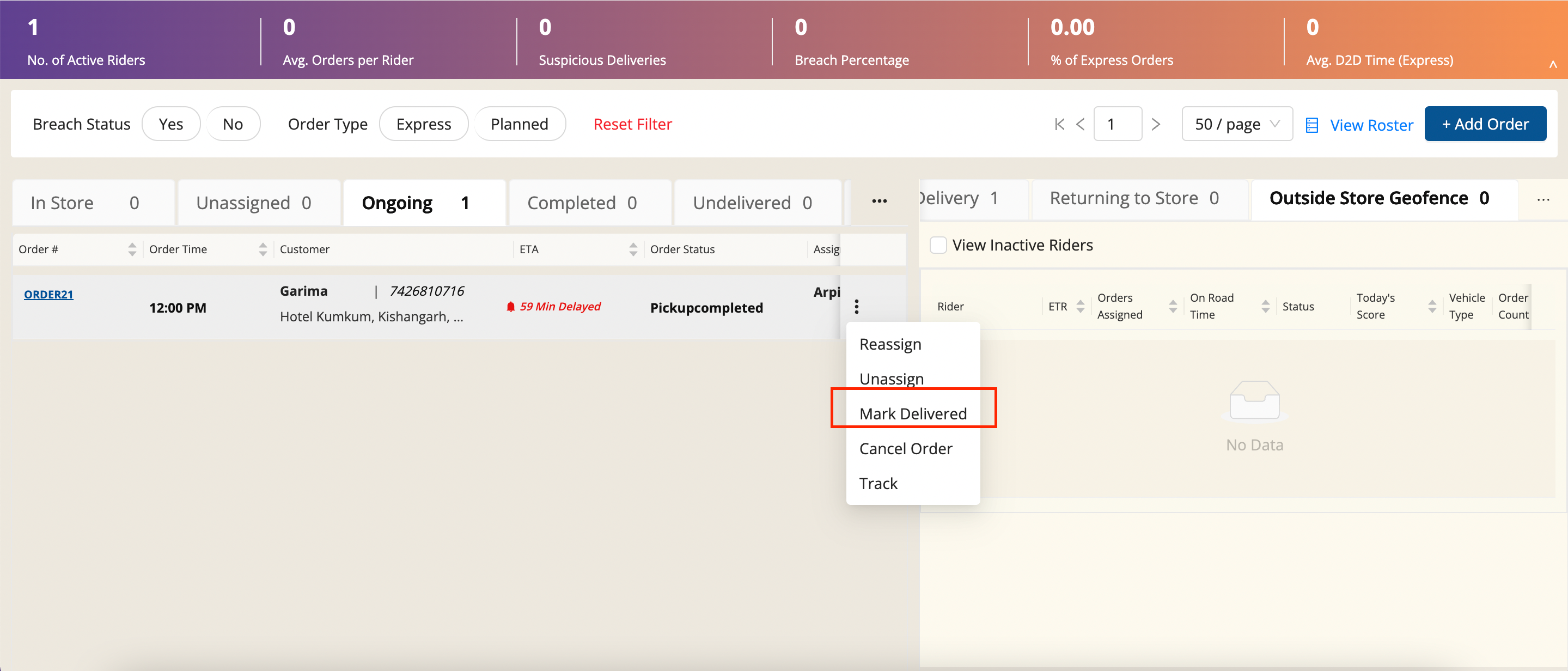
Article oa_6Jfpg · sourceDescription: We have a feature in dispatch screen, that we can mark the order delivered in case of any issue with rider or any other problem.
→ To mark order delivered.
- Click on Kebad button**(Three dots)** on the left of an order.
- Click Mark Delivered Button.
- Select the reasons and click SUBMIT.
Was this article helpful?