
How to create employee type and add permissions
Article nJTx17ln · sourceFor every employee, there can be an Employee type and for that type there can be a different number of permissions.
In the dashboard :
-
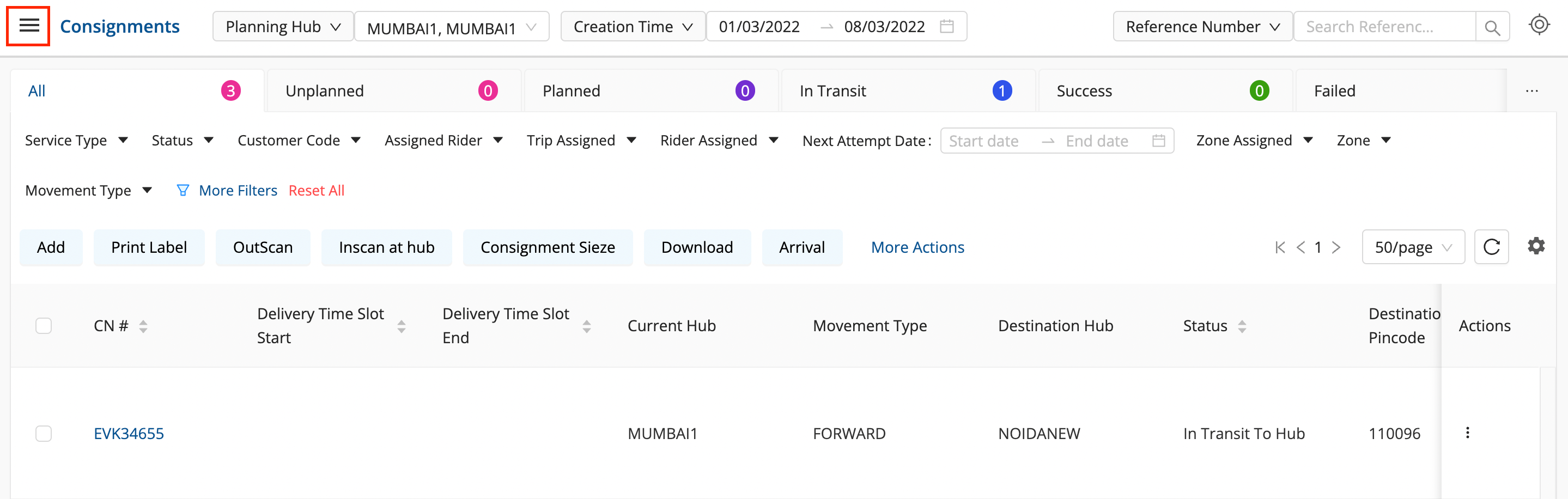
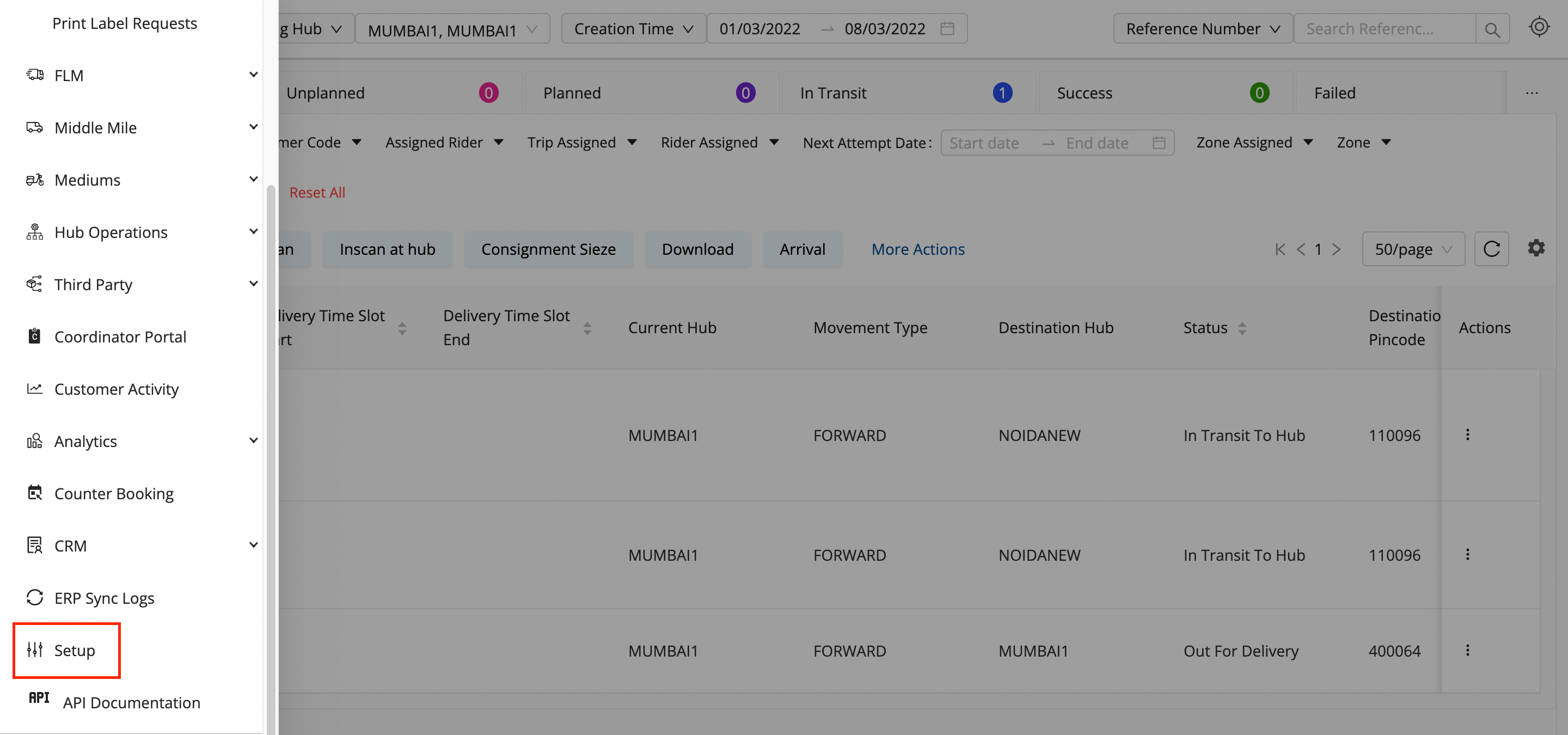
Click on the Hamburger Menu (

) → Setup → Employees → Employees Roles
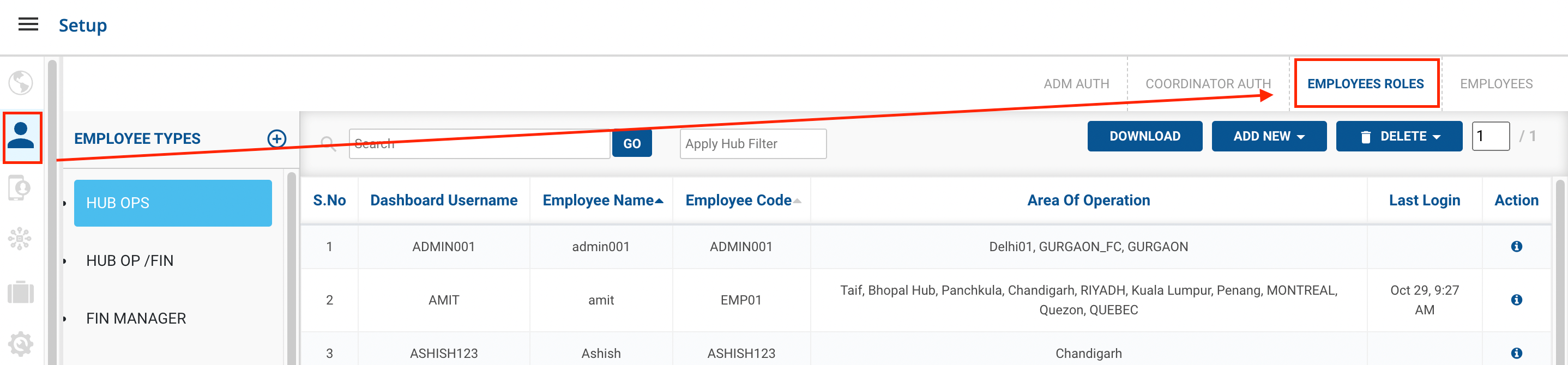
-
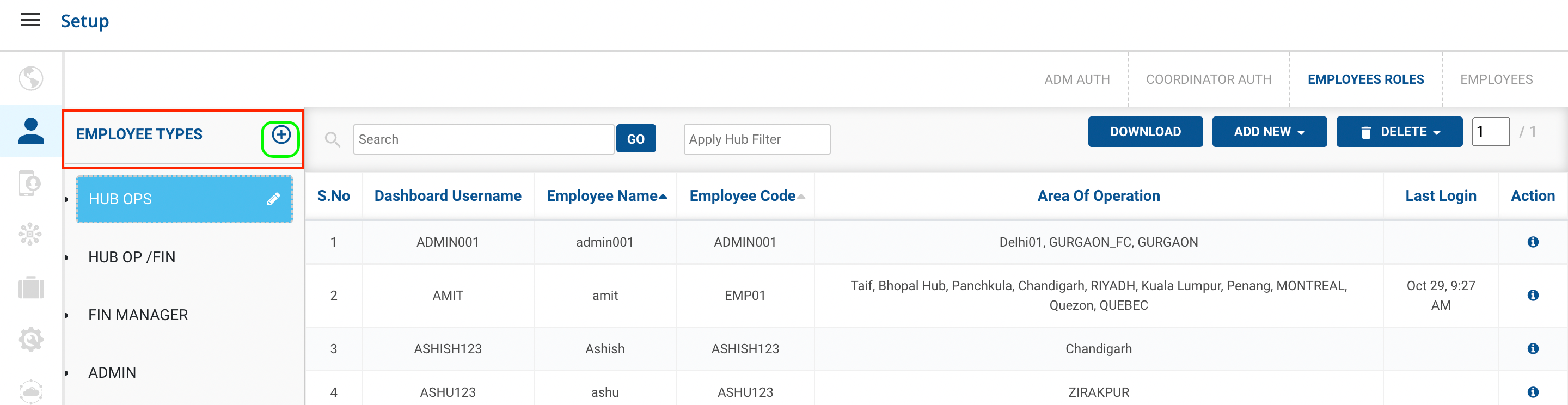
Now after going on the Employee Roles in the left hand side we can see Employee Types → And a plus icon
-
After clicking on the plus button
-
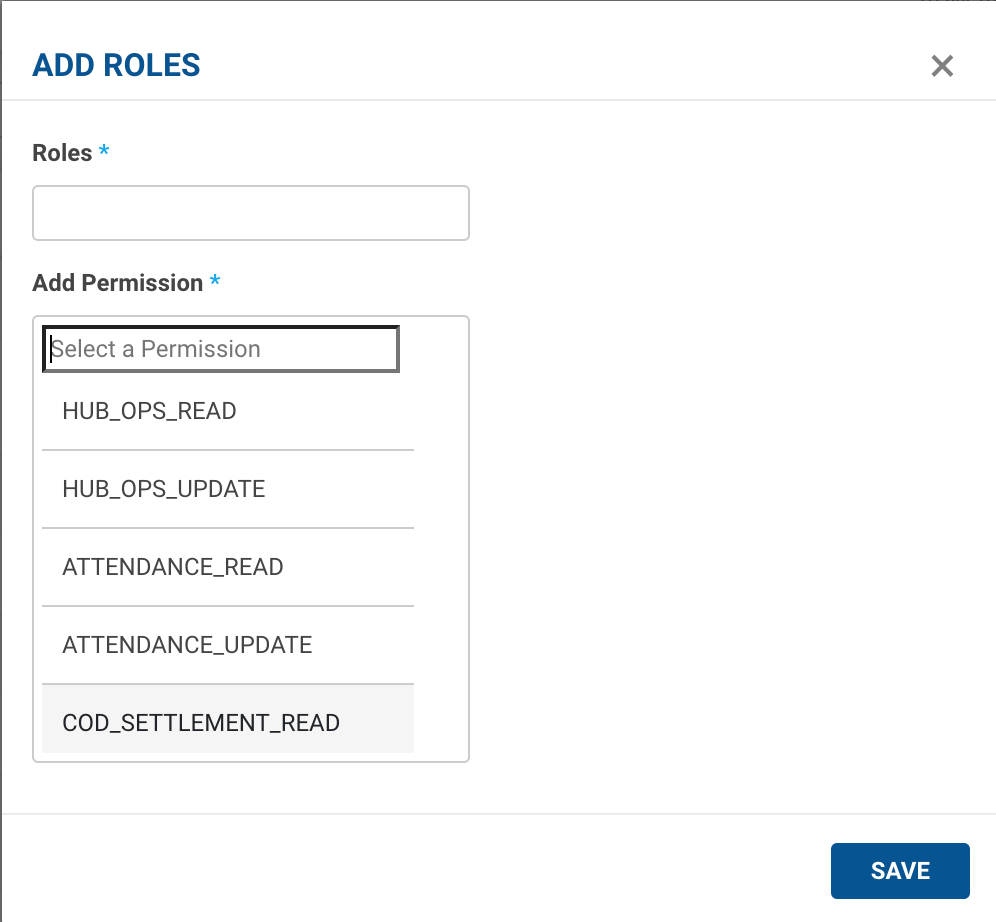
You can create a new Employee Role
-
You can select a number of permissions, associated with that role.
-
Multiple Number of Permissions Can be Selected At Once.
-
-
Click on Save Button, After filling the details.
You’ve successfully created an Employee Role.
Was this article helpful?