
Bulk Upload Order Creation
Article 04Sho6v5 · sourceDescription : Create an bulk order through Upload Excel in Dispatch Screen.
Bulk Upload Order Creation
-
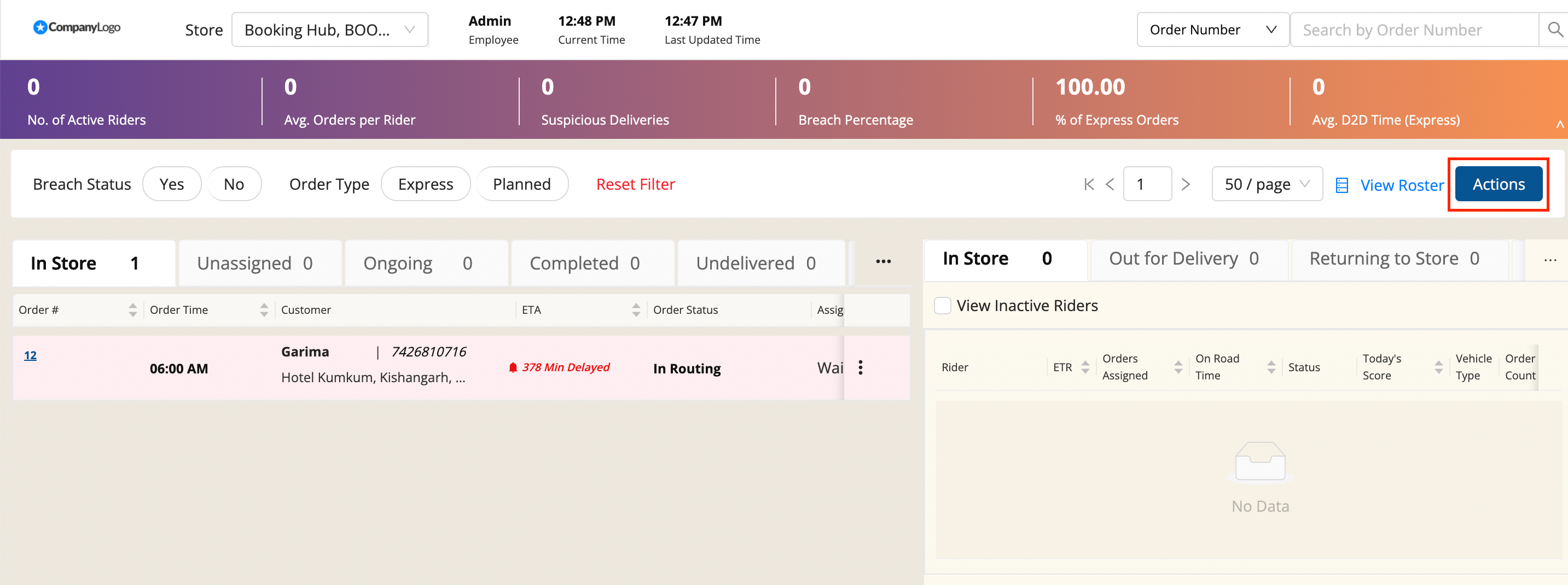
In Dispatch Screen, click on Actions → Add Bulk Orders
-
A file upload window appears. This method is used to create multiple vehicles makes.
-
Click on the Select From Computer button to upload your Excel sheet and click on UPLOAD button.
sample_add_order_dispatch1 (5).xlsx
29 Apr 2022, 03:36 PM
Following is the description for the keys for order object
| Key Name | Description | Data Type | Required Key | Remarks |
| order_number | Order Number | Integer | required | Combination of order_number, order_date and store_id should be unique |
| order_date | Order Date | YYYY-MM-DD | required | Only current_date order are displayed on Dispatch Screen |
| store_id | Store ID | String | required | Store_Code as saved in Shipsy |
| menu_code | Code for menu item | String | ||
| menu_description | Description of item | String | Description of item | |
| quantity | Quantity | Integer | Number of orders | |
| order_line_total | Total Amount for order | Decimal | Total Amount | |
| final_amount | Final Amount to be charged | Decimal | Final Amount to be paid by the customer during delivery | |
| order_saved | Time Order was received | YYYY-MM-DD HH:mm:ss | required | Time at which order is communicated through API |
| makeline_time | Time Order was put in oven/making | YYYY-MM-DD HH:mm:ss | required | Time at which order should be visible in Dispatch Screen |
| load_time | YYYY-MM-DD HH:mm:ss | |||
| tent_number | Any identifier to be used | String | ||
| latitude | Customer’s Location | Decimal | Customer_Location_Coordinate - Latitude | |
| longitude | Customer’s Location | Decimal | Customer_Location_Coordinate - Longitude | |
| delayed_order | If the order is delayed | 0/1 | If order is to be served after a couple of hours, set to 1 else 0 | |
| order_type | Select the Order Type | String | Planned or Express | |
| slot_start | Slot Start Time for the order | YYYY-MM-DD HH:mm:ss | ||
| slot_end | Slot End Time for the order | YYYY-MM-DD HH:mm:ss | ||
| pickup_otp | OTP at the Time of Pickup | Number | ||
| delivery_otp | OTP at the Time of Delivery | Number | ||
| return_otp | OTP at the Time of Return | Number |
Following is the description for the keys for customer object
| Key Name | Description | Data Type |
| customer_name | Customer’s Name | String |
| phone_number | Phone Number | String |
| street_number | Street Number | String |
| street_name | Street Name | String |
| city_name | City | String |
| address_line_2 | String | |
| address_line_3 | String | |
| address_line_4 | String | |
| postal_code | Postal Code | String |
Was this article helpful?