
Instructions
Article PkJw0OGt · sourceUsers need to follow the below mentioned instructions to add a new address to the address register configured for their organisation.
Instructions
Navigate to Address Register
-
Navigate to the Ops Dashboard
-
Click on the Hamburger Menu icon
-
Select Setup from the menu
-
Select Address from the sub-menu
-
Select Address Register from the dropdown list
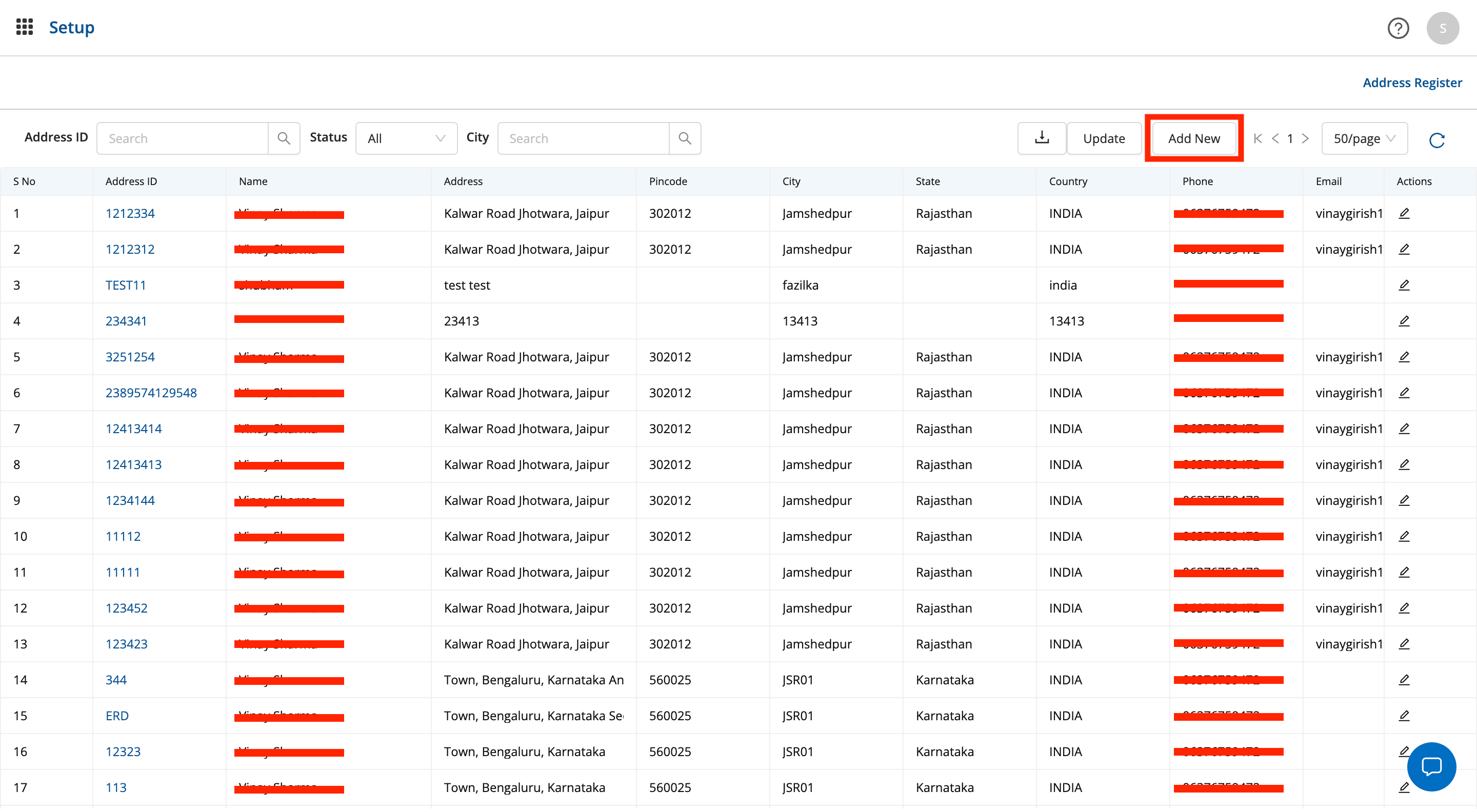
-
Click on Add
-
To add a new address, click on add
-
From the dropdown, select single to add a single address
-
Select bulk upload to upload
.csvfile for multiple entries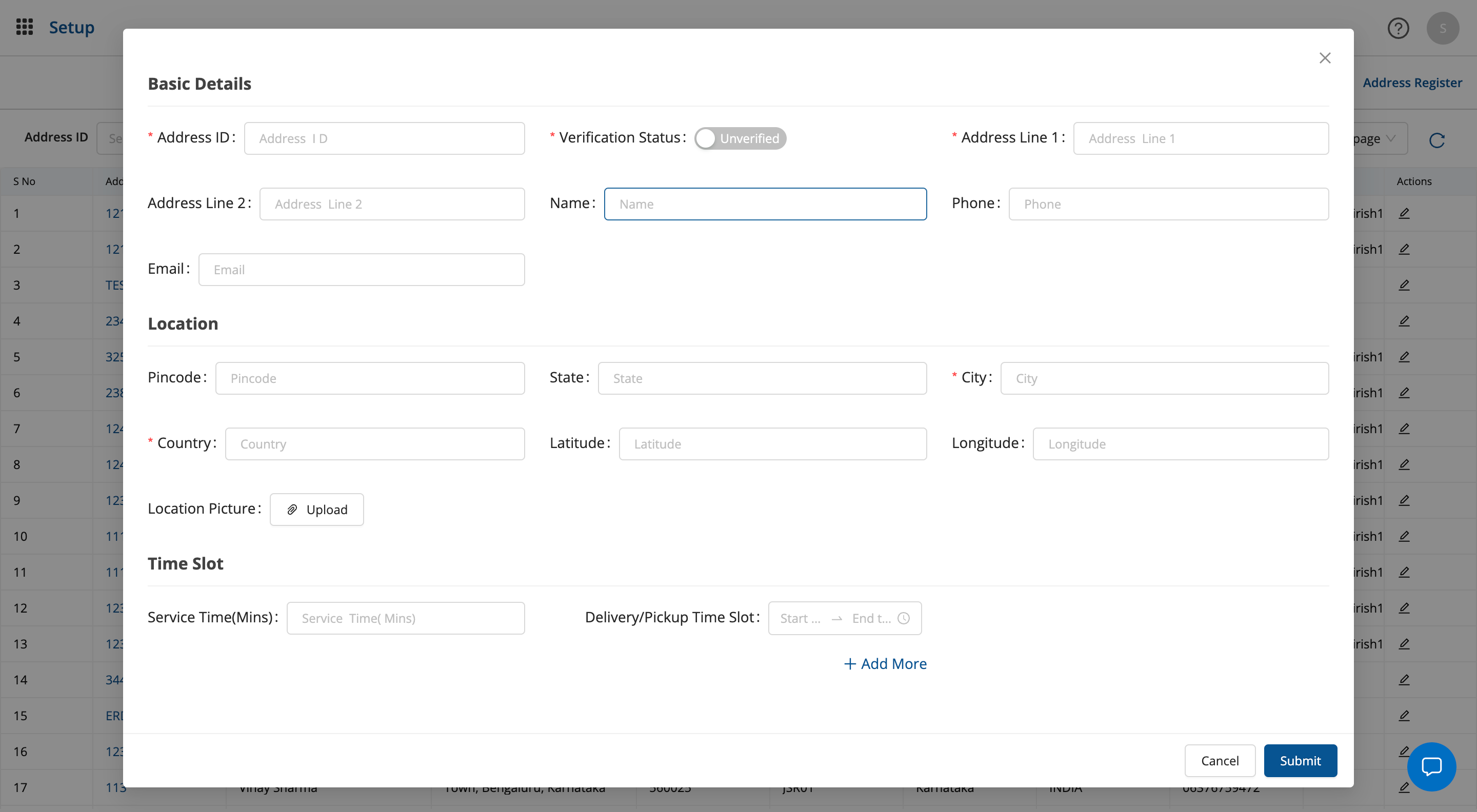
Fill the Relevant Details
- In the address details modal input the required relevant details
- Users can toggle the
verification statuskey to mark the address as verified or not verified - Additionally, user can also add images of the address location for easier identification
Save the Address
- Once the user has input all the required address details, they can click on save to save their new address
-
-
Was this article helpful?