
How to upload contract rates?
Article XiLwtBl8 · sourceAs per the rate cards shared by the clients, we configure the metadata for the Contracts in the system. These are visible as CHARGES under which multiple Rate cards are added. Once the metadata has been created, all we have to do is upload the contract rates and the system will be ready to generate invoices.
To upload contract rates :
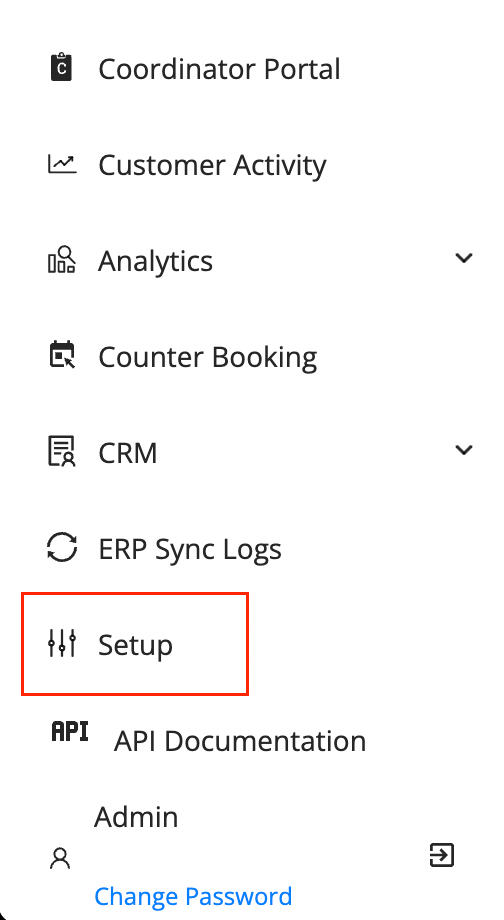
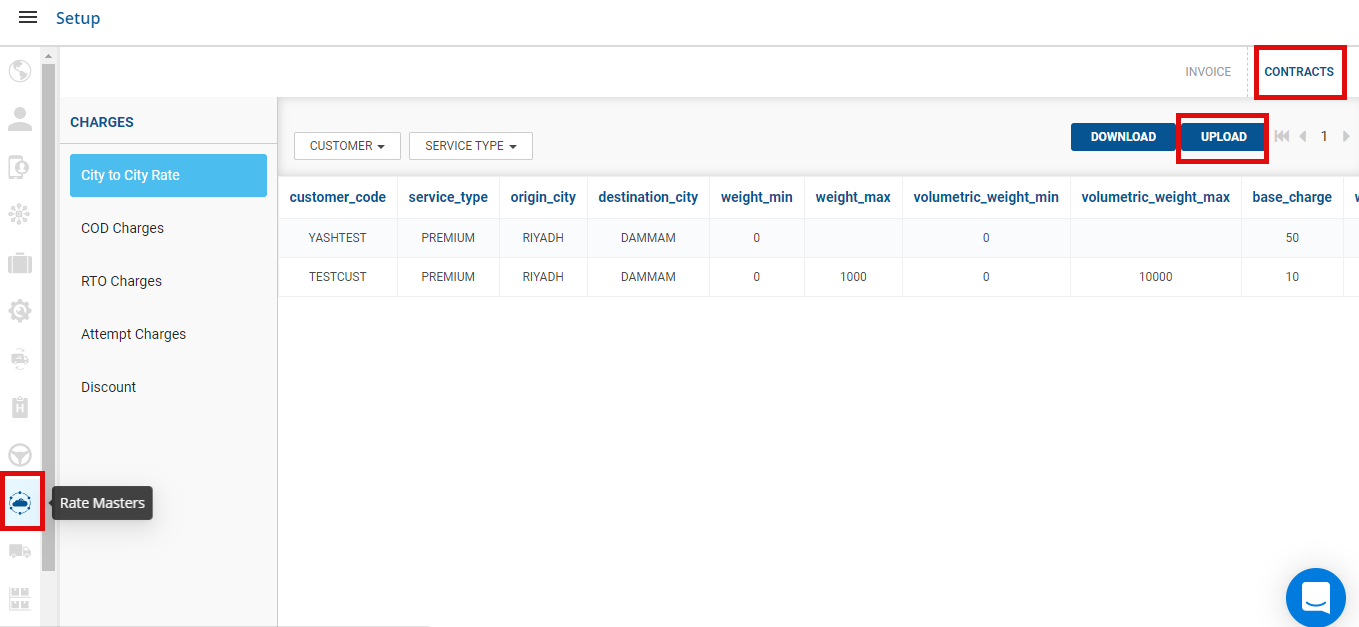
- In the dashboard → Click on the Hamburger Menu () → Setup → Rate Masters () → Contracts
- Click on UPLOAD.
- A window would come up to add contracts. Download a sample file.
- An Excel file with dummy data will be downloaded, fill it with the rates as applicable.
- On the window, Click on Select From Computer or Drag and Drop the updated Excel file with rates to upload contract.
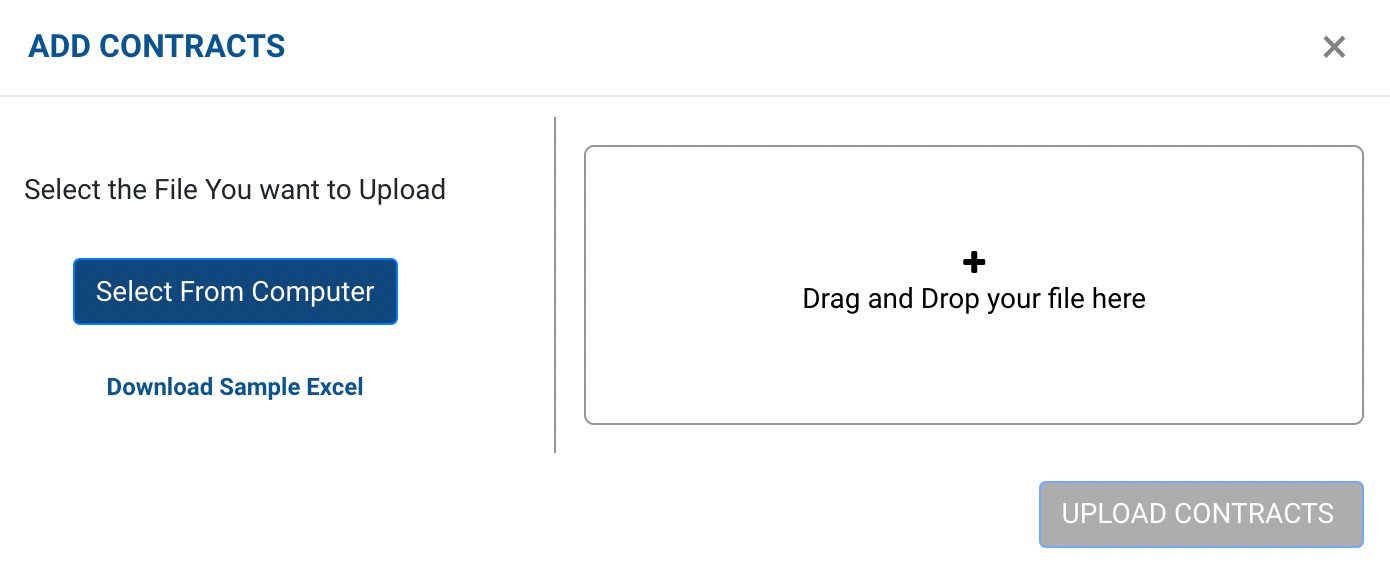
- Click on UPLOAD CONTRACTS. The rates should now be visible on the
Contractstab onRate Masters.
Was this article helpful?