
How to create app user
Article sWCLOQTE · source**Description:**Riders are the one who helps in delivering the order from the Hub location to the customer location and vice versa.
In the dashboard :
-
Click on the hamburger menu (

) → Setup Section→ App users
→ To create a new rule.
-
Select the store from the top in which you want to create the rider for.
-
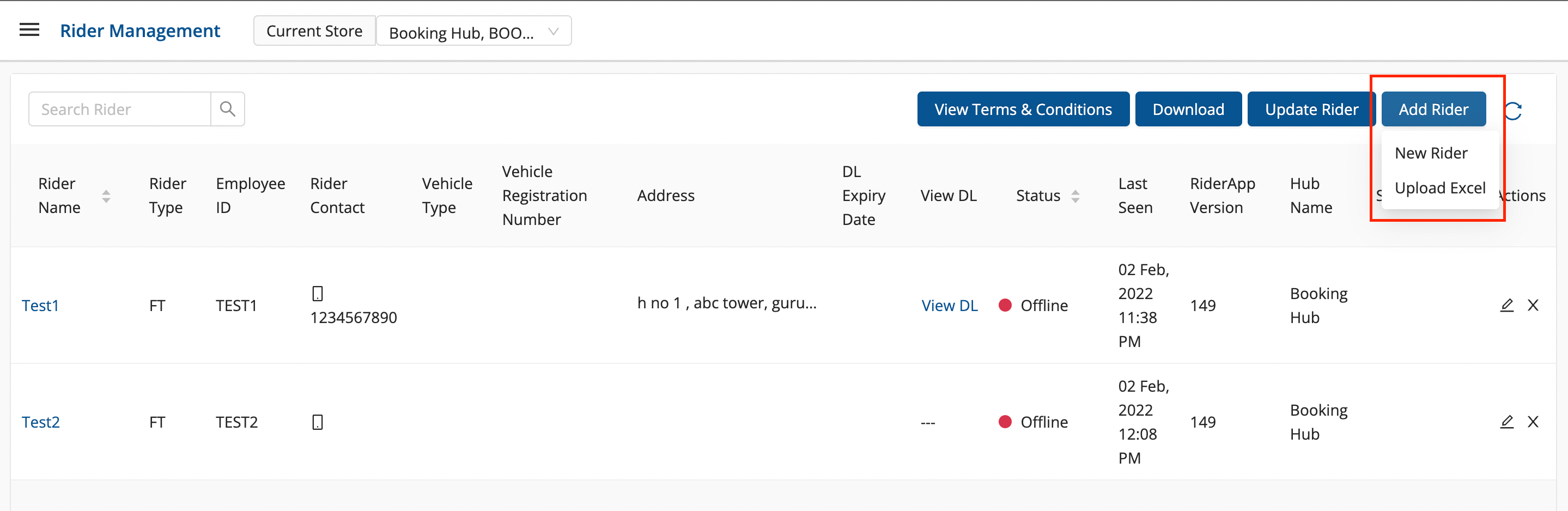
Click on ADD NEW button.
-
Method 1 - New App Useroption → A form shall appear with required fields
- Fill up the form and click on Submitbutton.
- You’ve successfully created a new rider.
-
Method 2 - Upload Exceloption → A file upload window appears.
- Click on Select From Computer to upload your Excel sheet.
- One can also drag and drop your file into the space provided in the window.
- You can download a sample Excel file to understand what data has to be entered by clicking on Download Sample Exceloption from the window.
- You’ve successfully created a new rider.
| Field | Description | Input Value |
| Name | Name of the rider | String |
| Worker Code | Organisation Identification code for rider | String |
| Worker Type | Full time, pay per order, pay per hour | String |
| Username | Username of rider for login into the app | String |
| Password | Password for login in rider application | String |
| Confirm Password | Re-enter Password for login in dashboard | String |
| Phone | Phone number detail | String |
| Hub Code | Code for the hub to which the rider is attached | String |
| Emergency Phone | Emergency Phone number | String |
| Pan Number | Pan card number is required | String |
| Is Active | Is the rider currently a part of any fleet of the organisation | Boolean |
| Vehicle Type | Type of vehicle the rider is associated with | String |
| Blood Group | Blood group of the rider | String |
| Joining Date | Joining date of the rider with the organisation | String |
| Rider ops status | String | |
| Shifts | Enter the shift with which the rider is associated | String |
| Auto Create Vehicle | Vehicle to be created automatically | Checkbox |
| Account holder name | Name of the rider who is holding the account | String |
| Account number | Rider’s account number | String |
| Bank name and branch | Name of the bank and branch in which the rider is having an account | String |
| IFSC code | IFSC code to be filled | String |
Was this article helpful?