
UI changes for the Dashboard
Article -gIkcRwK · sourceUI changes for the Dashboard
Shipsy will be releasing a new outlook of our dashboard, where we have kept in mind our customer’s needs and have come across changes that will help out our clients with smoother functioning and are more visually appealing as well. This change will include the bifurcation of our current menu into two parts:
- Main Menu
- Setup Menu
Please find the description and screenshots below for better understanding.
Feature Description:
| Features | Changes | Description |
|---|
| Features | Changes | Description |
|---|---|---|
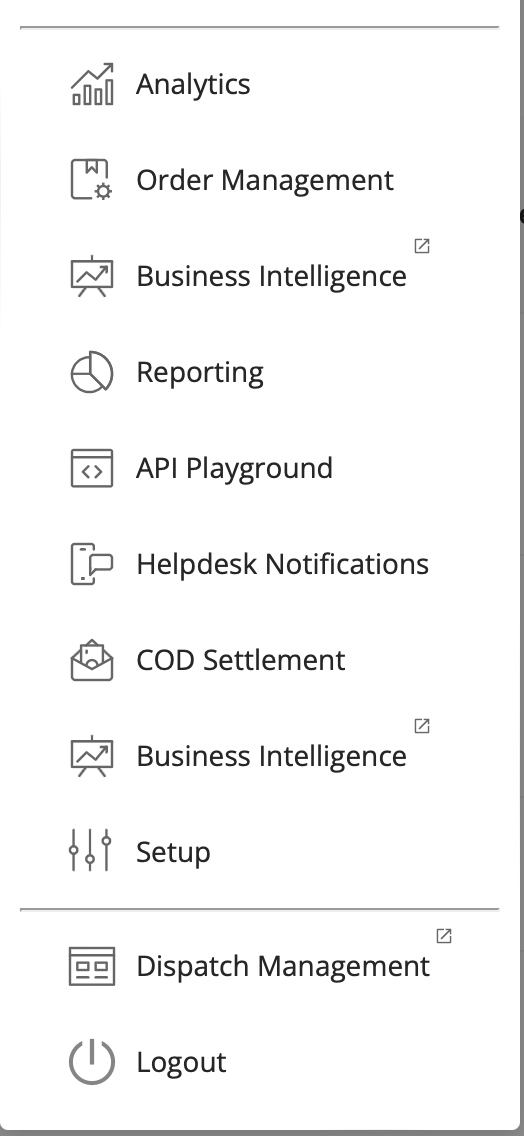
| Main Menu | The main menu will have the list of menu items that are more frequently used on a day to day basis, the list of sections will be as mentioned in the description. | List of menu items: * Analytics * Order Management * Business Intelligence * Reporting * API Playground * Helpdesk Notifications * COD Settlement * Business Intelligence * Setup * Dispatch Management * Logout |
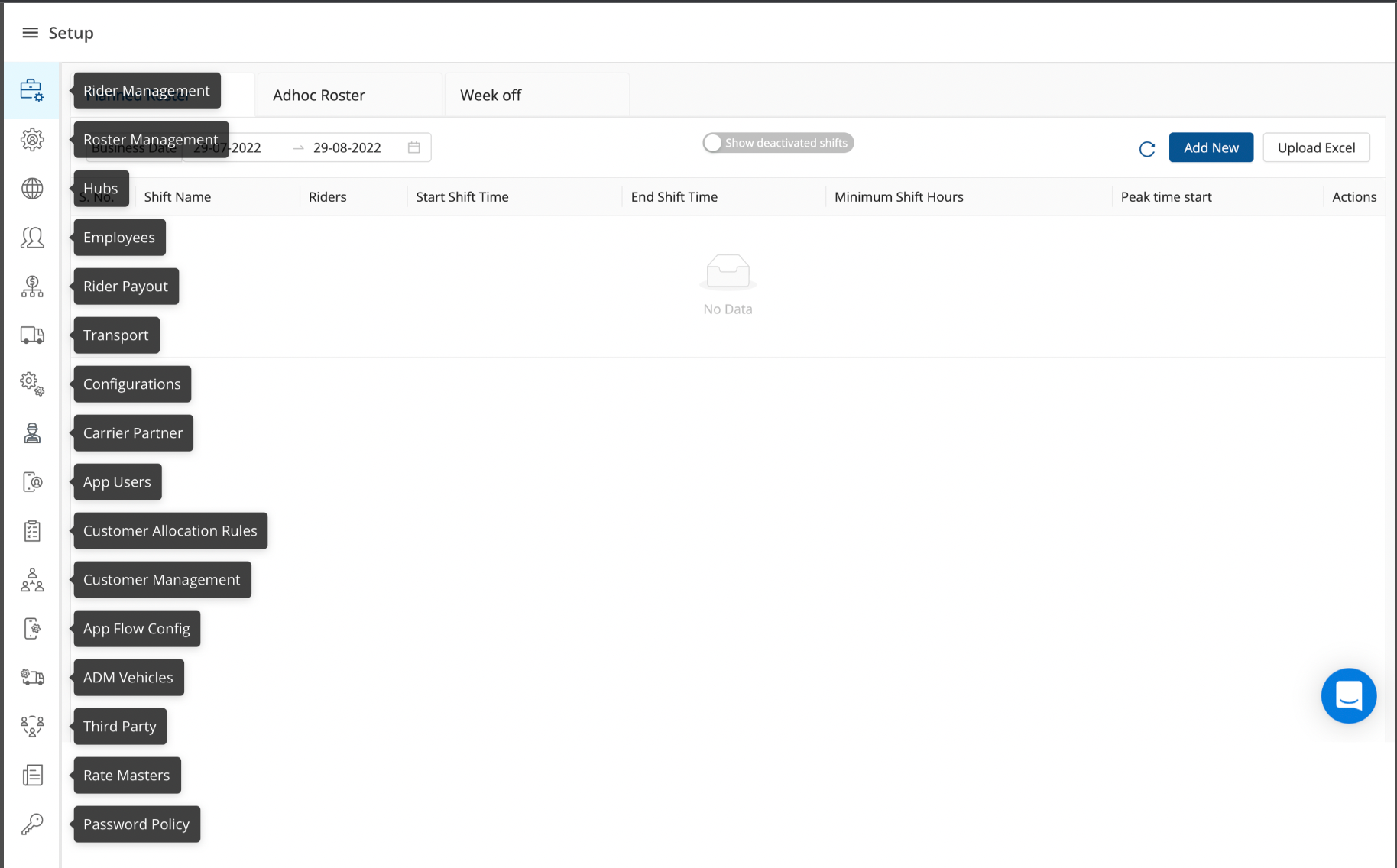
| Setup Menu | The setup functionalities will be all clubbed together for quicker access and concentrated effort while setting up the hubs, riders, etc. | This menu can be accessed by clicking on the Setup button on Main Menu. List of menu items that will be present in the Setup section: * Hubs * Employees * Carrier Partner * Transport * Configurations * Roster Management * Rider Management * Rider Payout |
Screenshots:
Main Menu
Setup Menu
Was this article helpful?