
Config Object Creation setup
Article q9dyCbRS · sourceTwo configs are present in Hub Level configs :
- Config Objects : Objects are created with various parameters to be mapped to hubs using Config Mapping.
- Config Mapping : Different config objects can be mapped to different hubs using Config Mapping.
Config Object Creation setup
- Click on the hamburger menu () → Task Allocation
- Configurations → Hub Level Config
→ To create a new config object.
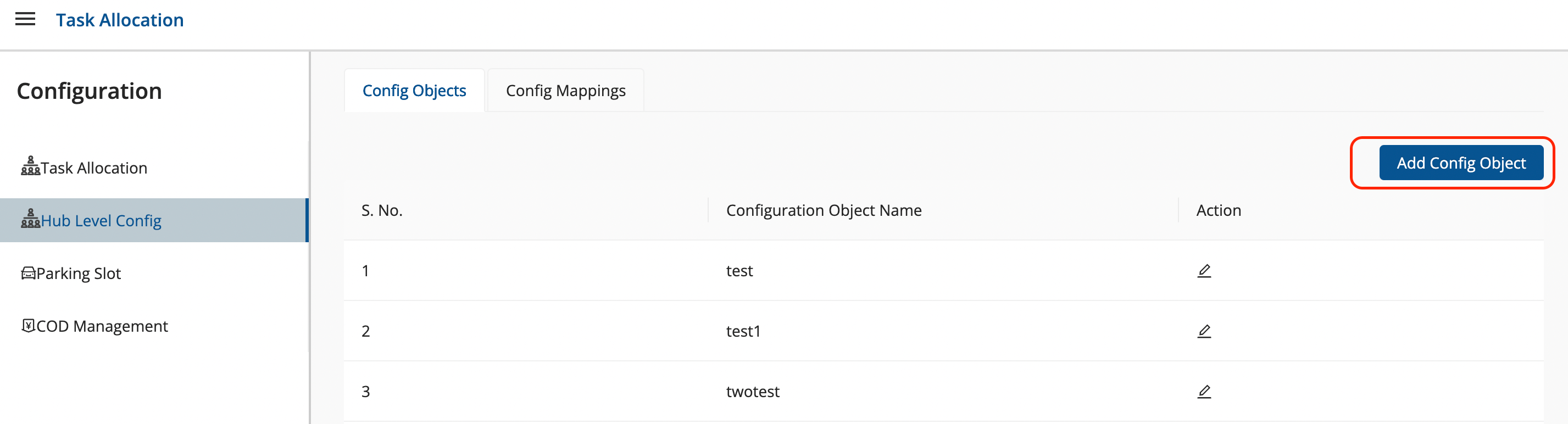
- Click on Config Object tab
-
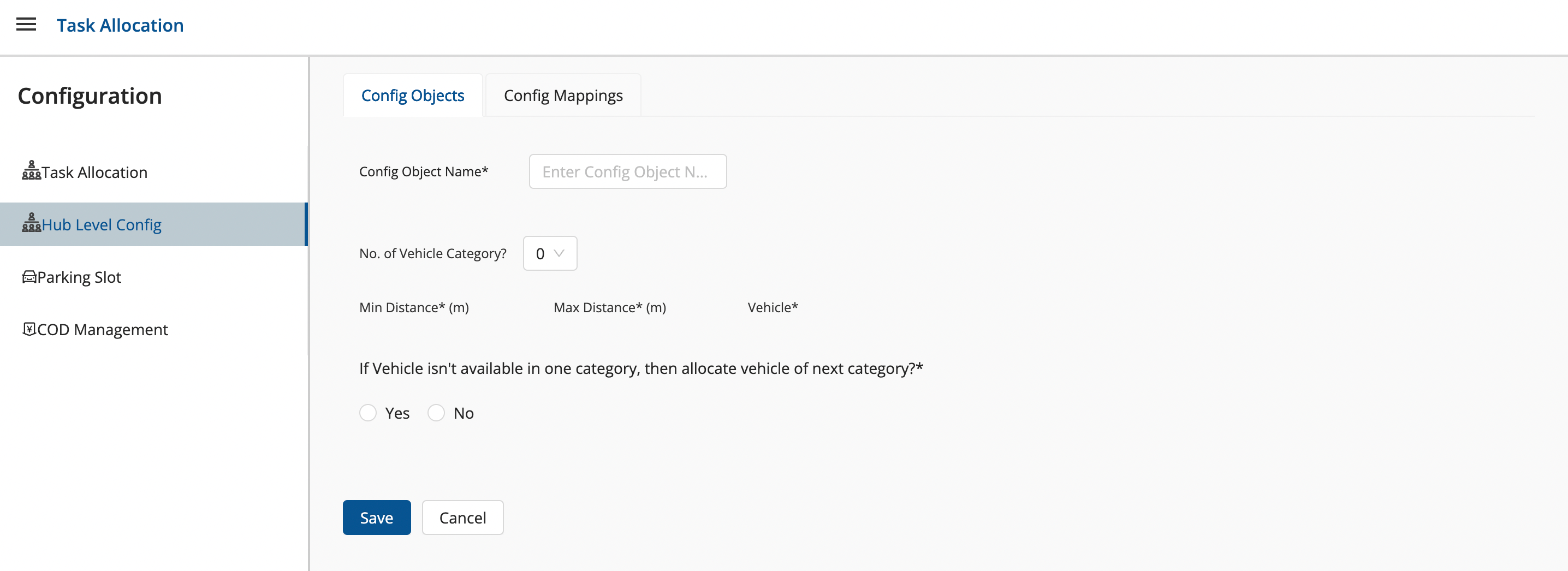
Click on Add Config Object button → A window shall appear with required fields.
- Fill up the window and click on Save button.
- You’ve successfully added a Config Object.
Config Mappings Creation setup
- Click on the hamburger menu () → Task Allocation
- Configurations → Hub Level Config
→ To create a new config mapping.
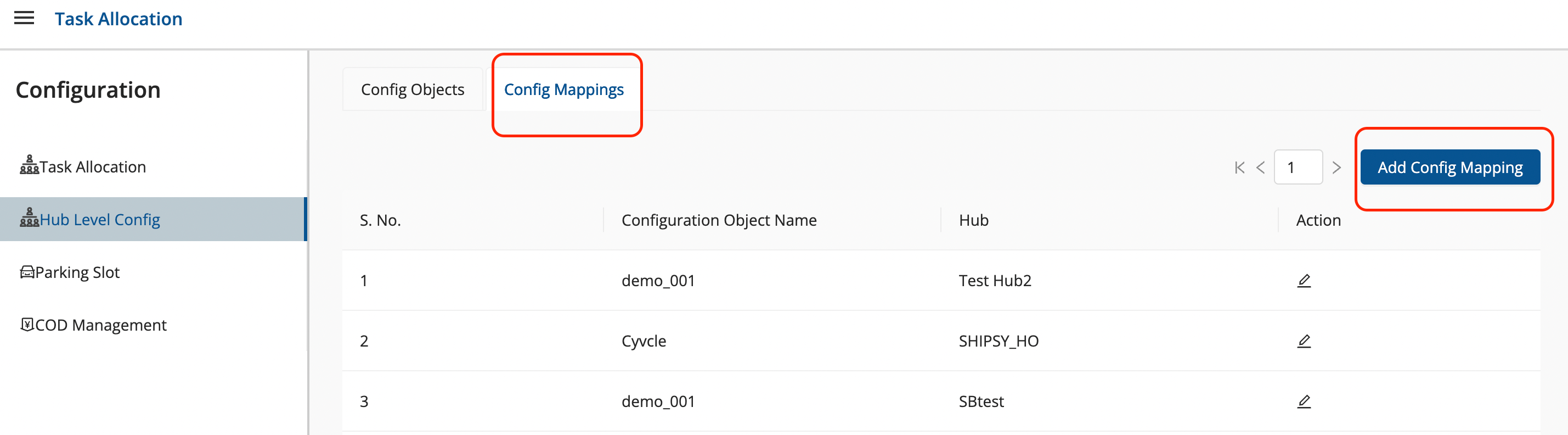
- Click on Config Mappings tab
-
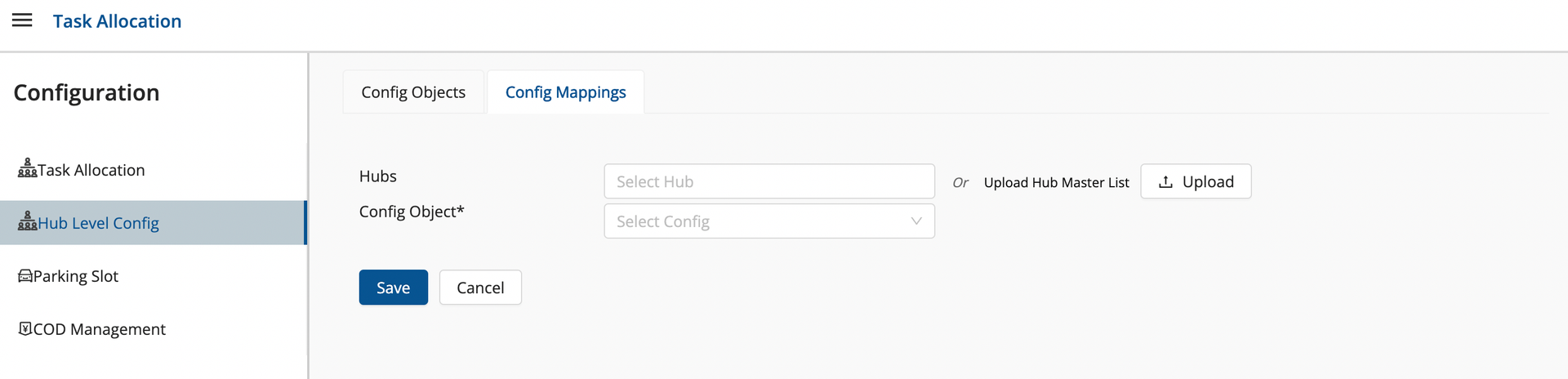
Click on Add Config Mapping button → A window shall appear with required fields.
- Fill up the window and click on Save button.
- You’ve successfully added a Config Mapping.
Was this article helpful?