
How to edit Address Hierarchy
Article pGFnOu_0 · sourceIn the dashboard :
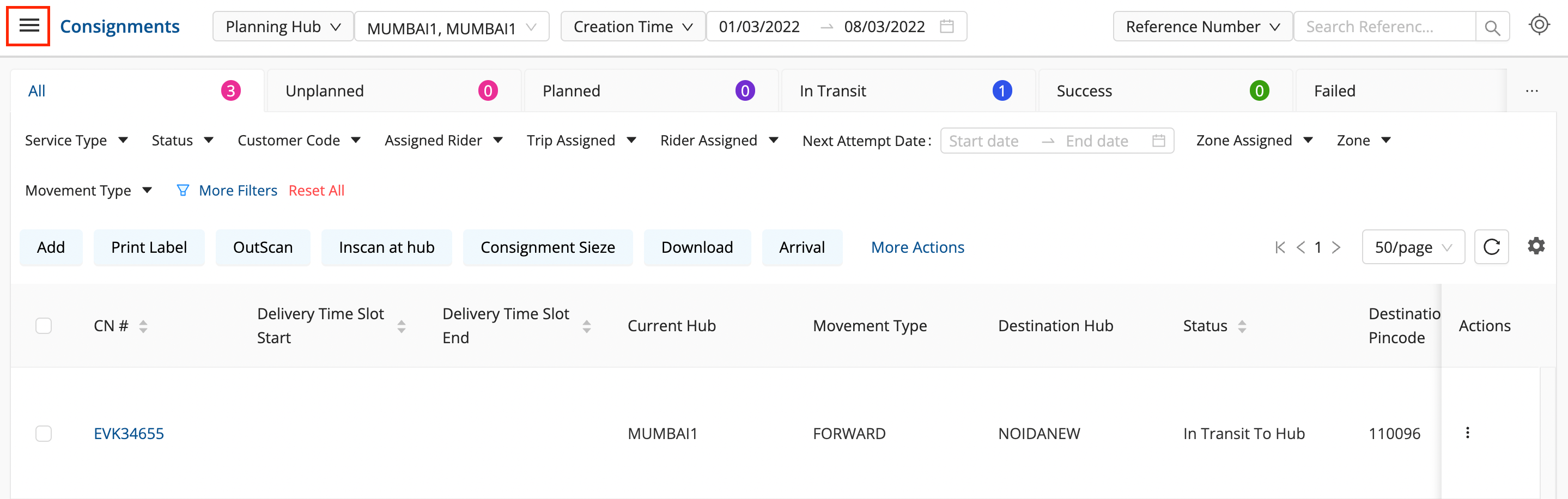
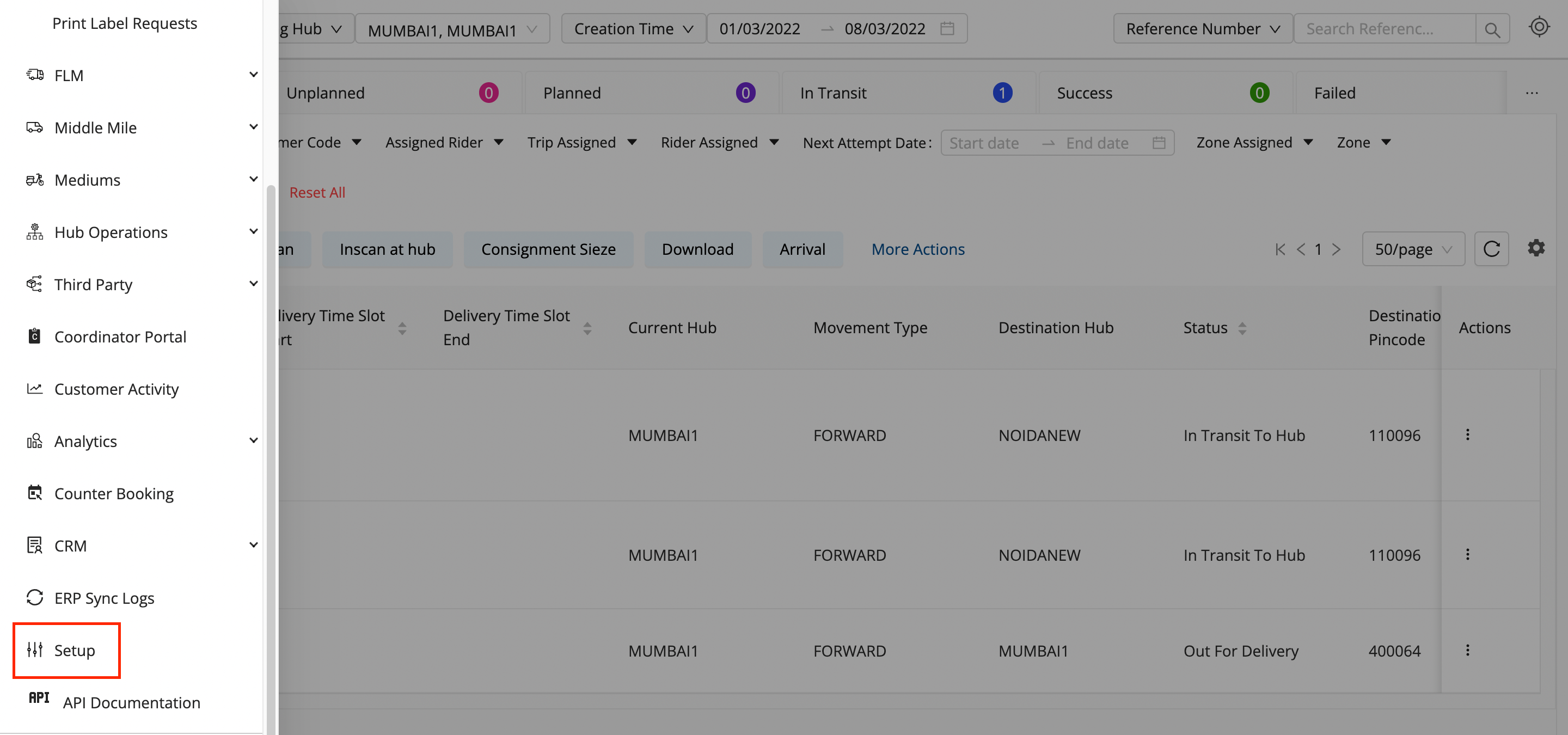
- Click on the hamburger menu () → Setup → Address Hierarchy
-
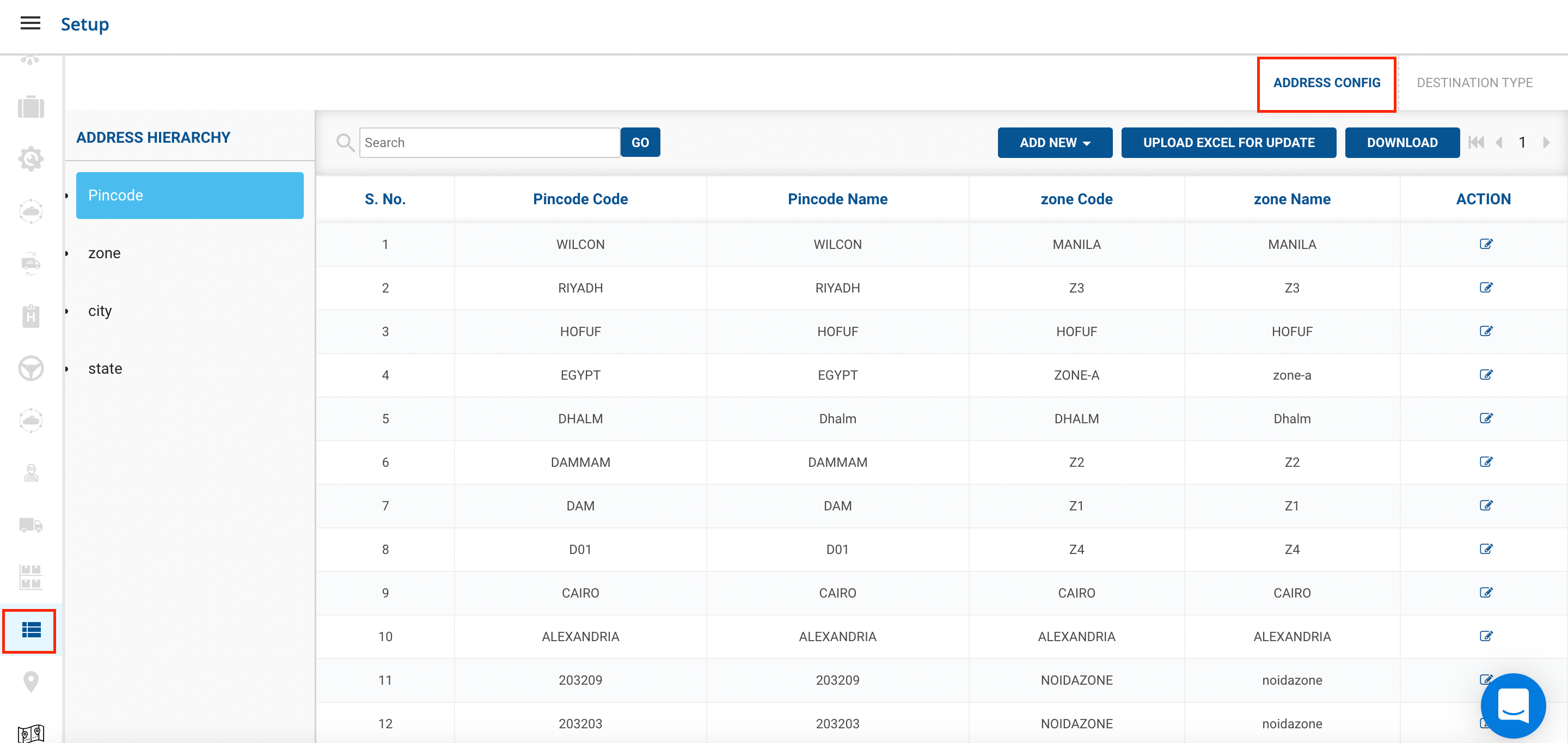
Go to Address Hierarchy → Address Config
-
On the Left Hand Side, you can see Pincode,Zone,City,State.
-
The hierarchies for them will be -
- Different Cities can fall under a state.
- Different Zones can be present under a city.
- Different Pin Codes can fall under one zone.
- Advisable to Add New Config according to this order.
-
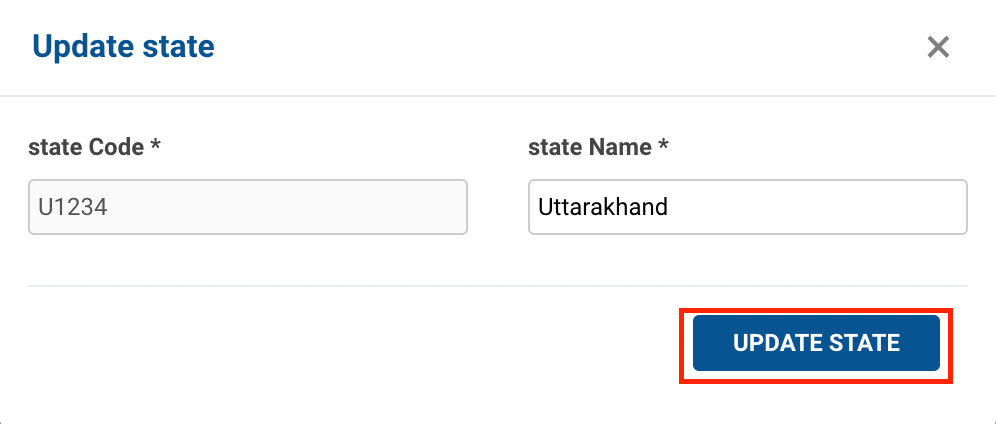
Method 1- Go to Action → Click on Edit Button→ A form shall appear with required fields.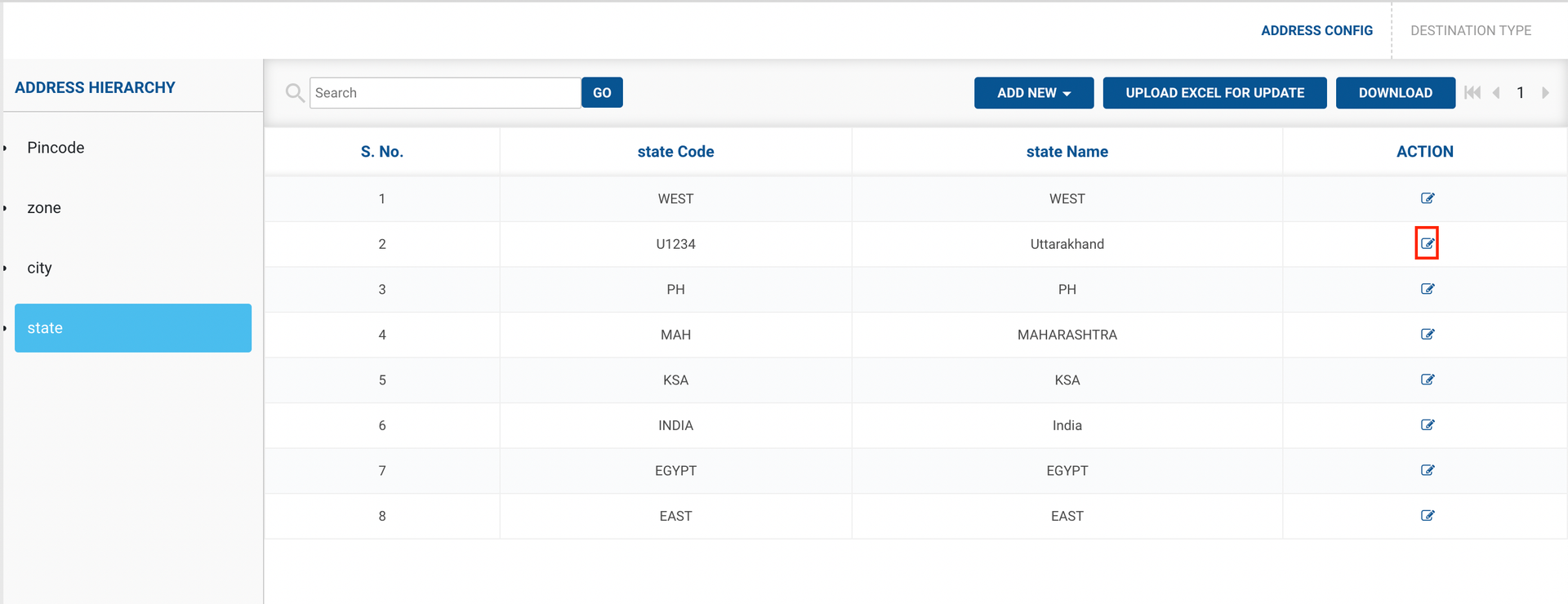
-
Fill up the form and click on the Update State button.
-
You have successfully edited an state.
-
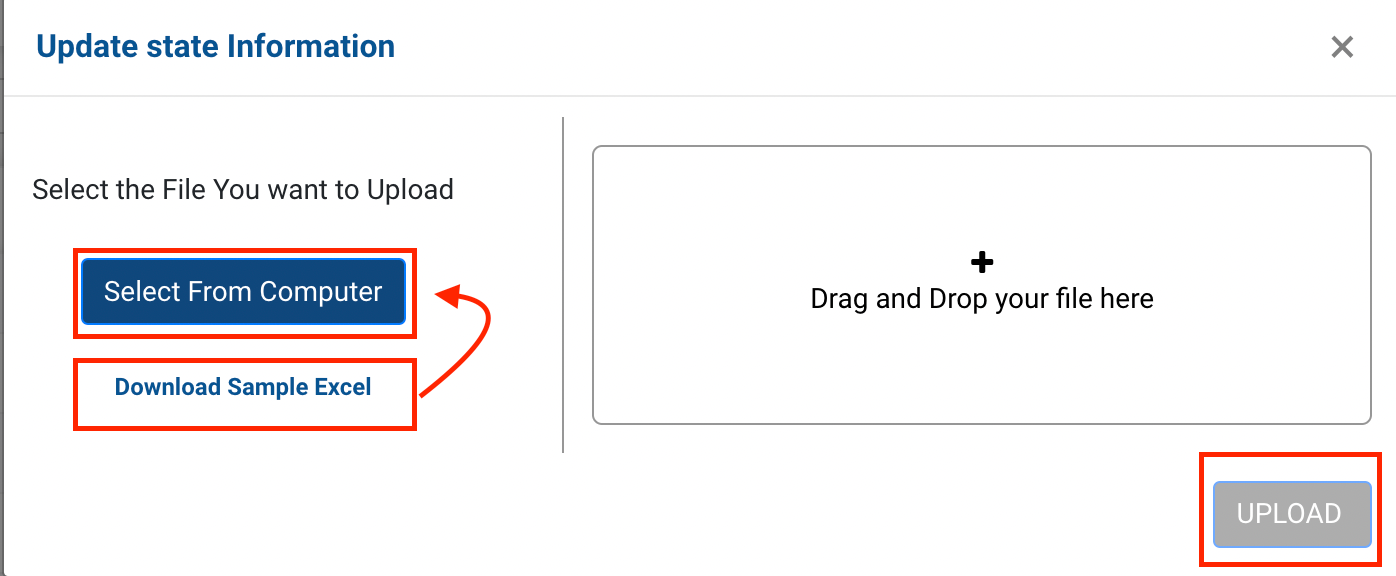
Method 2- Upload Excel for Update option → A file upload window appears.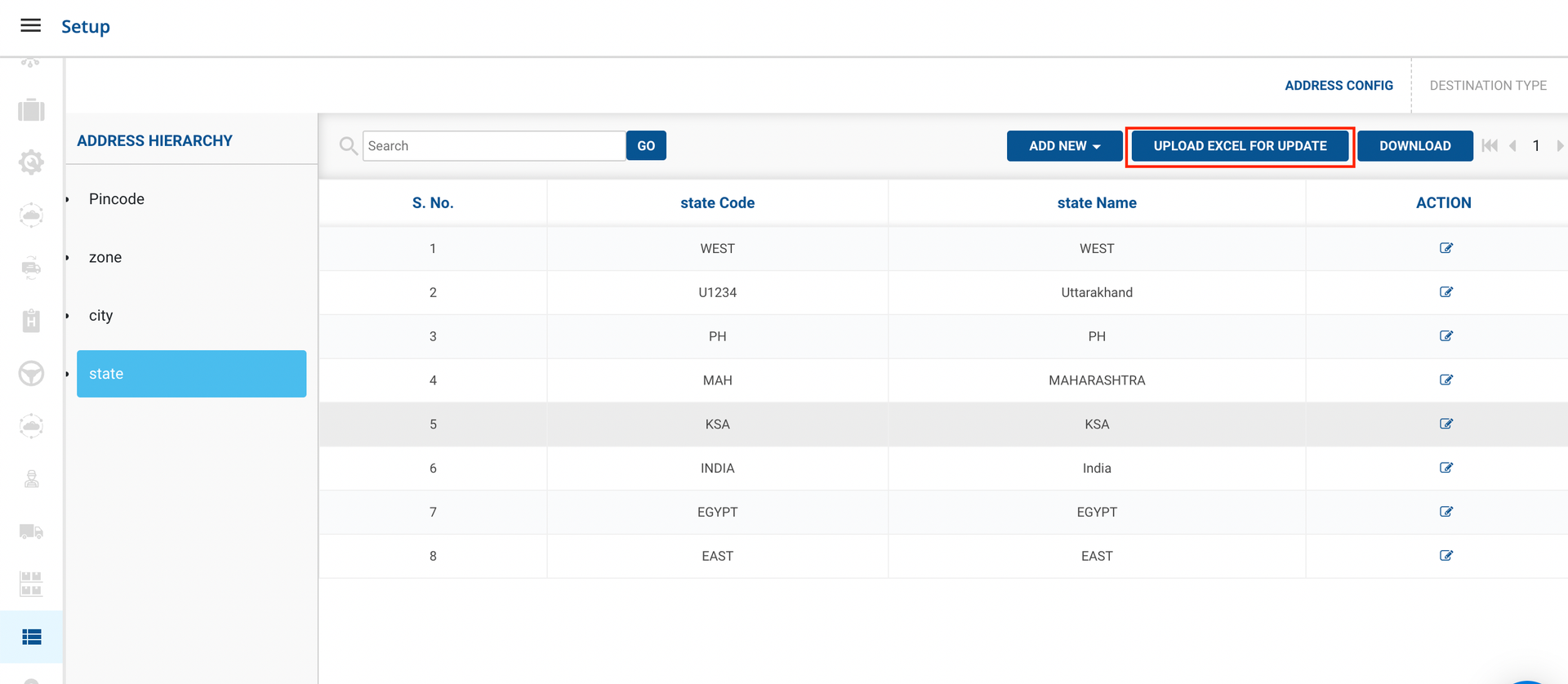
-
Click on Select From Computer to upload your Excel sheet.
-
One can also drag and drop your file into the space provided in the window.
-
Click on the Upload button.
-
You’ve successfully edited a state in Address Hierarchy.
-
Follow the above steps for Cities,Zones and Pin codes.
-
Was this article helpful?