
Edit Hub Details
Article MZXn2-uY · source→ To update an existing hub details.
-
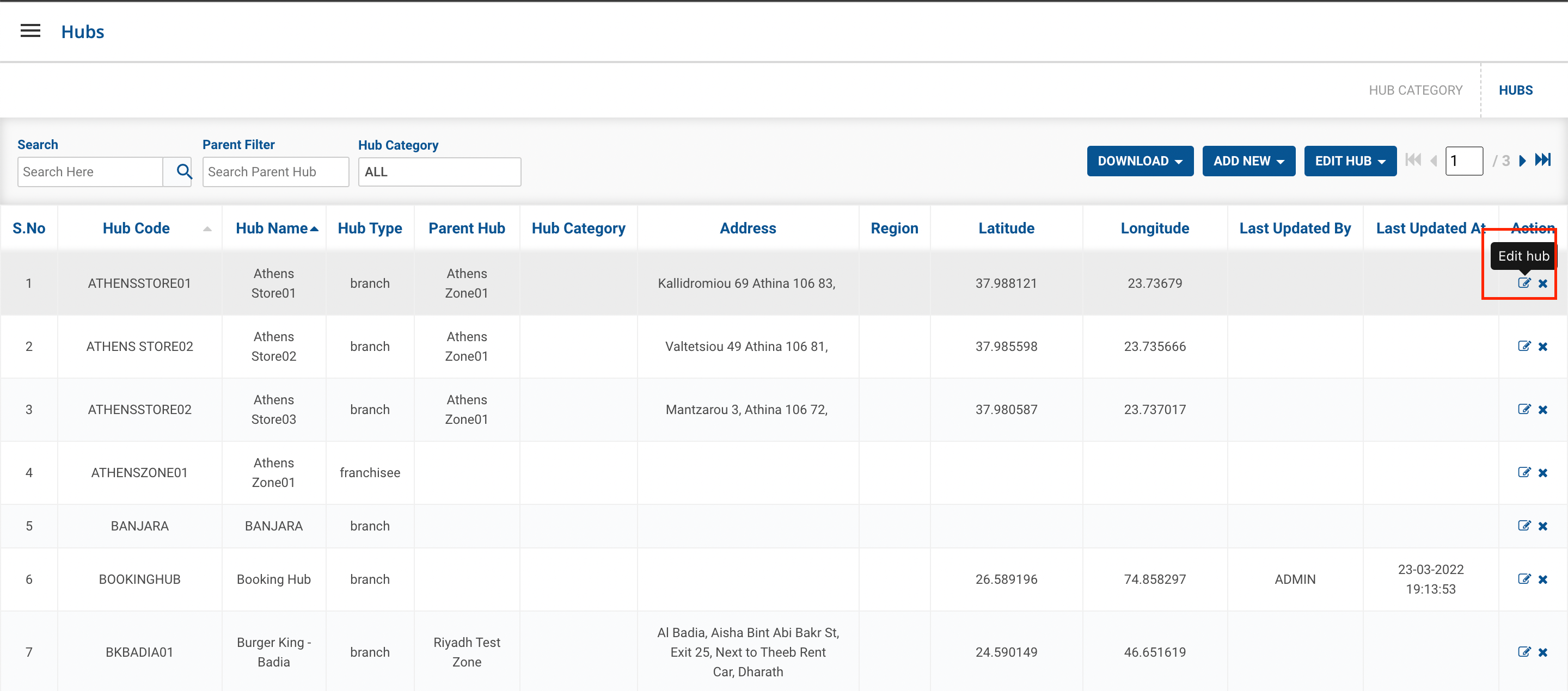
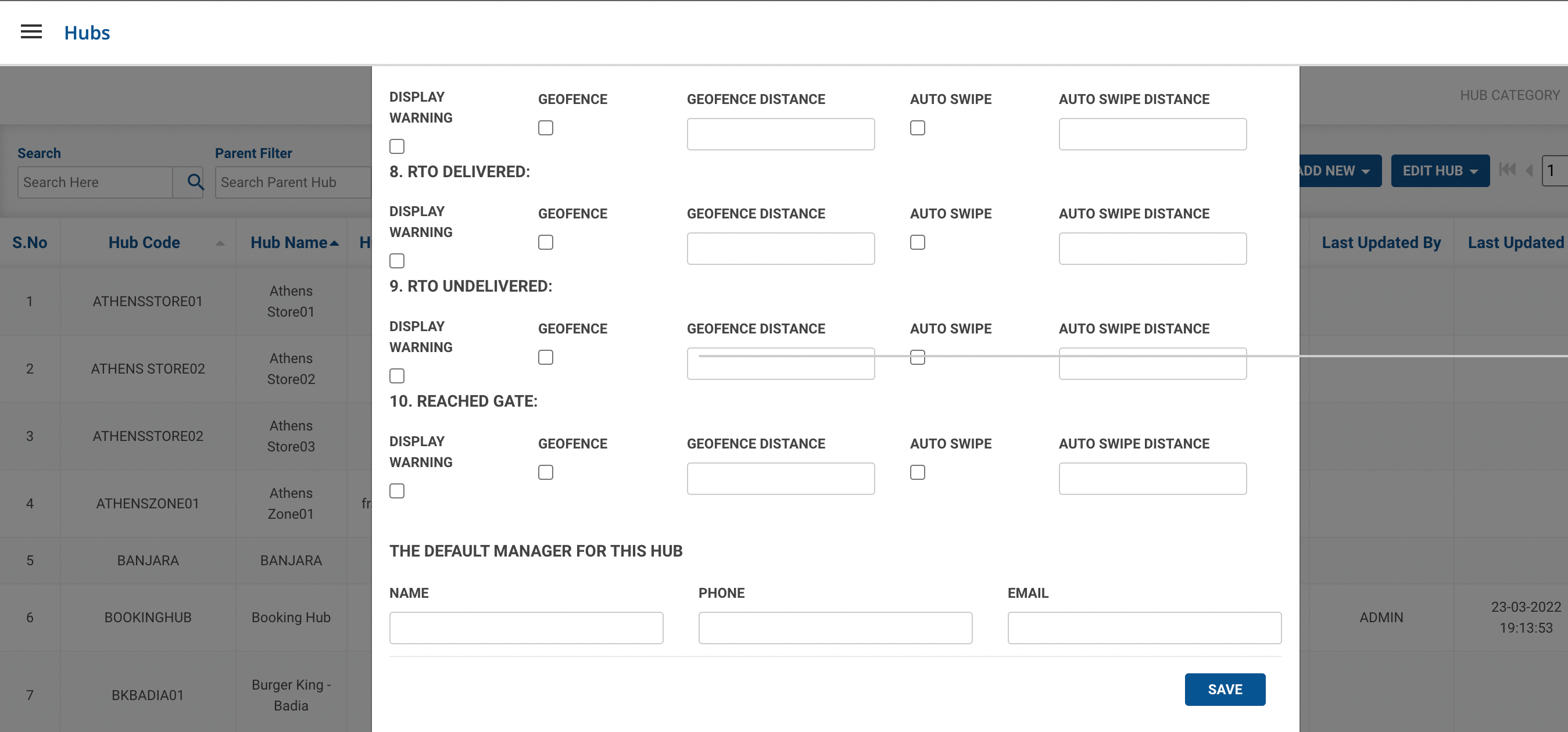
Method 1- Click on Edit Hub button() under Action column → A form shall appear with existing data. This method is used to update a single hub data.
- Update the existing data in the form and click on UPDATE button. You’ve successfully updated existing hub data.
-
Method 2- Click on UPDATE HUBS → Upload Excel For Update. This method is used to update hub data in bulk.
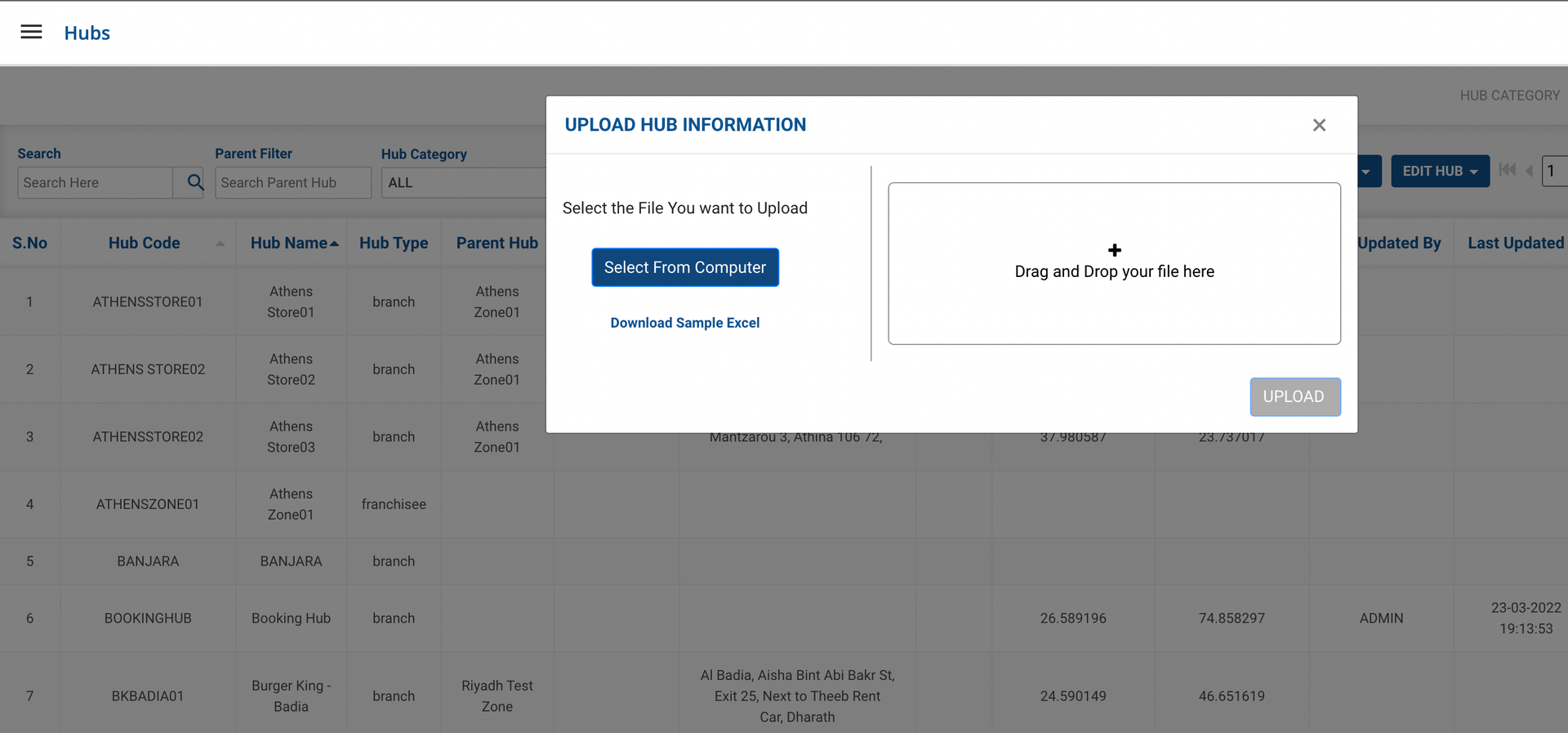
- Click on Select From Computer button to upload your updated Excel sheet and click on UPLOAD button.
- One can also drag and drop your file into the space provided in the window.
- You can download a sample Excel file to understand what data has to be entered by clicking on the Download Sample Excel option from the window.
- You’ve successfully updated multiple hub data.
Was this article helpful?