
On Demand - How to edit rules individually or via excel
Article W7j5H65R · source→ To edit the coordinator rules under employee.
-
Click on the hamburger menu (

) → Employee.
-
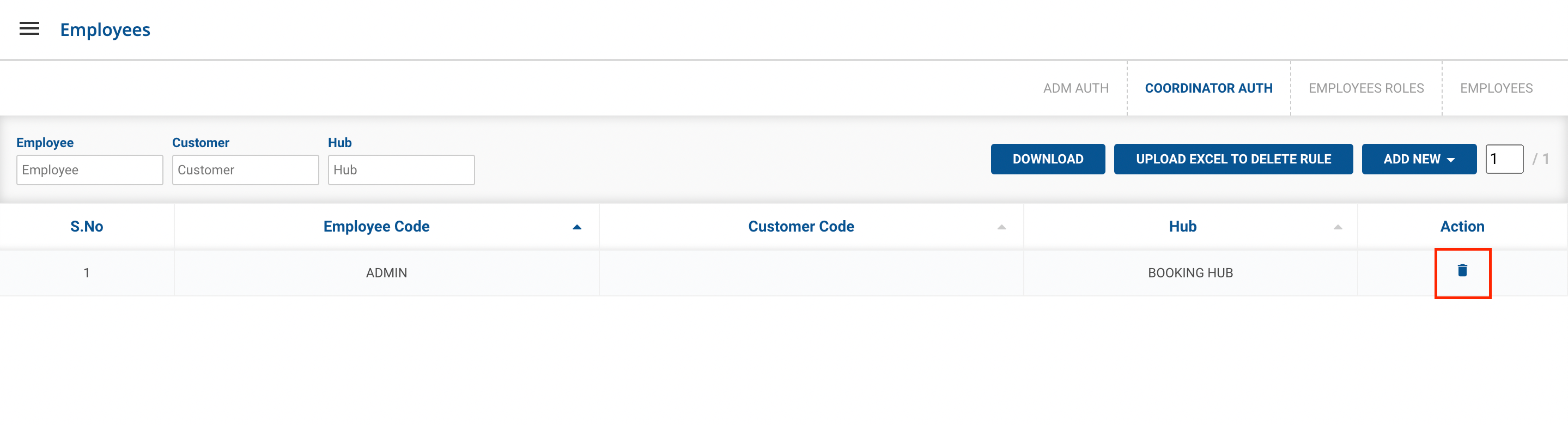
Click on the Coordinator Auth Button.
-
Method 1 - Edit the single Rule.
-
Click under the Action of the individual coordinator tab.
-
Method 2 - Edit the Rule via upload excel.
-
ClickAdd NewButton.
-
Click on Upload Excel to add new rules Button.

-
Click on Select from Computer to upload the Excel sheet.
-
One can also drag and drop the file into the space provided in the window.
-
You can download a sample Excel file to understand what data has to be entered by clicking on the Download Sample Exceloption from the window.
-
Click on the UploadandAdd button, you’ve successfully added the employees.
Was this article helpful?