
On Demand -How to assign employee type/ role to an employee
Article IIM65o8M · sourceFor every employee, the employee roles assigned to them can be assigned or deleted.
Important instructions about OPT:
-
You have to search for your employee type first and in that employee type(Like
AMANRAIROLE,
) you have to select employee and area of operation.
In the dashboard :
-
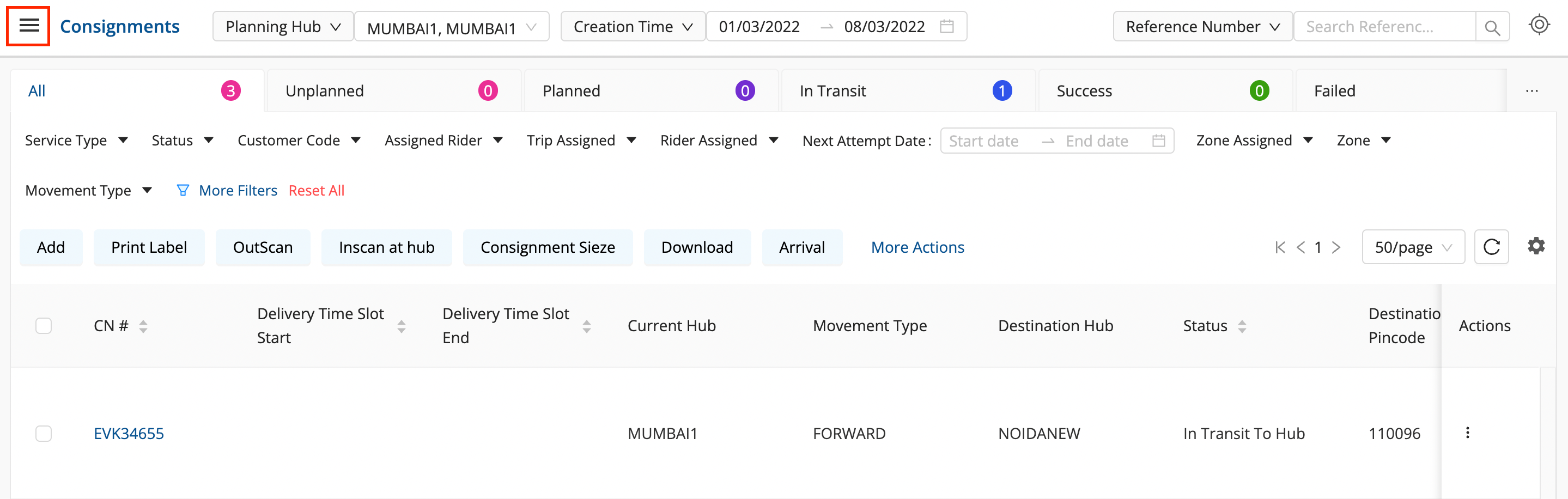
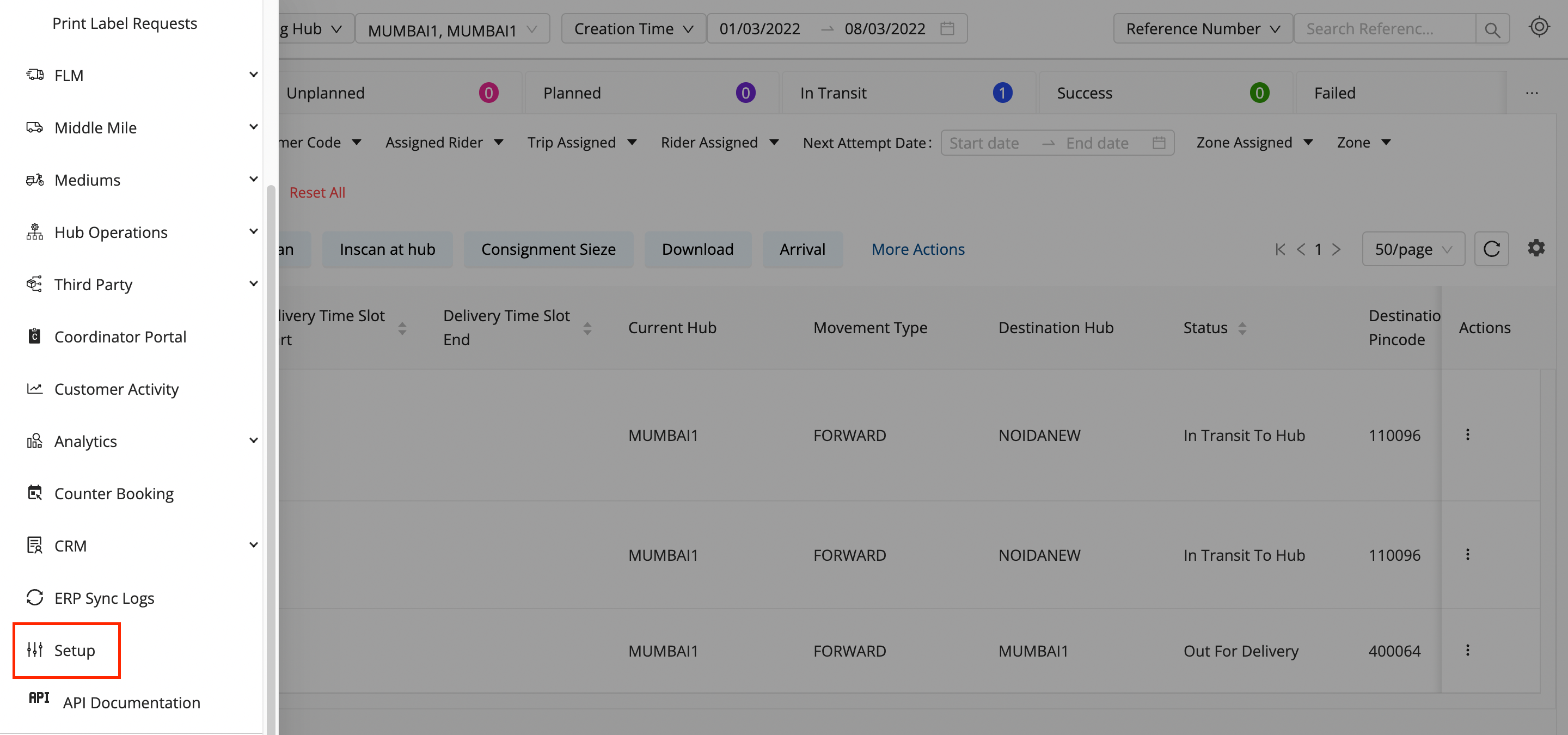
Click on the Hamburger Menu (

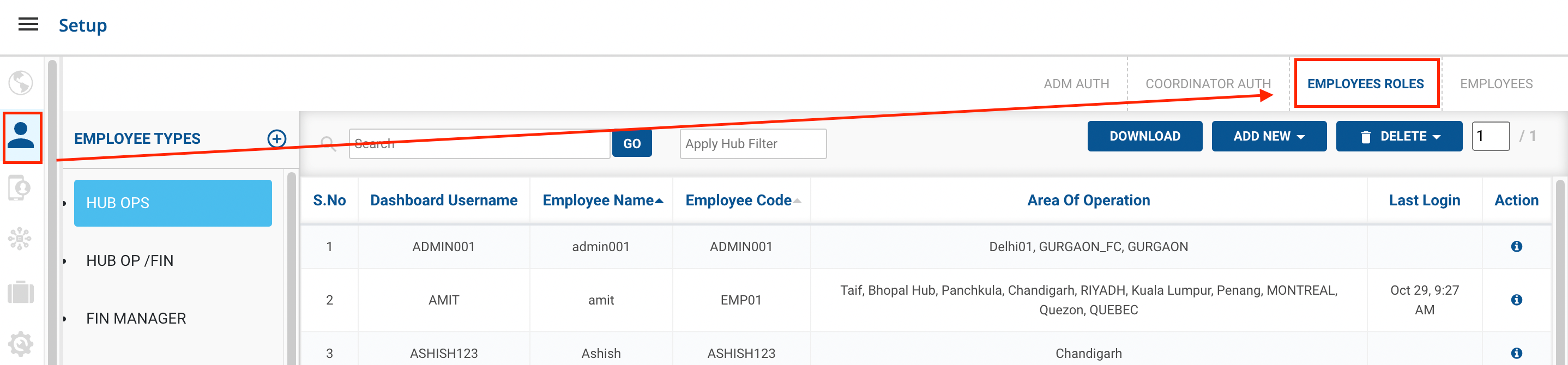
) → Setup → Employees → Employees Roles
-
Select the
Employee Type
where the employee has been given permission.

-
Click on the
ADD NEW
button.
-
Method 1
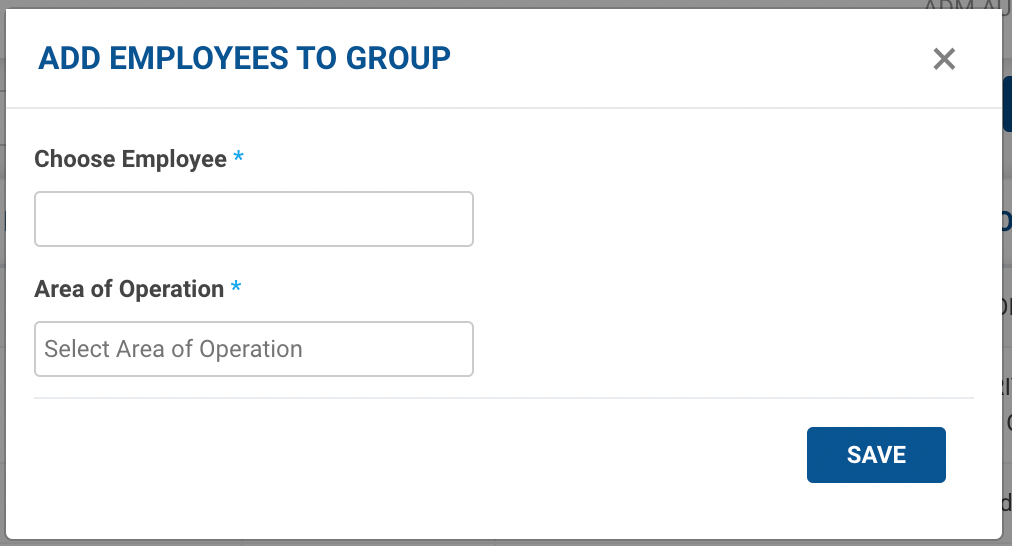
New {Employee Type}
option → A form appears with the required fields to be filled.

-
Fill up the form with the Employee Code/ Name along with the Area of Operation(Hub) and click on the
Save
button.
-
You’ve successfully assigned the employee to a particular Employee type and hence, given those sets of permissions to that employee.
-
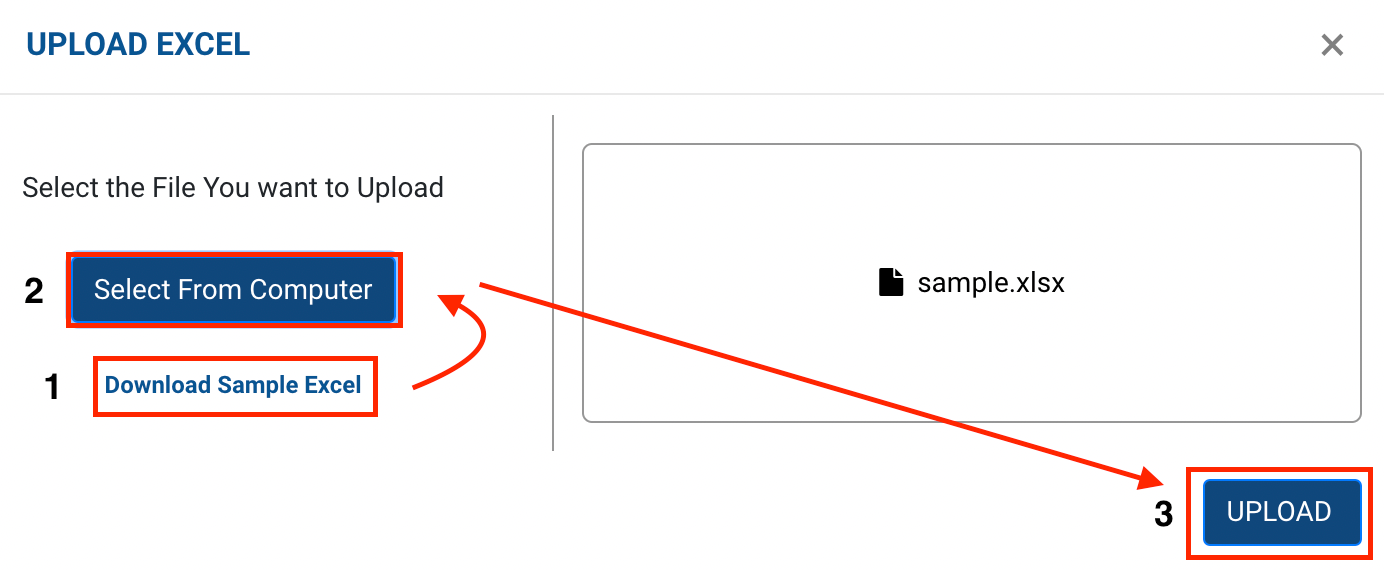
Method 2
Upload Excel
option → A form appears with the required fields to be filled.

-
Click on
Select from Computer
to upload the Excel sheet.
-
One can also drag and drop the file into the space provided in the window.
-
You can download a sample Excel file to understand what data has to be entered by clicking on the
Download Sample Excel
option from the window.
-
Click on the
Upload
and
Add
button, you’ve successfully added the employees to the particular Employee type and given the set of permissions to them.