
Reallocated order via dispatch screen
Article VC8TGBZA · sourceDescription : In the dispatch screen, the order allocated to some rider can get reallocated in case of some situation occur.
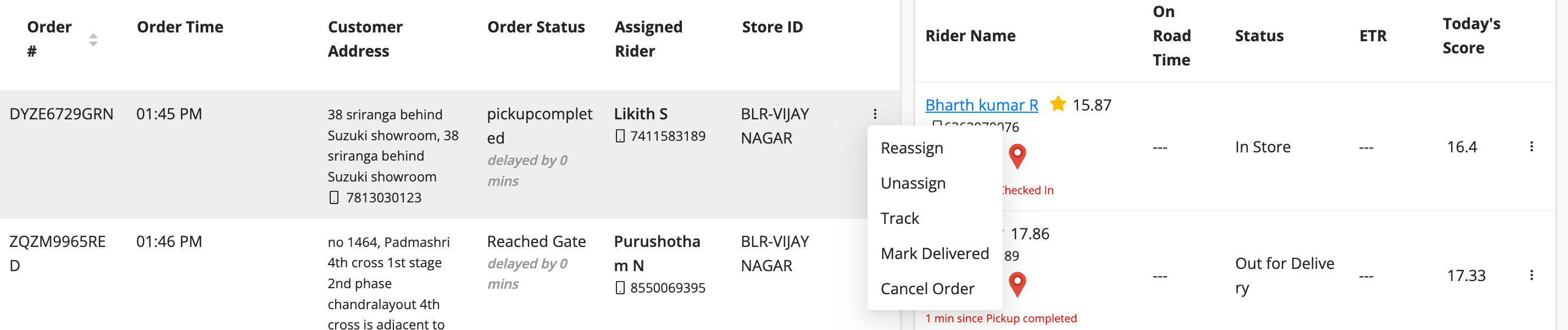
- Click on the three-dot button right to the rider.
- Click on Reassign button.
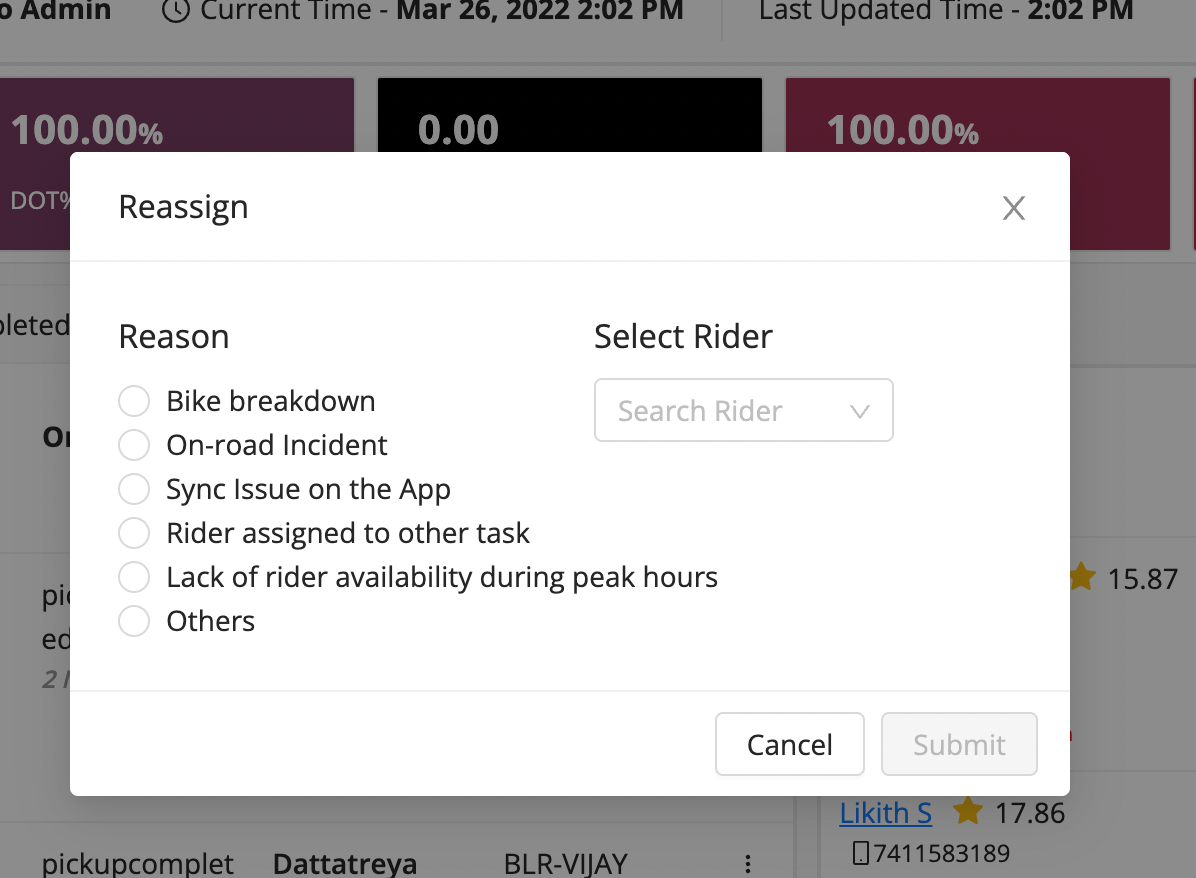
- Select the reason and the new rider you want to reallocate.
- Click Submit Button.
Was this article helpful?