
On Demand -How to add new ADM Auth
Article nxGlJ9qF · sourceADM coordinator will be responsible for ADM vehicle pickups (regarding a request made by a franchise).
In the dashboard :
-
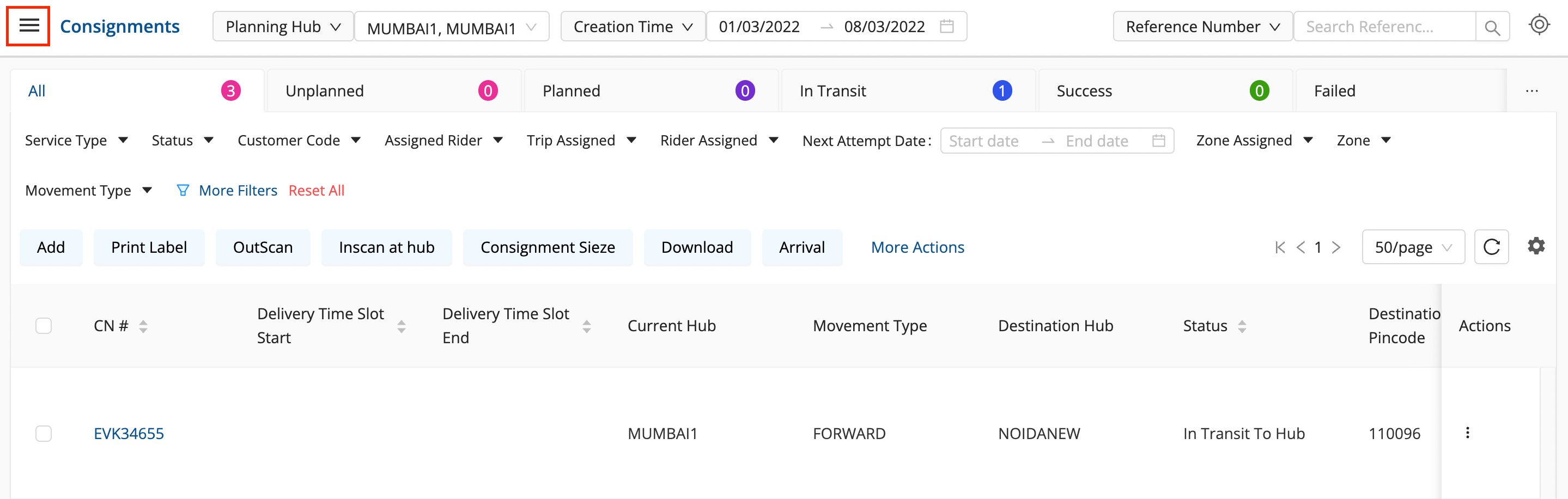
Click on the Hamburger Menu (

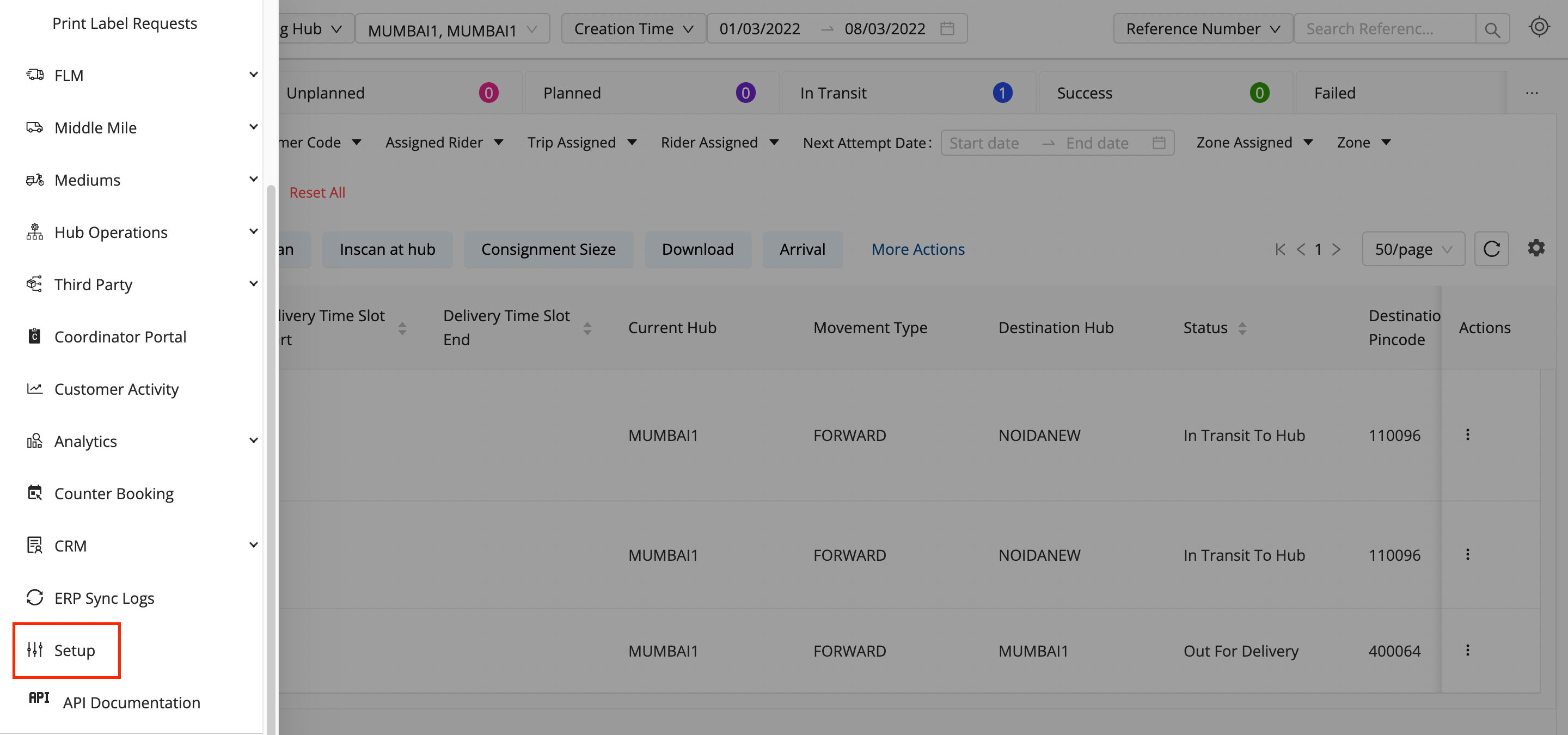
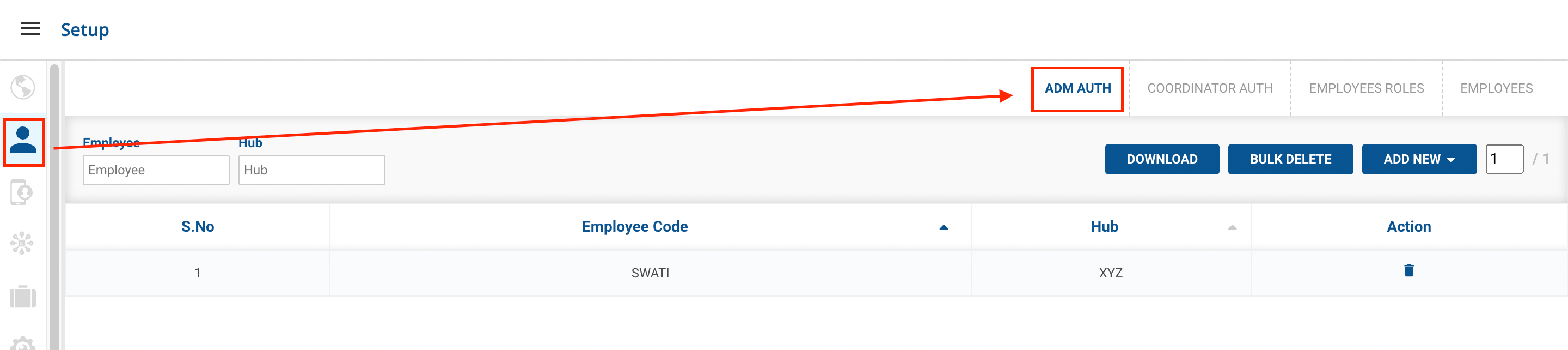
) → Setup → Employees (👨💼)→ ADM Auth
-
Click on the ADD NEW button.

-
Method 1 - Single Coordinator option → A form appears with the required fields to be filled.

-
Fill up the form with the following fields:
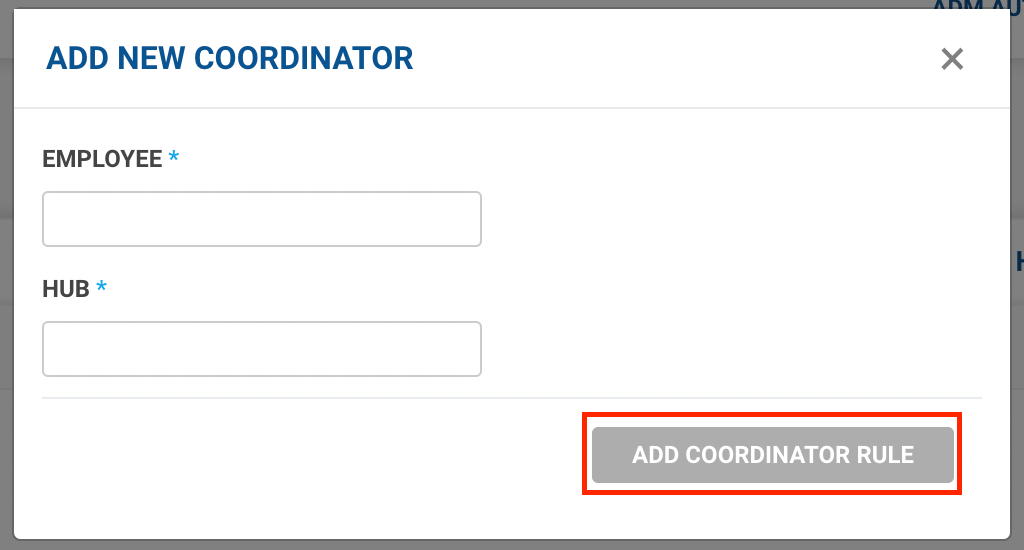
- Employee - Enter the Employee Code of the coordinator.
- Hub - Enter the hub, which is the area of the operation of the coordinator.
-
Click on the Add Coordinator Rule button.
-
You’ve successfully added a Coordinator to a hub.
-
-
Method 2 - Upload Excel option → A form appears with the required fields to be filled.

- Click on Select from Computer to upload the Excel sheet.
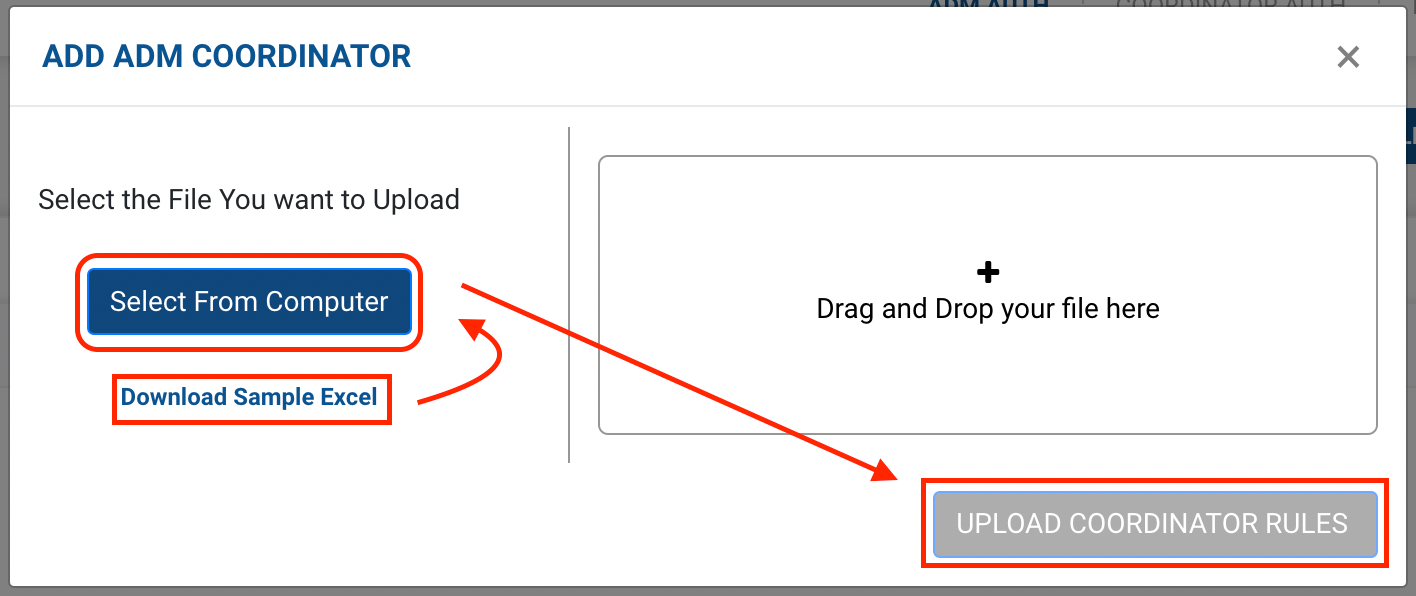
- One can also drag and drop the file into the space provided in the window.
- You can download a sample Excel file to understand what data has to be entered by clicking on the Download Sample Exceloption from the window.
- Click on the Upload Coordinator Rules button.
- You’ve successfully added Coordinators to their hubs.
- Click on Select from Computer to upload the Excel sheet.
For Coordinators, the hub is the ADM Hub which will be responsible for allocating the ADM vehicles for requests.
Was this article helpful?