
Active and Disabled Hub setup
Article 1PCTWQOb · sourceHubs that are currently in operations and working in the order life cycle are Active Hubs.
Hubs that are not used by an organisation in any order life cycle working are called Disabled Hubs.
Active and Disabled Hub setup
- Click on hamburger menu () → Hub()
→ Where to view Active and Disabled Hub ?
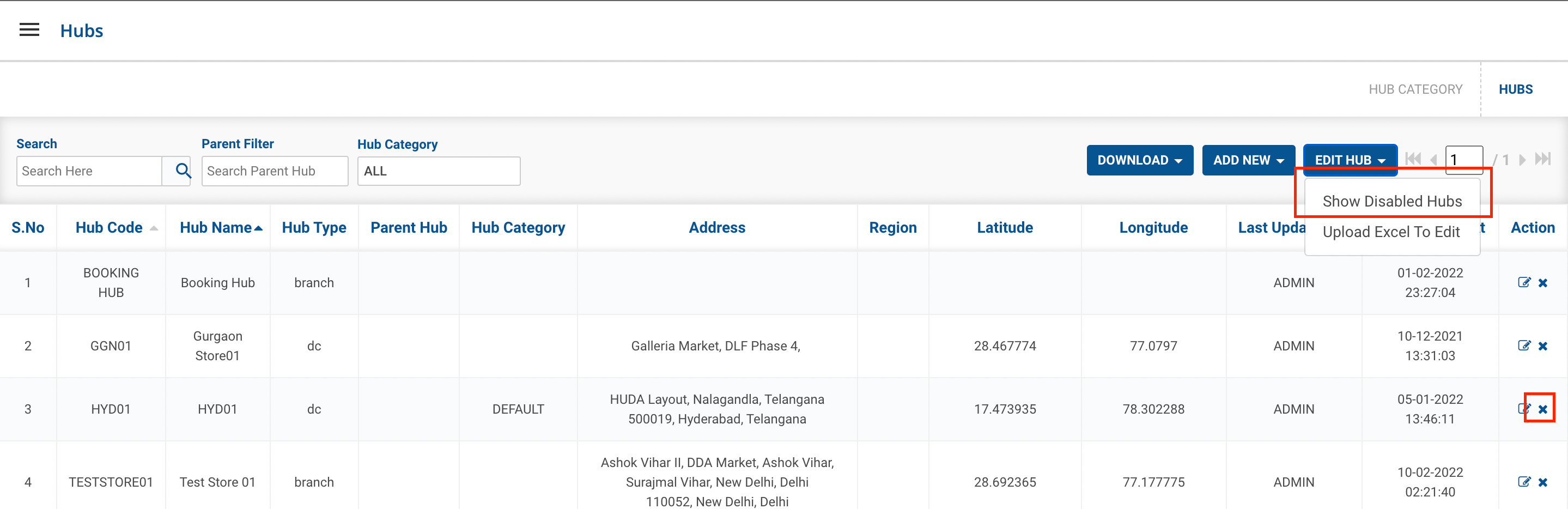
- Click on Edit Hub DropDown → Show Disabled Hub
- List of Disabled Hub are Visible
- Click on Show Active Hubs to view all active hubs.
→ How to Disable the Hub?
- Click on Disabled Hub button(
 ) under Action column → A modal shall appear having two buttons. Click on Disabled button to disabled the active hub.
→ How to change the Disable Hub to Active Hub?
- Click on Edit Hub DropDown → Show Disabled Hub
- List of Disabled Hub are Visible.
- Click on Disabled Hub button(
 ) under Action column → A modal shall appear having two buttons. Click on Enable button to disabled the active hub.
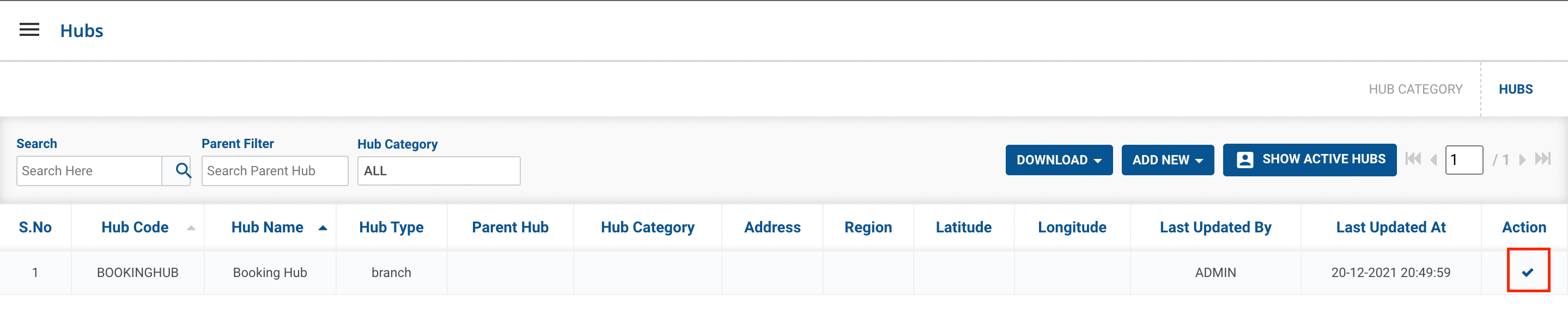
Action Button to activate disabled hub
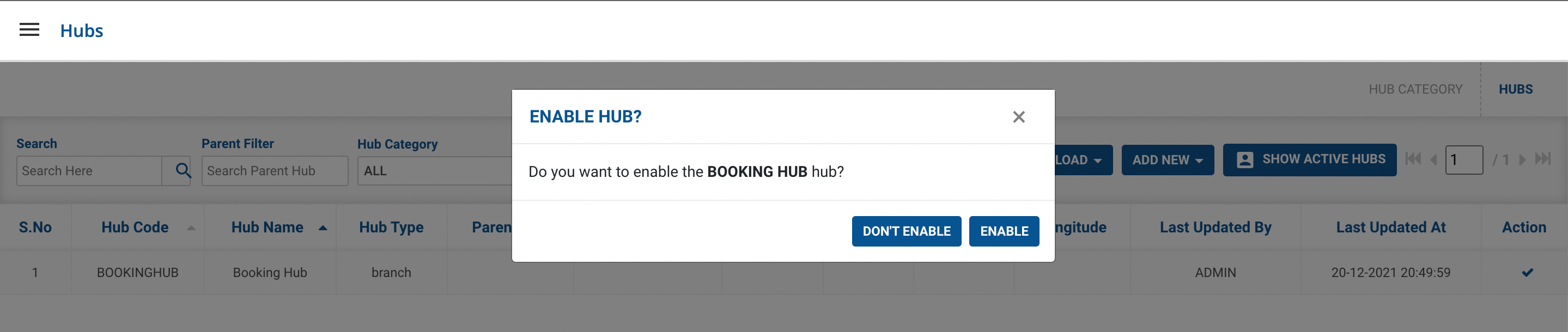
Enabled Button to Activate the hub
Was this article helpful?