
Receive Picked Up Orders
Article CmBOEgtQ · source-
Once the consignments are picked up, the rider has ended the trip and returned to the hub, the consignments are to be received at the hub.
-
On the Dashboard, the user must go to the
SuccessBucket.
-
The user can find the consignments that have been picked up on the dashboard, marked with the status 'Pickup Completed'.
-
Select all the consignments to be received.
-
Click on
Incan at HubButton -
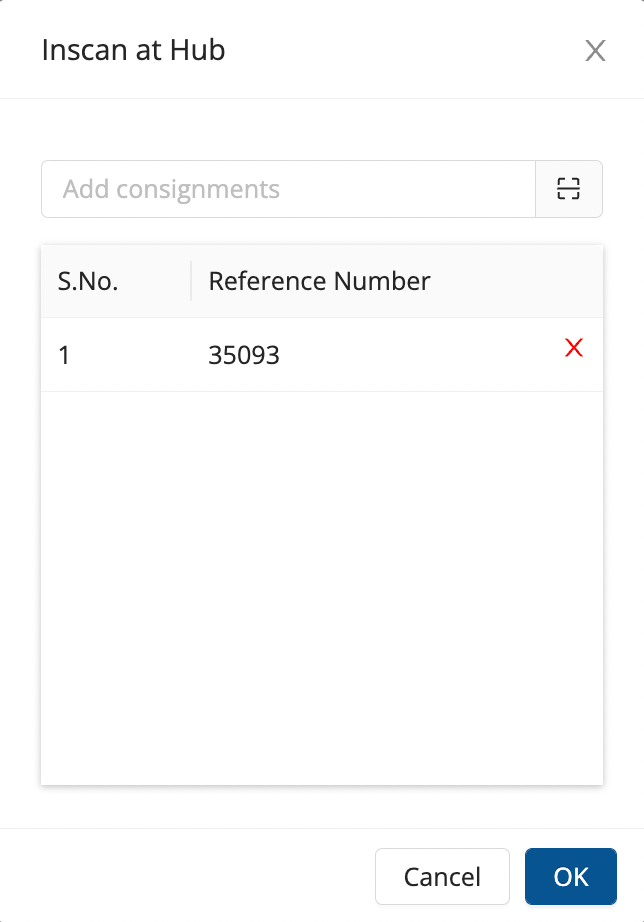
Method 1- Selected option :- A list appears in a window that has the selected consignments
- Click on OK
- The consignments are now in-scanned, hence received.
-
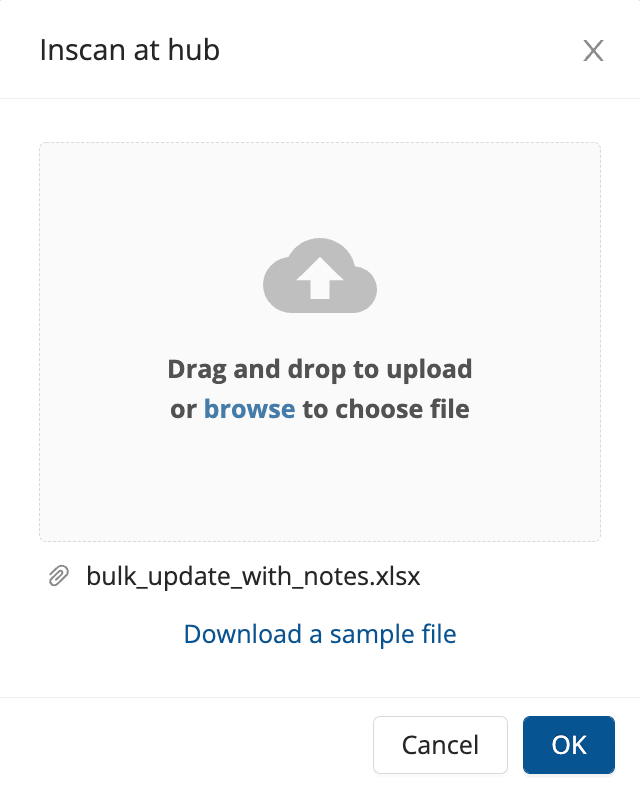
Method 2- Bulk Upload option :- A window comes up, click on download sample file.
- Add all consignment numbers that are to be in-scanned in the Excel file download.
- Upload the file → Click on OK
- The consignments are now in-scanned, hence received
-
Was this article helpful?