
Add order via form
Article ylc18FMM · sourceDescription : In dispatch screen, we can create order through UI.
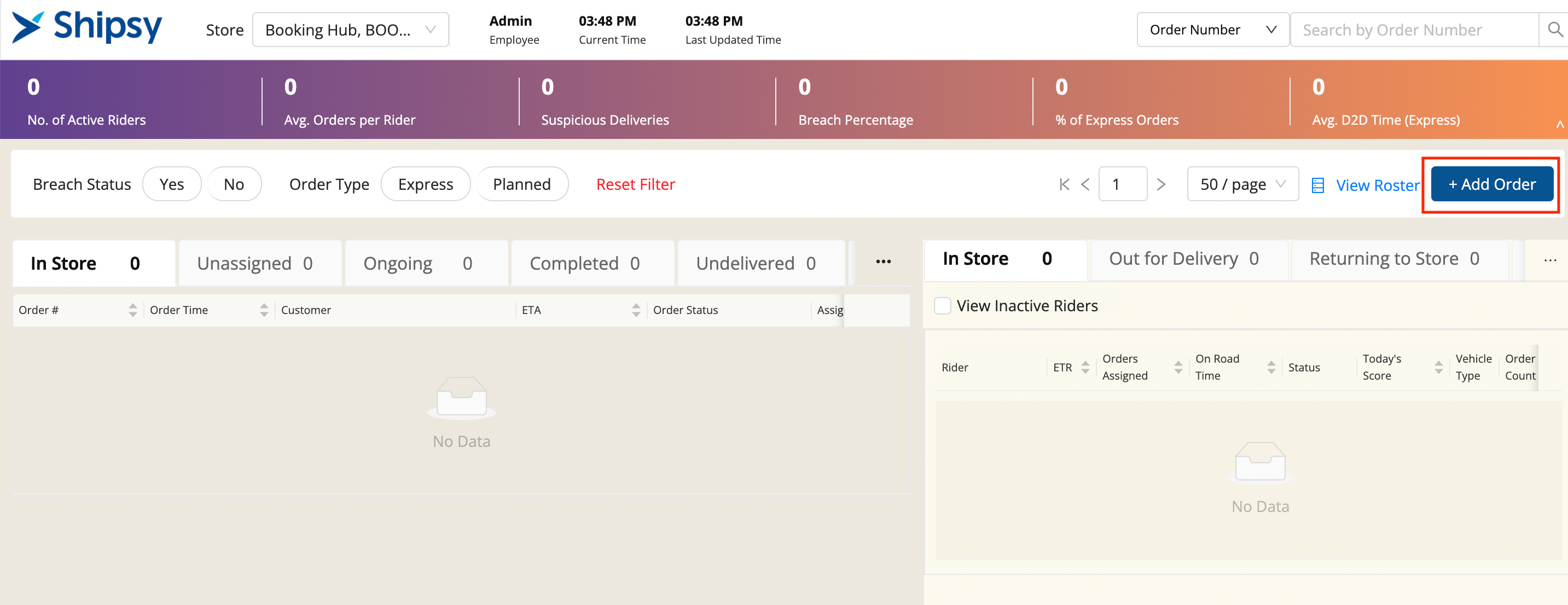
- Click on Add Order Button in Dispatch Screen to add new order from UI.
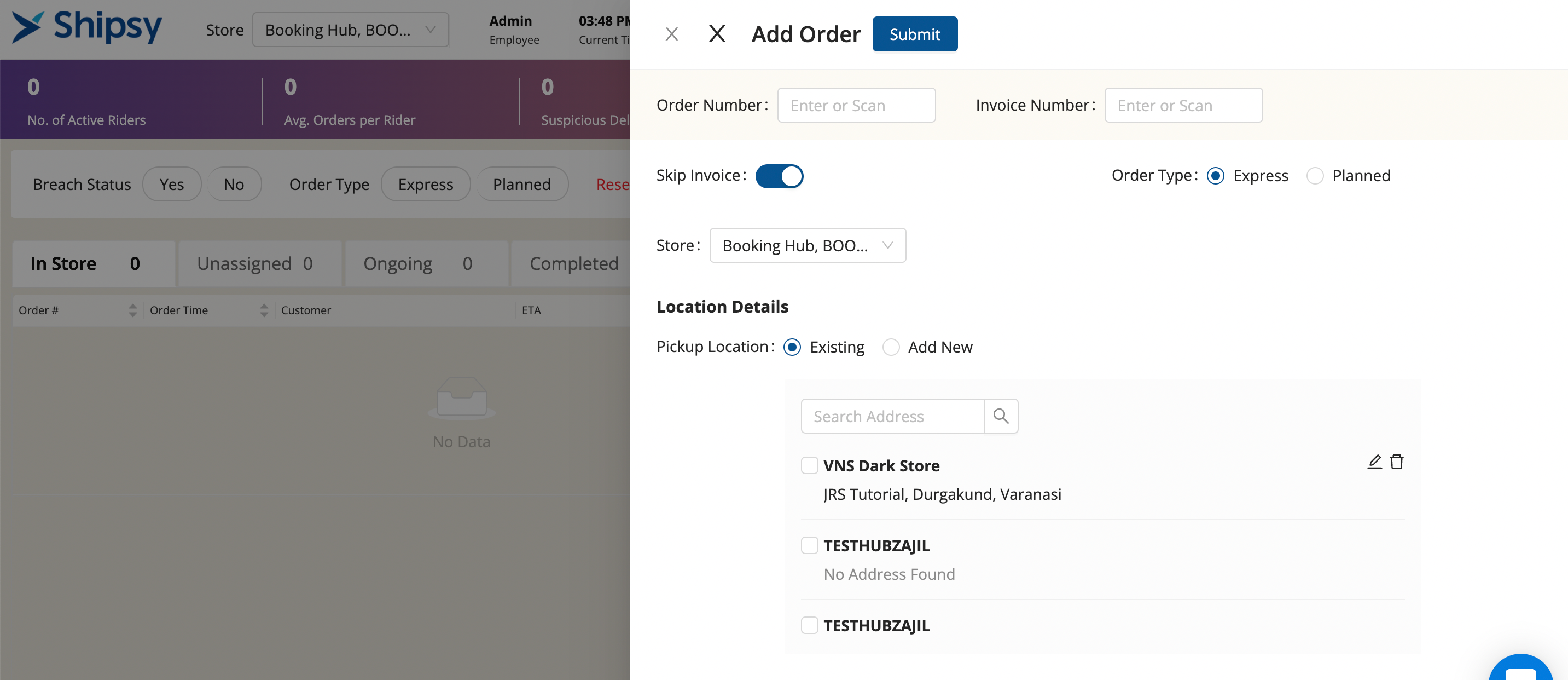
- Enter all the details against that order and click Submit Button once completed.
- You’ve created a new order successfully.
- You can use this excel file for Bulk Order Upload for OPT (ShipsyDemoOD)
sample_add_order_dispatch1 (6).xlsx
| Field | Description | Input Value |
| Order Number | Unique order number against an order | String |
| Invoice Number | ||
| Skip Invoice | Toggle Button to skip invoice | Toggle |
| Order Type | Select Order Type | Planned or Express |
| Store name | Hub Name | Drop Down |
| Pickup Location | Location of Hub from where the order needs to get collected | Strings |
| Destination Location | Location of Customer from where the order needs to get delivered | Strings |
| Pickup Details - Name | Item Name | String |
| Pickup Details - Quantity | Item Quantity | Number |
| Pickup Details - Price | Item level Price | Number |
| Pickup Details - Weight | Item Weight | Number |
| Payment Mode | Select the payment mode for the order | Radio Button |
| Payment Amount | Enter the Total Amount of the order | Number |
| Date | Order Date | Calendar |
| Slot Time | Slot Start Time and Slot End Time. Range of timing to delivered the order | Drop Down |
Was this article helpful?