
Method 1 → V2 Dashboard
Article SznZlG5x · sourceDescription : This page covers the process of trip departure of a middle mile vehicle at the origin hub.
We can do trip depart with the help of either V2 dashboard or hub ops app.
- Method 1 → V2 Dashboard
- Method 2 → Hub Ops App
Method 1 → V2 Dashboard
- In the dashboard, click on Mediums → Vehicle.
- In the Outbound section, for the required vehicle, click on the three vertical dots in the action column.
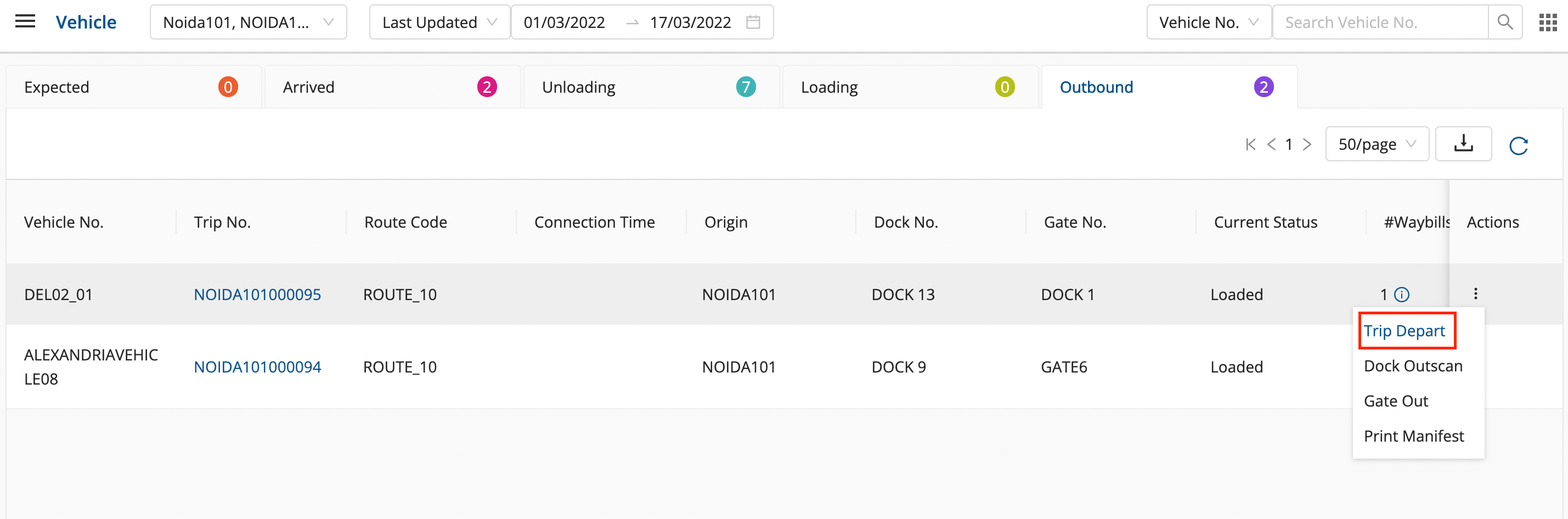
- Click on Trip Depart to depart the trip.
- Enter Km reading and a seal number and click on ok.
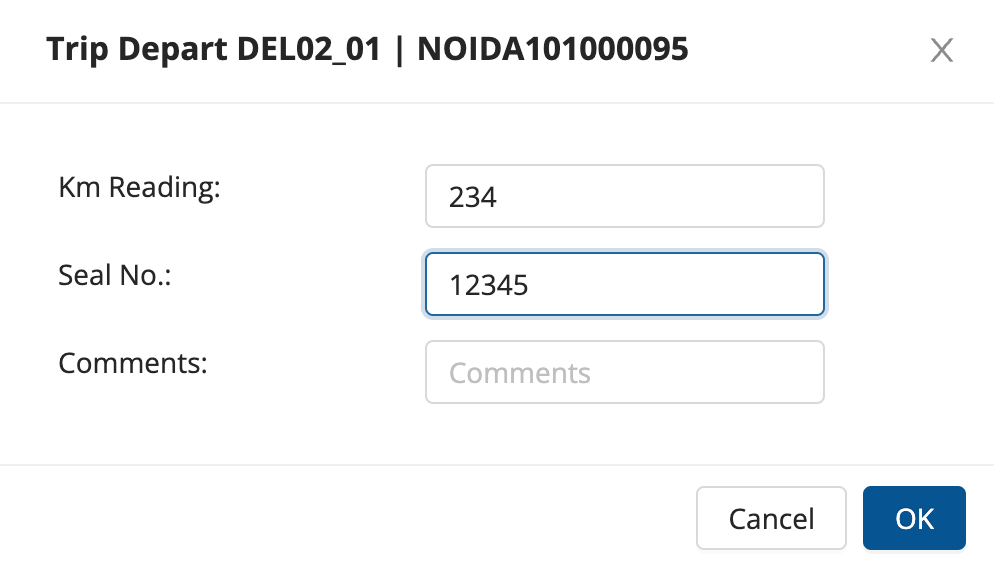
- The trip is departed successfully.
Method 2 → Hub Ops App
After login into the app, change hub to the source hub in the hamburger menu.
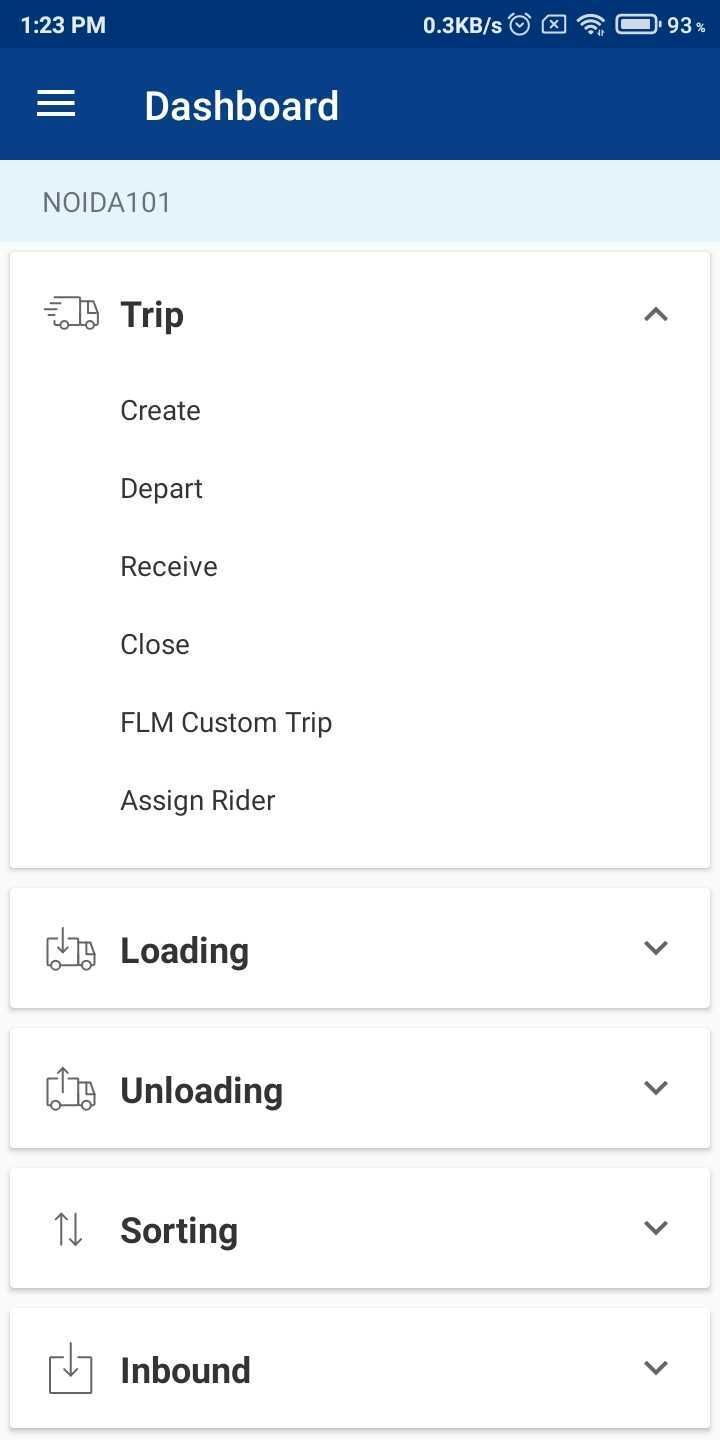
- In the dashboard, click on Trip → Depart.
- Select the required Vehicle, click on Depart.
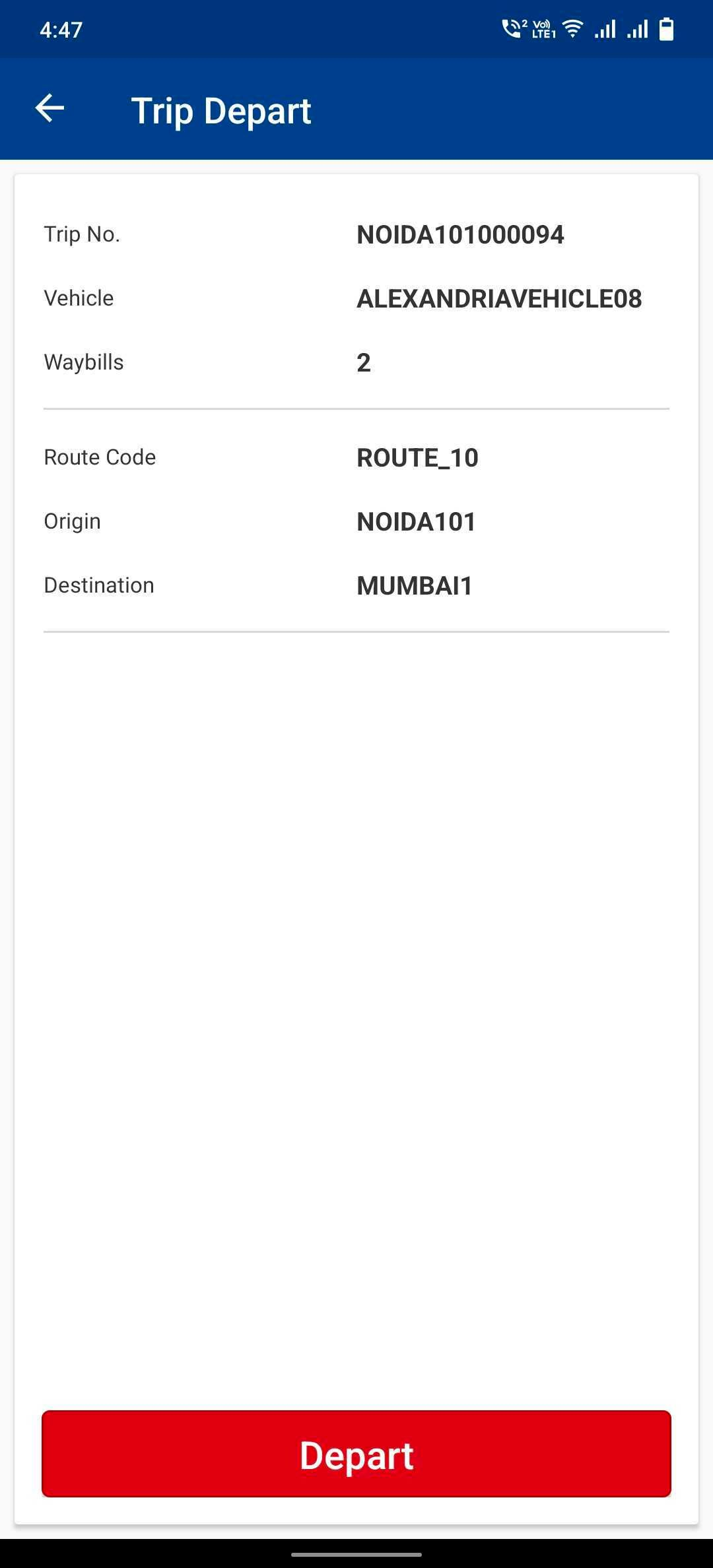
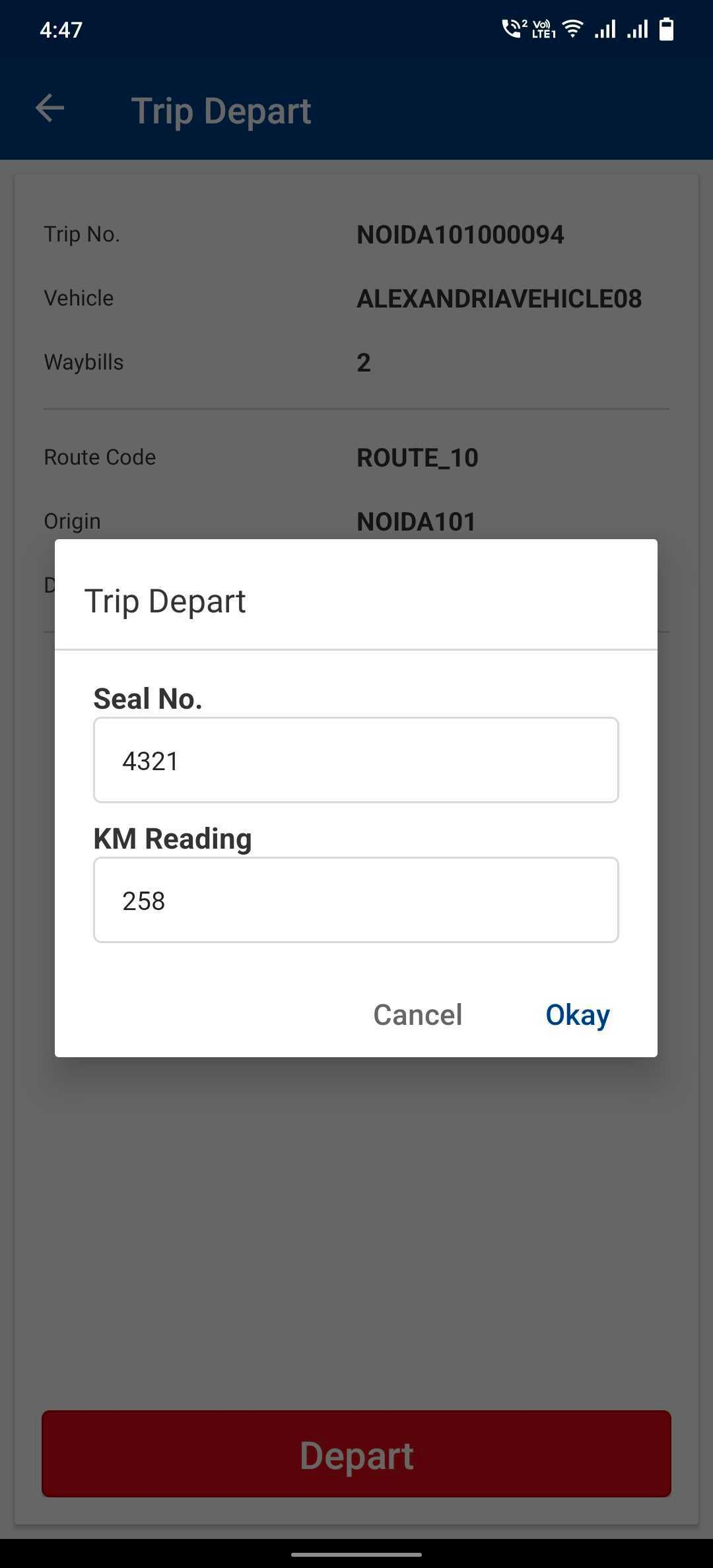
- Enter Seal no. and km reading and click on Okay.
- Trip has been departed successfully.
Was this article helpful?