
Method 1 → V2 Dashboard
Article rIzRt2kh · sourceDescription : This page covers the process of closing at the destination hub.
At the end of the Middle Mile process, the trip has to be closed.
This process can be also be completed by the V2 dashboard and hub ops app as well.
- Method 1 → V2 Dashboard
- Method 2 → Hub Ops App
Method 1 → V2 Dashboard
- In the dashboard, click on Mediums → Vehicle.
- In the Unloading section, for the required vehicle, click on the three vertical dots in the action column.
- Click on Trip Close.
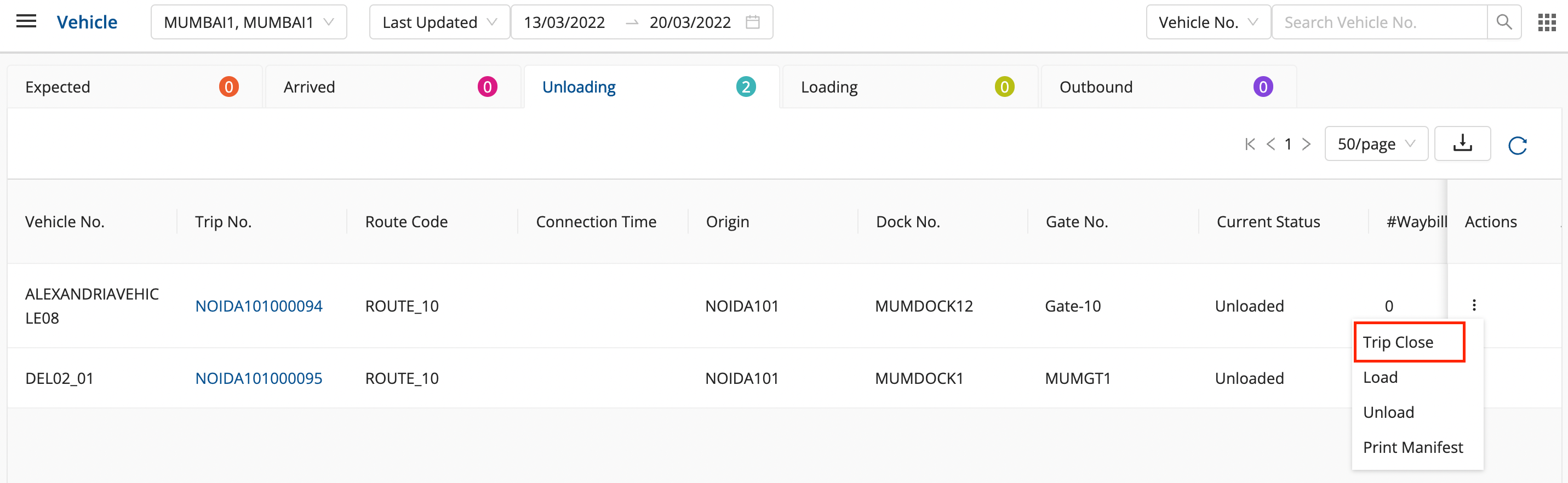
-
Enter the KM Reading and click on ok to close the trip successfully.
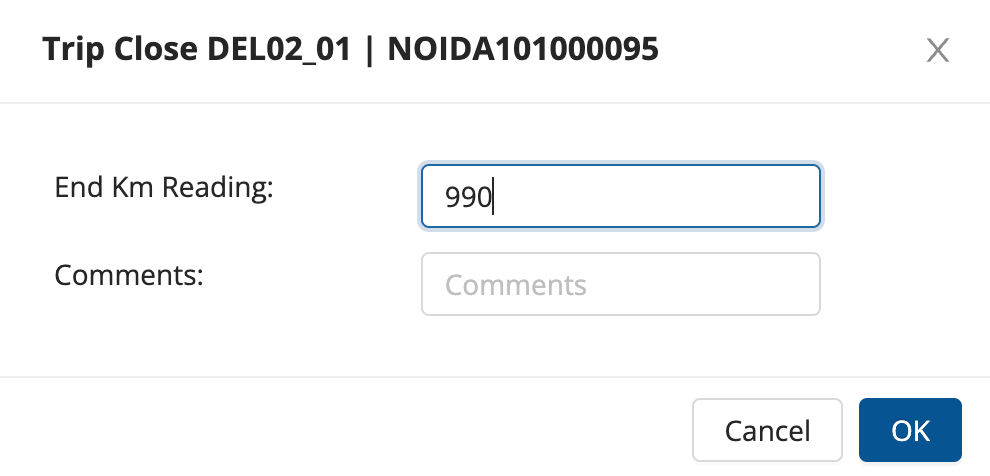
-
Method 2 → Hub Ops App
- In the dashboard, click on Trip → Close.
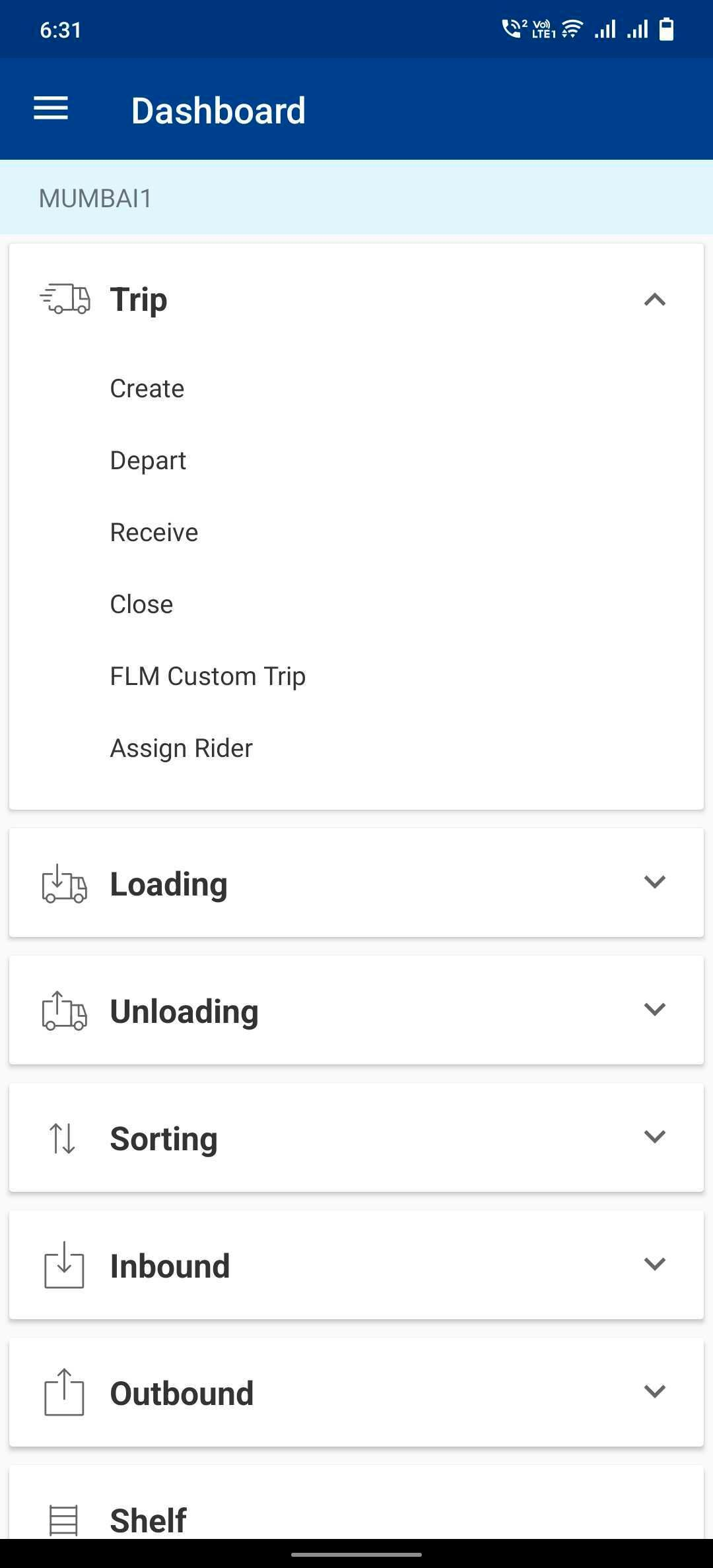
- Select the required Vehicle and click on Close.
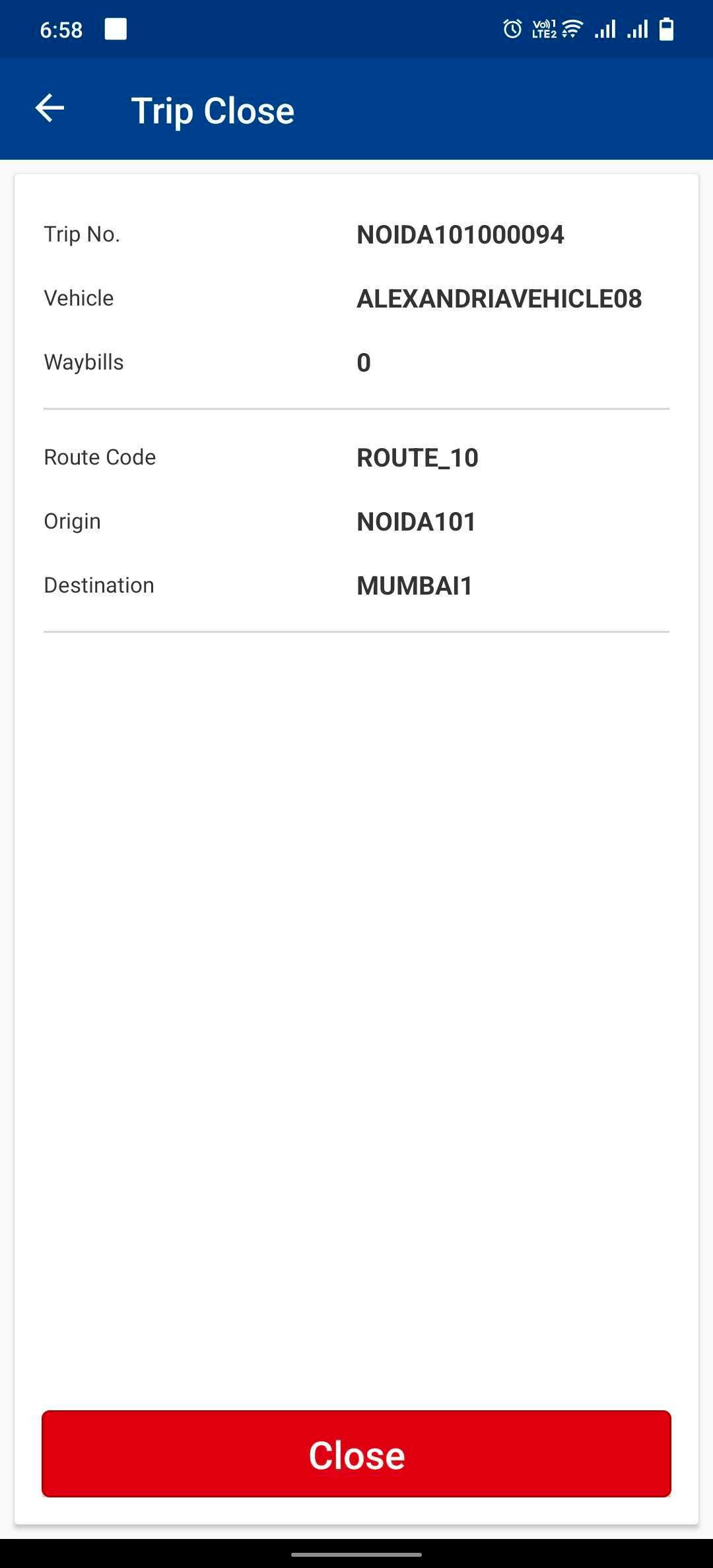
- Enter KM Reading and click on Okay.
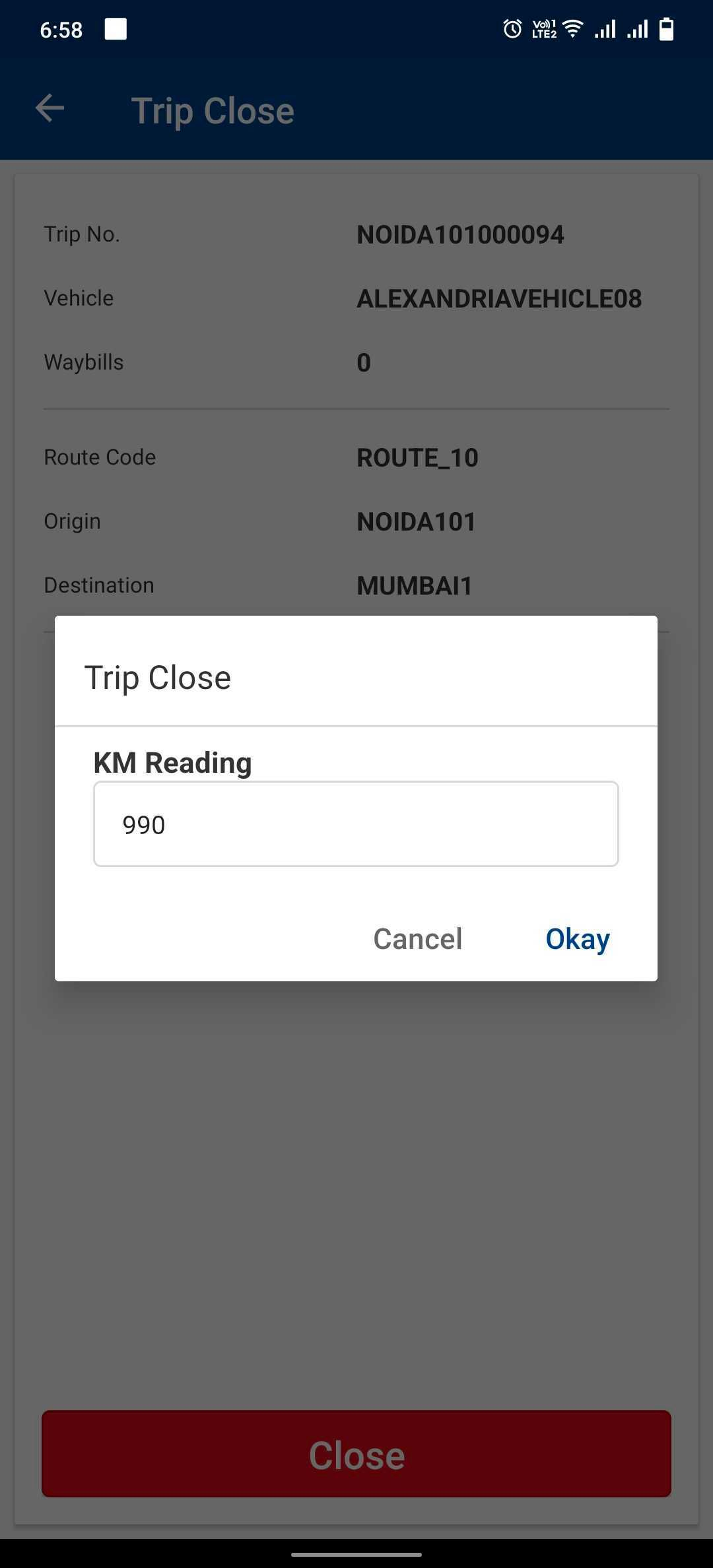
- The Trip has been closed successfully.
- In the dashboard, click on Trip → Close.
Was this article helpful?