
Create a Console/Mix Bag
Article 3JuW9GUI · sourceDescription : This page covers the process of creating a console bag.
The bags which contain at least one consignment which do not have the same destination hub code as that of the bag’s destination hub code are known as Console Bags.
The process is same as that of the pure bags, the bags get automatically classified as pure/console based on the consignments added to the bags.
To create a bag:
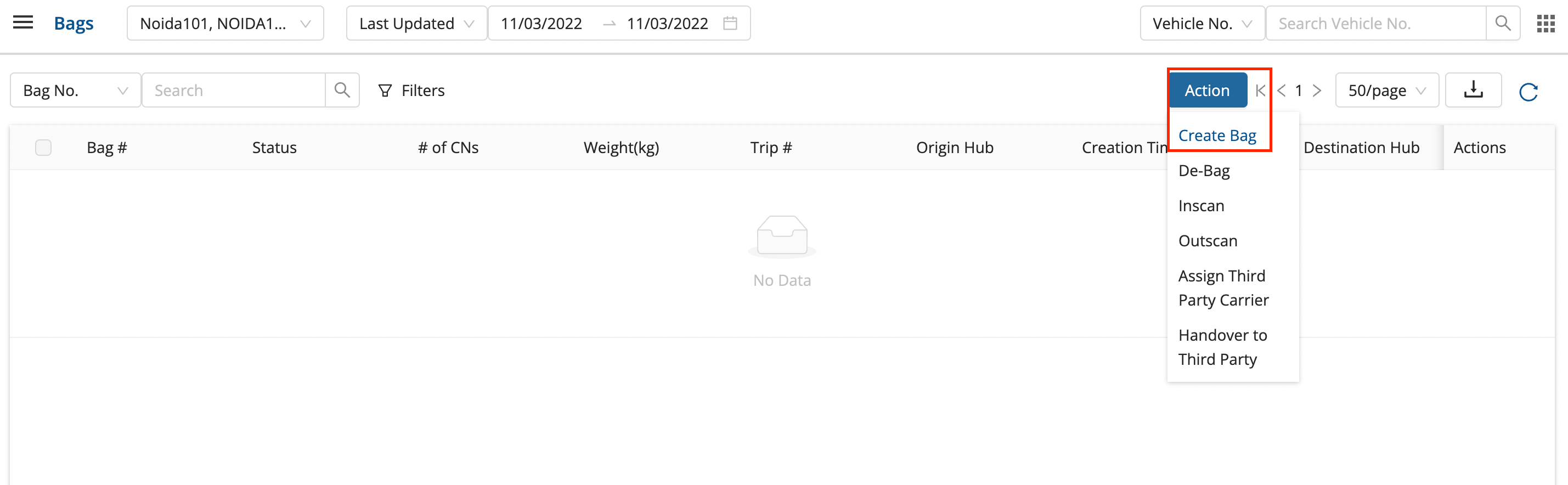
- In the main dashboard, click on Middle Mile → Bags.
- Click on Actions → Create Bag.
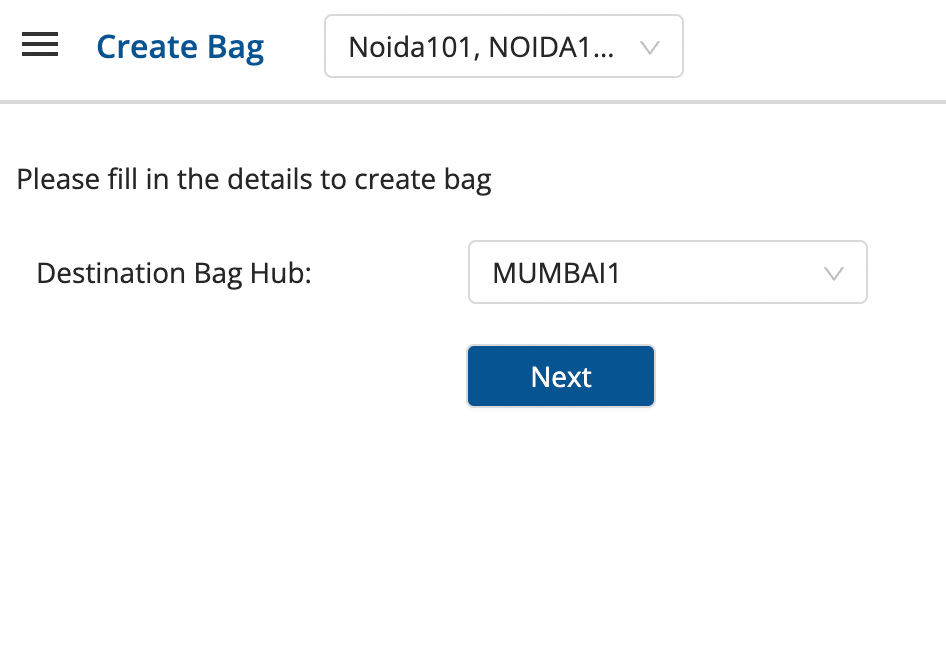
- Select Destination Bag Hub and click on Next.
-
The left block shows the available Consignments for the defined destination bag hub route, and the right block shows the scanned consignments which are now present in the bag.
-
Add the required consignments to the bag by clicking on the blue arrow '>' symbol.
- The blue symbol appears when the mouse pointer is brought close to the particular position.
- This can also be done by scanning the consignments directly.
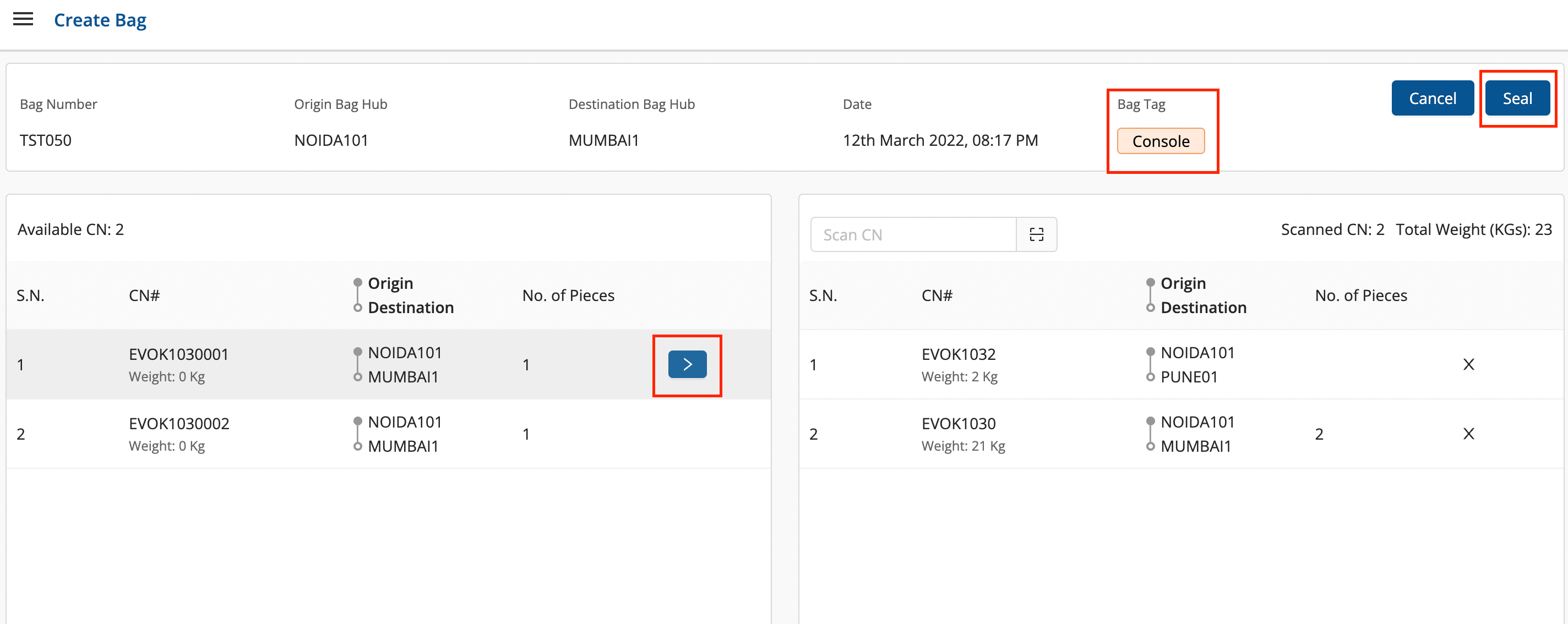
- The Console bag tag represents a console/mixed bag.
- Click on Seal.
- Enter the Bag Number and click on OK.
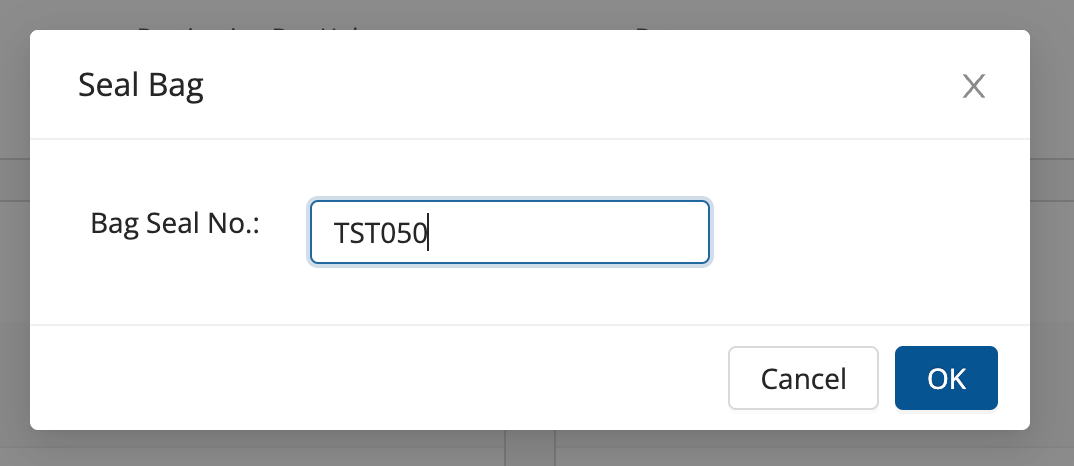
A console bag has been created successfully.
Was this article helpful?