
Method 1 → V2 Dashboard
Article 4N2mPpwK · sourceDescription : This page covers the process of creating a middle mile trip.
Once a vehicle has arrived in the source hub, we need to create a middle mile trip from the source hub to the destination hub. This process can be completed by the shipsy hub ops app and V2 dashboard as well.
- Method 1 → V2 Dashboard
- Method 2 → Hub Ops App
Method 1 → V2 Dashboard
- In the main dashboard, Select Medium and click on Vehicle.
- Click on Grid Menu in the top right corner.
- Click on Create Trip in the Outbound column.
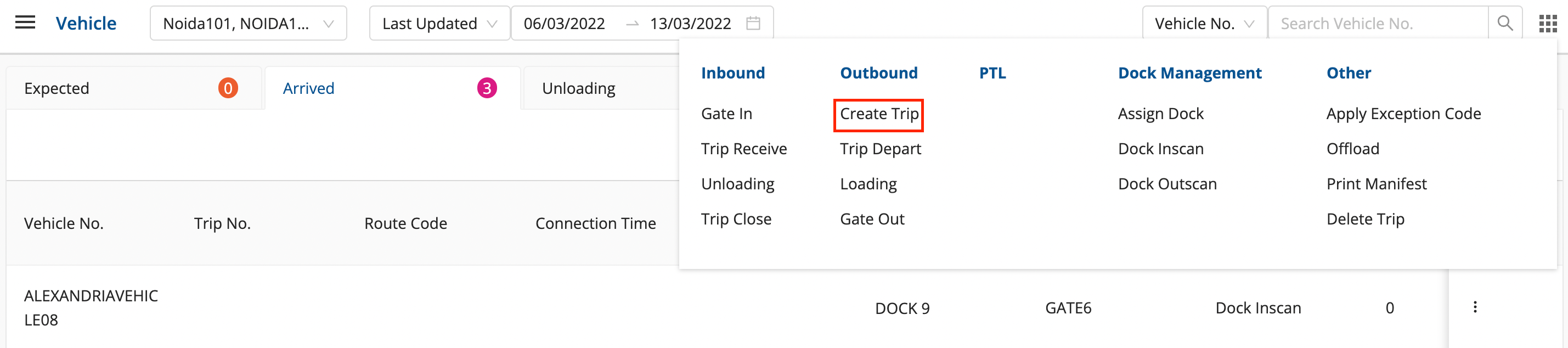
- Enter the required fields.
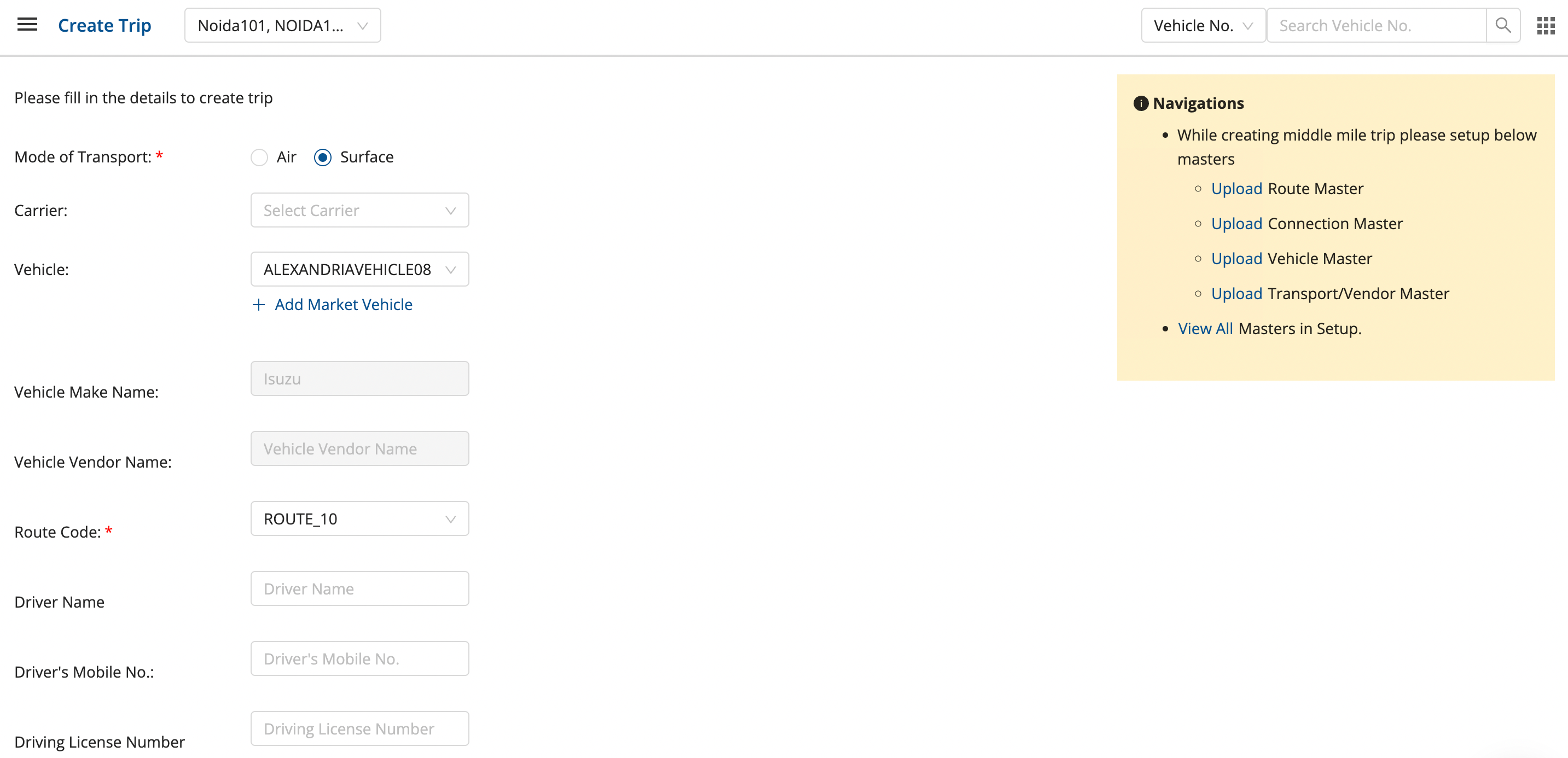
- Click on Next to create the trip successfully.
Method 2 → Hub Ops App
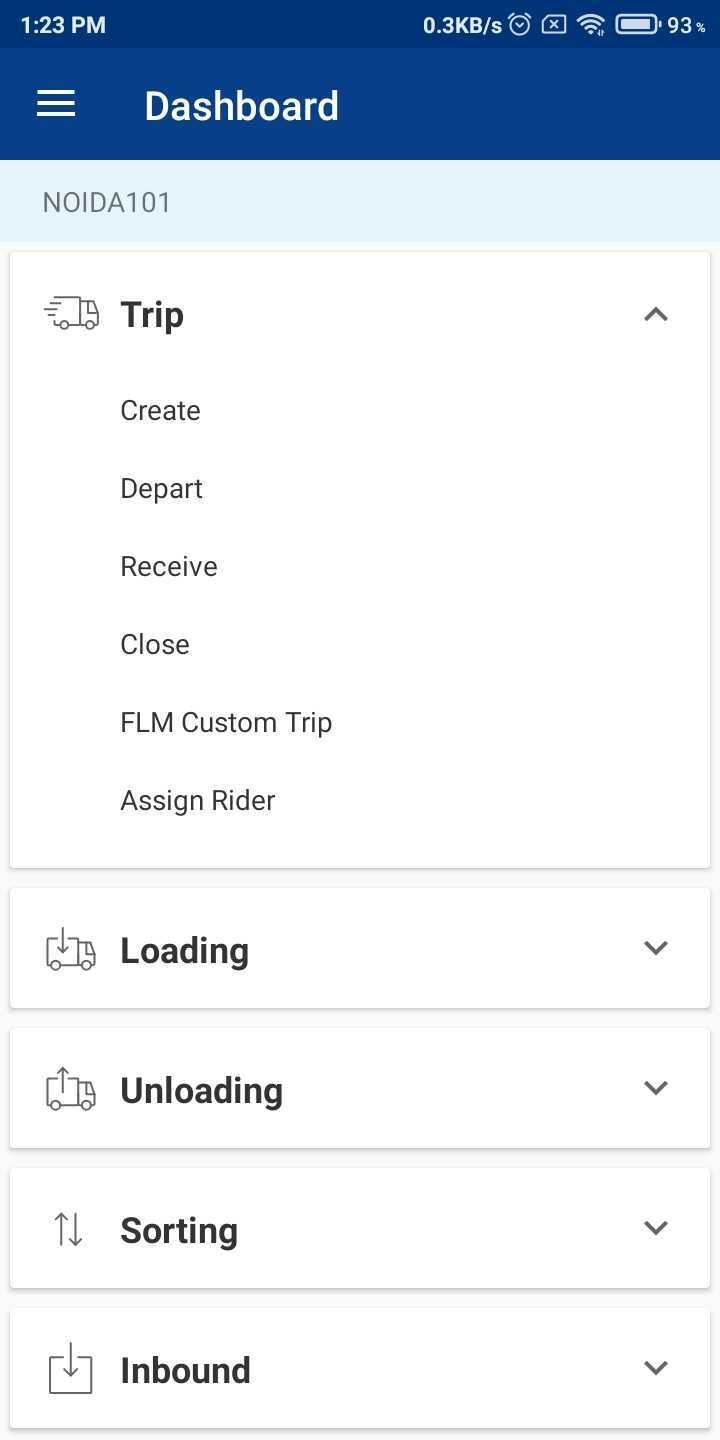
After login into the app, change hub to the source hub in the hamburger menu.
- In the dashboard, click on Trip → Create.
- Select the required Vehicle, Route Code, Connection Time, Driver’s Name, Driver’s Mobile No., Driver’s License Number and Driving License Expiry.
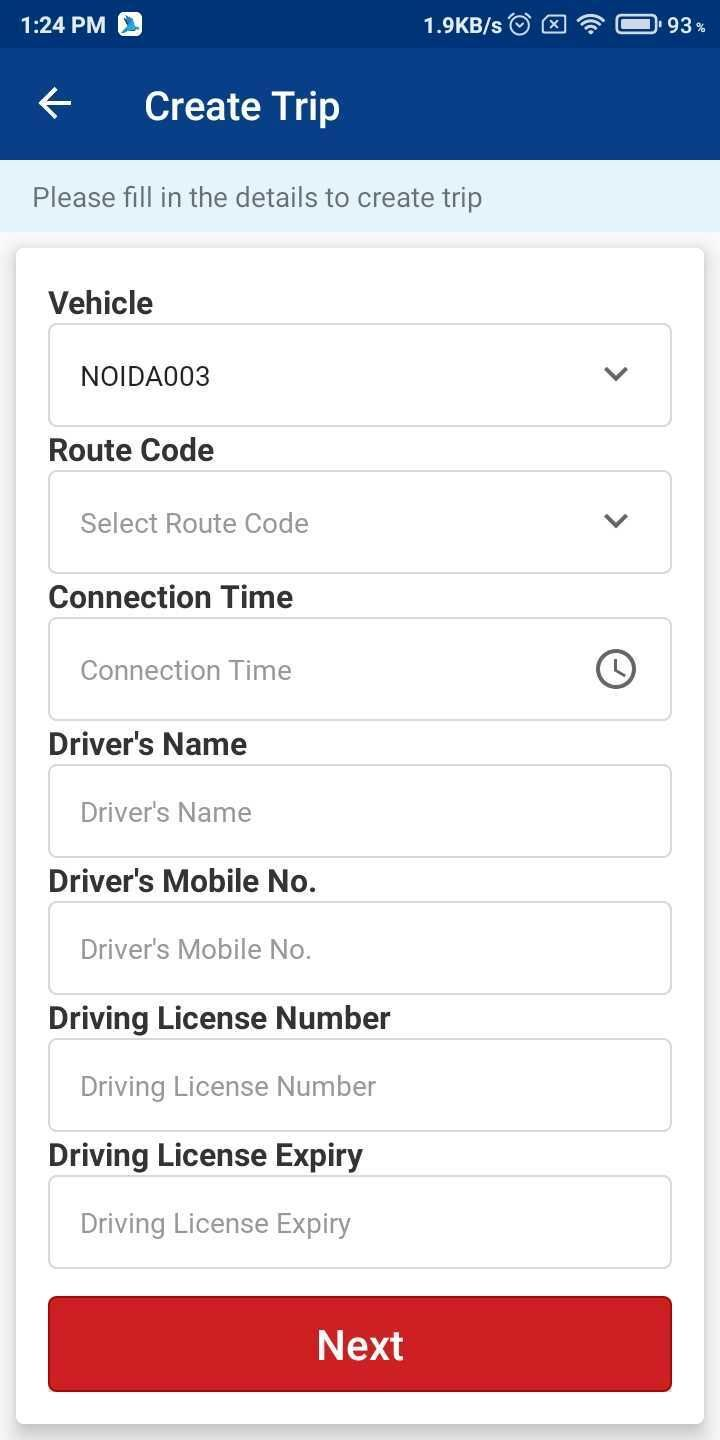
- Click on Next to successfully create a middle mile trip.
Was this article helpful?