
Assign Dock
Article Pyh-stGk · sourceDescription : This page covers the process of dock in of any vehicle.
We have to first assign a dock to the vehicle, followed by the dock in scanning of the vehicle.
- In the main dashboard, Select Medium and click on Vehicle.
Assign Dock
There are two methods of assigning dock to a vehicle.
Method - 1
- Click on Assign.
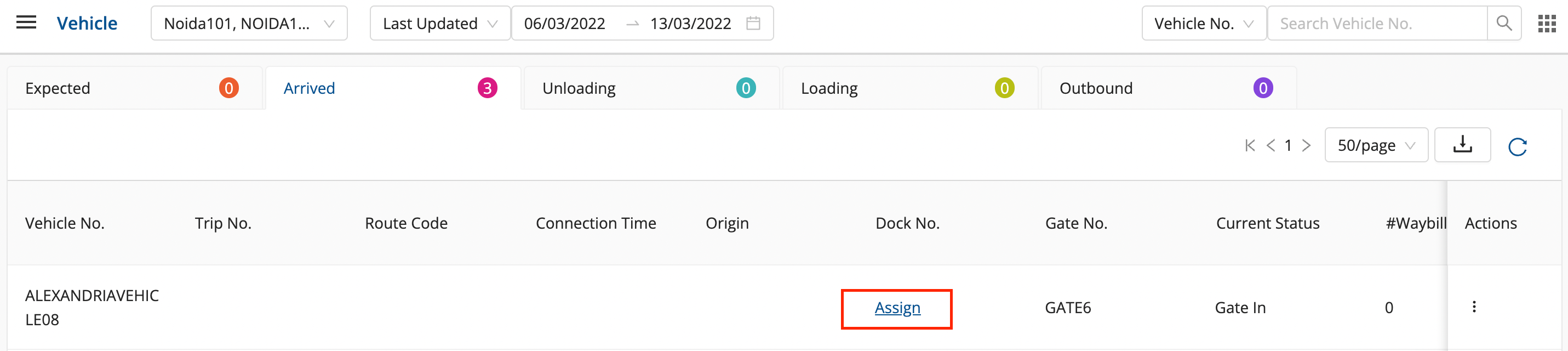
- Select dock no and any additional comments(optional).
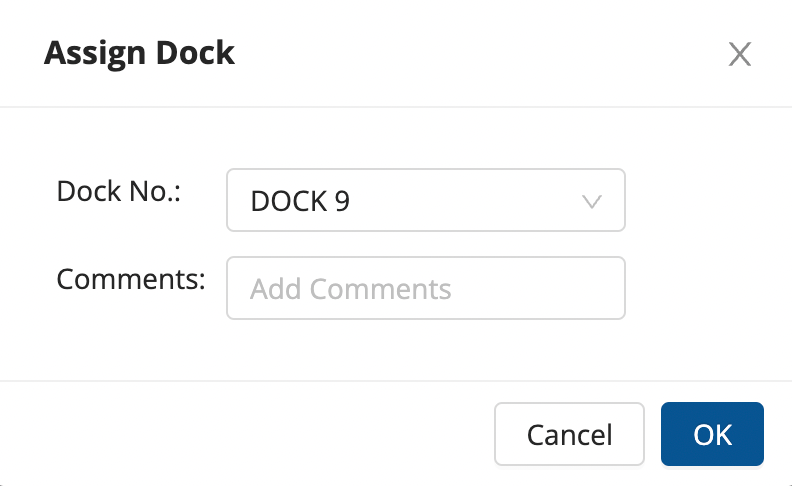
- Click on Ok.
Method - 2
- Click on Grid Menu in the top right corner.
- Click on Assign Dock in the Dock Management column.
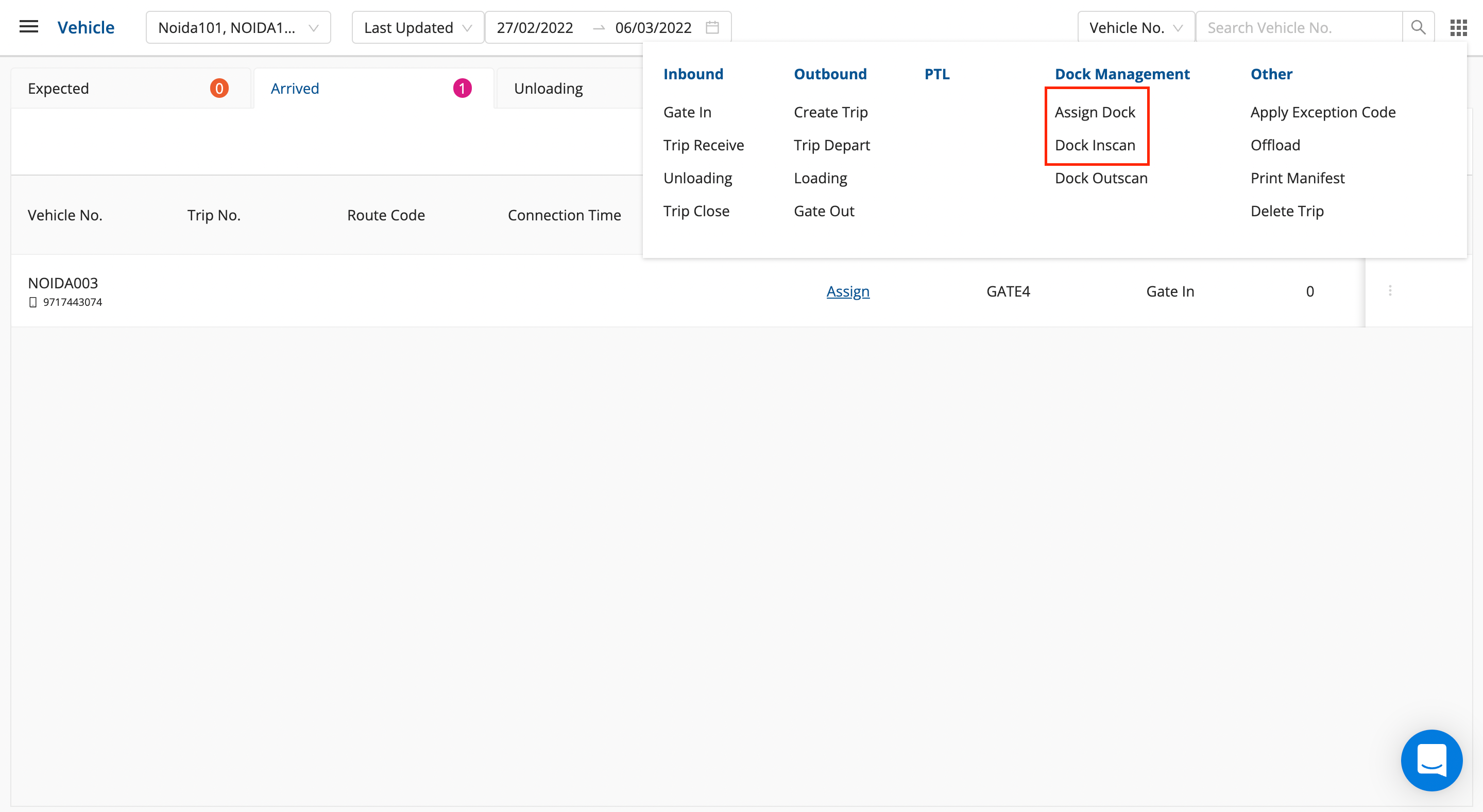
- Select dock no and any additional comments(optional).
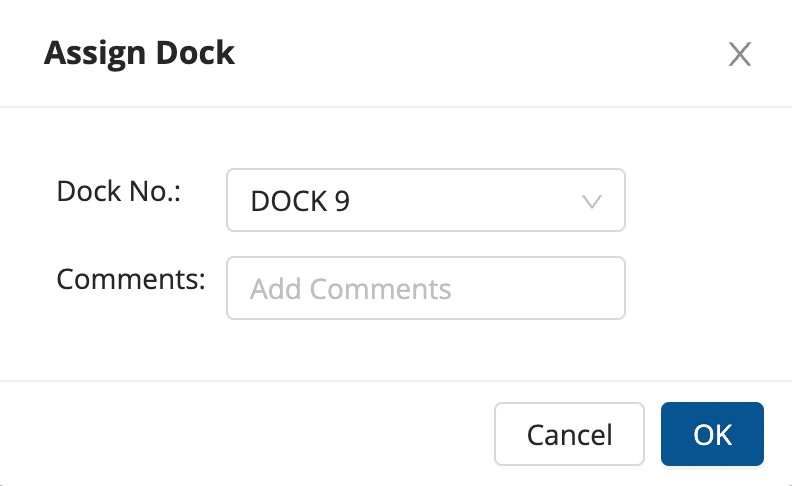
- Click on Ok.
Dock Inscan
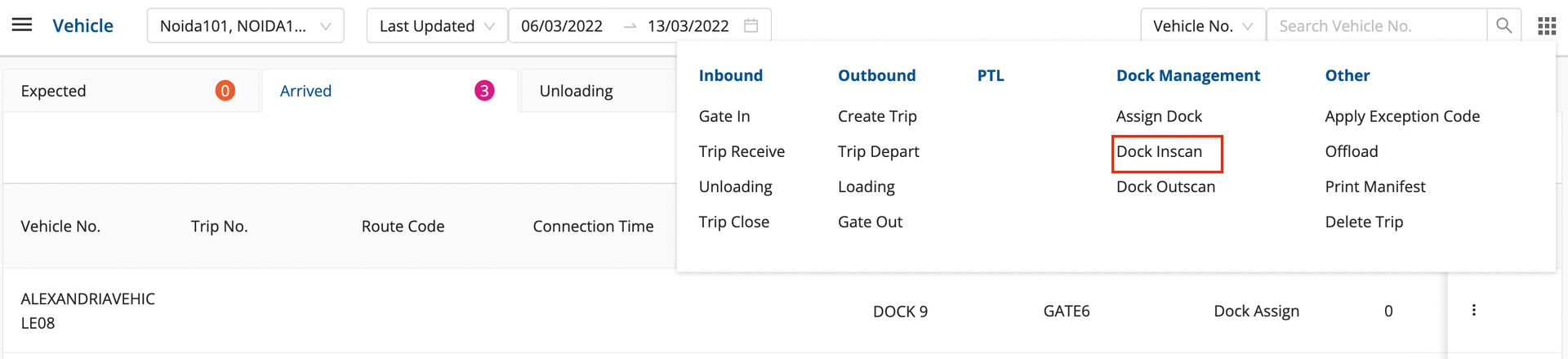
- Click on Grid Menu in the top right corner.
- Click on Dock Inscan in the Dock Management column, or click on the three vertical dots in the Actions column.
- Enter Vehicle Number, Dock Number and Comments(optional).
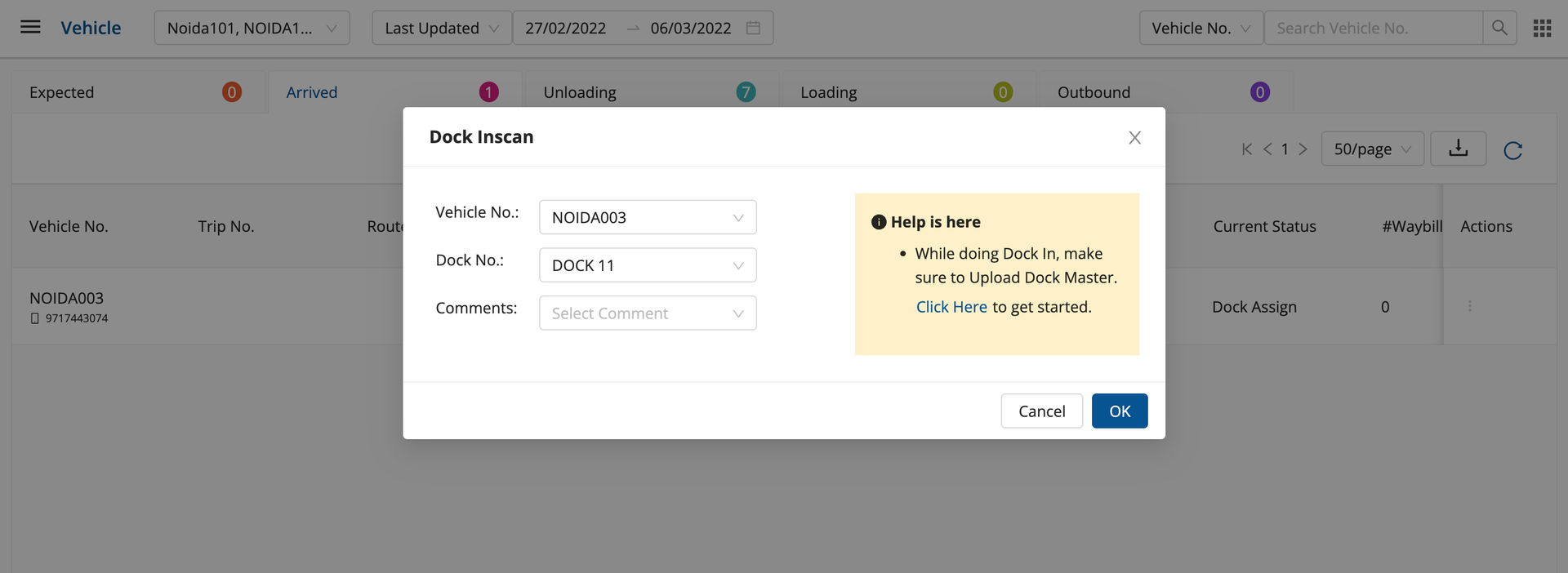
- Click on OK for the successful dock in of the vehicle.
Was this article helpful?