
Method 1 → V2 Dashboard
Article a7ELTJNB · sourceDescription : This page covers the process of gating of a vehicle at the destination hub.
This process can be also be completed by the V2 dashboard and hub ops app as well.
- Method 1 → V2 Dashboard
- Method 2 → hub Ops App
Method 1 → V2 Dashboard
We need to change the hub to the destination hub at the top.
- In the dashboard, click on Mediums → Vehicle.
- In the Expected section, for the required vehicle, click on the three vertical dots in the action column.
- Click on Gate In.
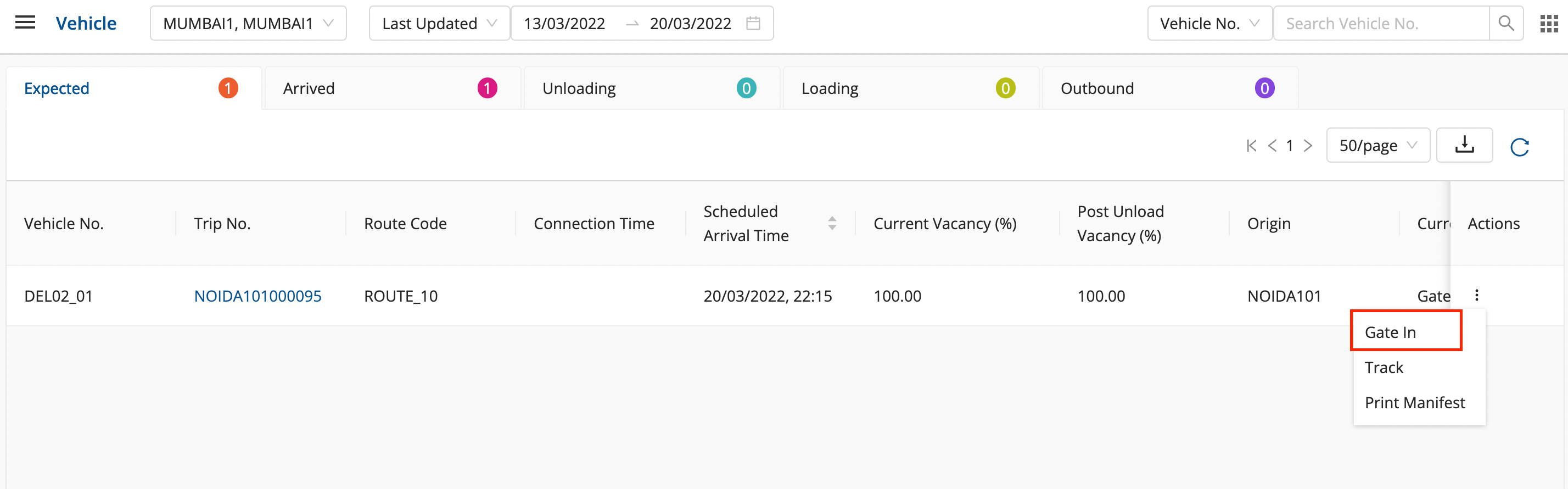
- Enter Gate No. and any additional comments, if required, and click on ok.
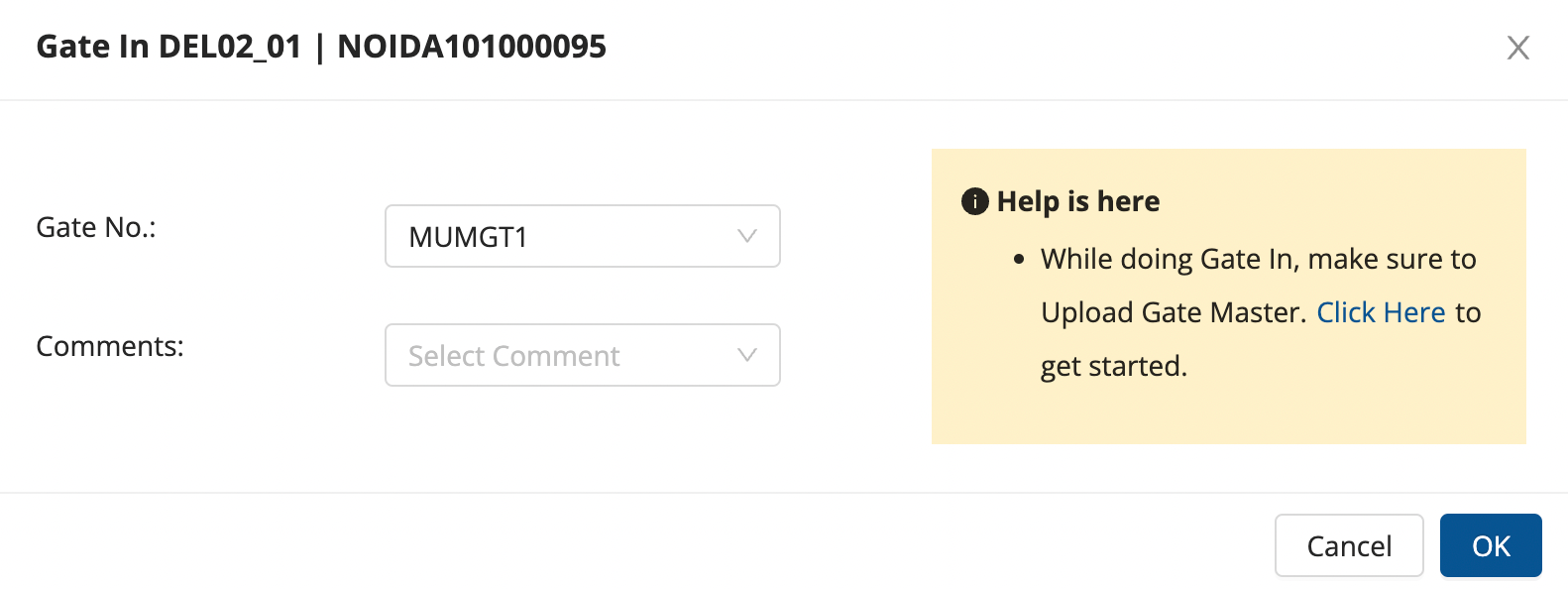
- The vehicle is gated in successfully and can be seen in the Arrived bucket.
Method 2 → hub Ops App
We need to change the hub to the destination hub from the hamburger menu.
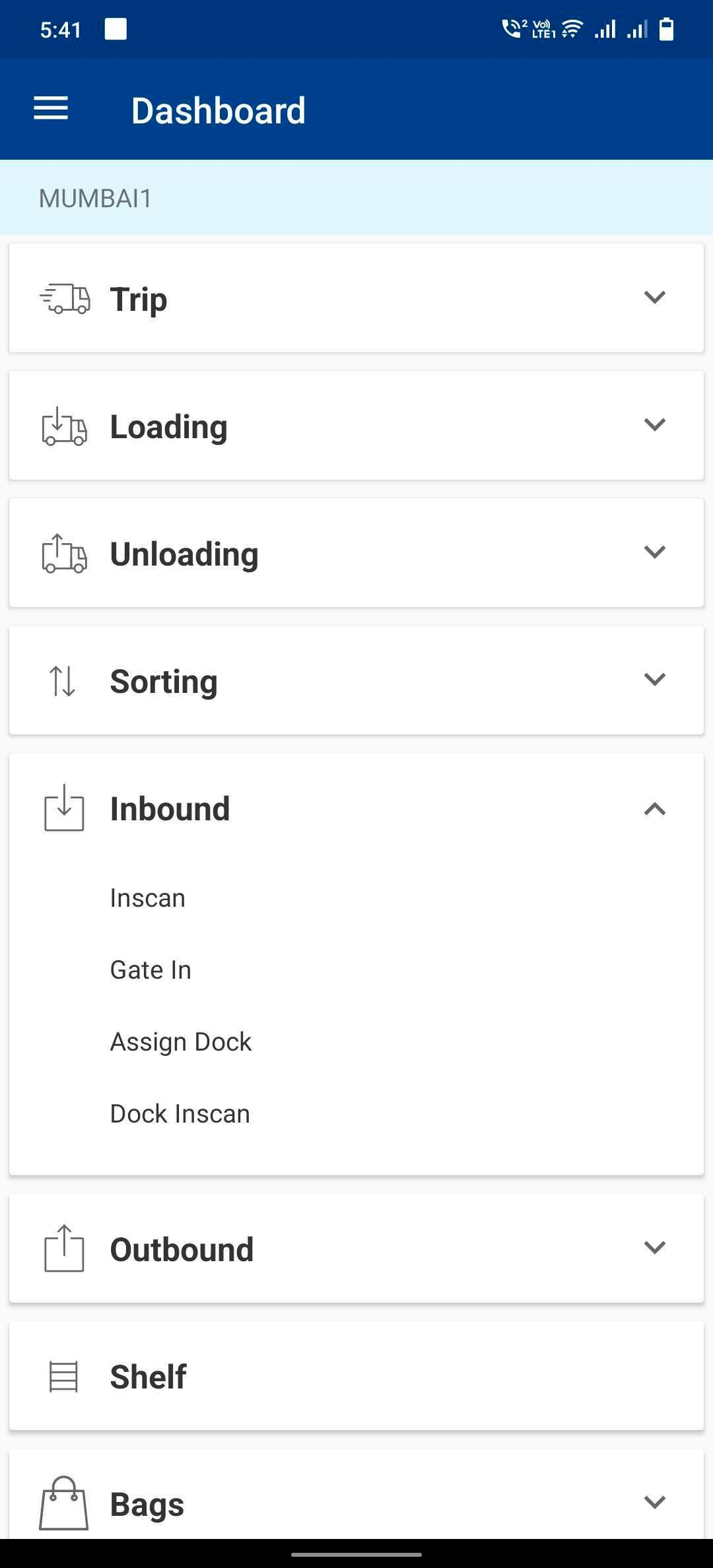
- In the dashboard, click on Inbound → Gate In.
- Enter Vehicle, Gate No., and any additional comments, if required.
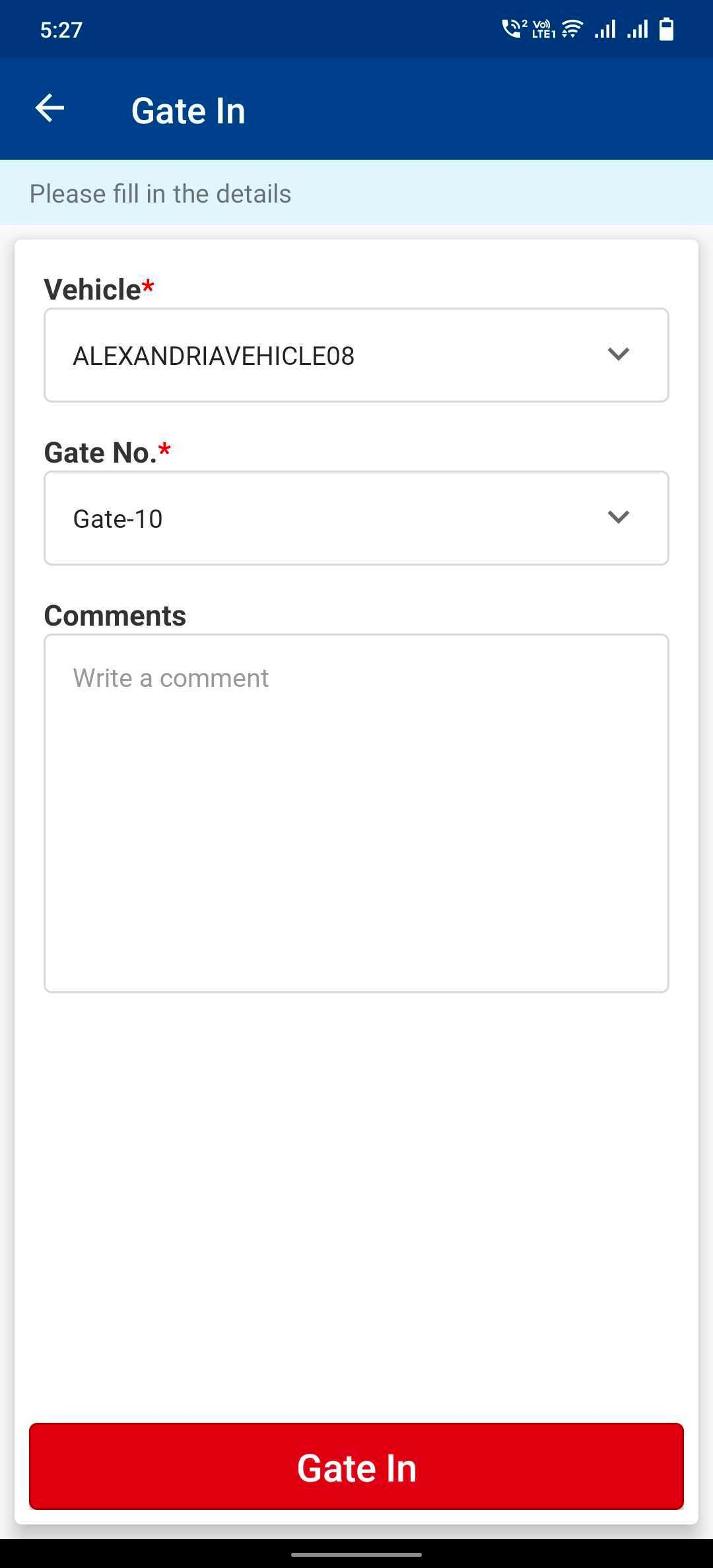
- Click on Gate In and the vehicle is successfully gated in.
Was this article helpful?