ShipsyKnowledge Base
BrowseSearchshipsy.ai ↗Ask AI
← Hub Operations & Mid Mile
1. Excess ArrivalApply exception while loading/unloading manuallyAssign DockCondition based Auto RTOConsignment VerificationConsignment Verification in Hub Ops AppCreate a Console/Mix BagCreate a Pure BagDebagging of a bagGate in of any VehicleHamburger menu ( )How to setup exception masterHow to sort orders based on various criteriaMethod 1 : Consignments DashboardMethod 1 → DashboardMethod 1 → V2 DashboardMethod 1 → V2 DashboardMethod 1 → V2 DashboardMethod 1 → V2 DashboardMethod 1 → V2 DashboardMethod 1 → V2 DashboardMethod 1 → V2 DashboardMethod 1 → V2 DashboardMethod 1 → V2 DashboardMethod 1 → V2 DashboardOrigin HubPrint Trip ManifestRemoving Orders from a ShelfSet up Docks for a HubSet up gates for a HubSetup a Bagging GuideShelf SetupShelves ManagementWhat is exception?
Help › Hub Operations & Mid Mile › gating › Gate in of any Vehicle

Gate in of any Vehicle

Article sERFfqQD · source

Description : This page covers the process of the gate in of any middle mile vehicle.

In the main dashboard, Select Medium and click on Vehicle.

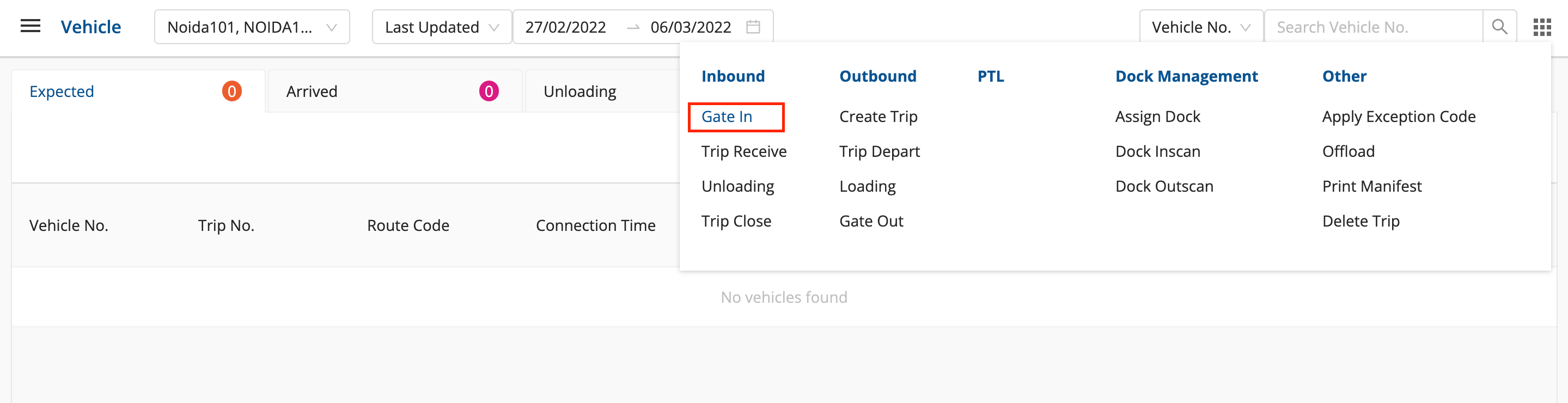
  • Click on Grid Menu in the top right corner.
  • Click on Gate in in the Inbound column.image.png
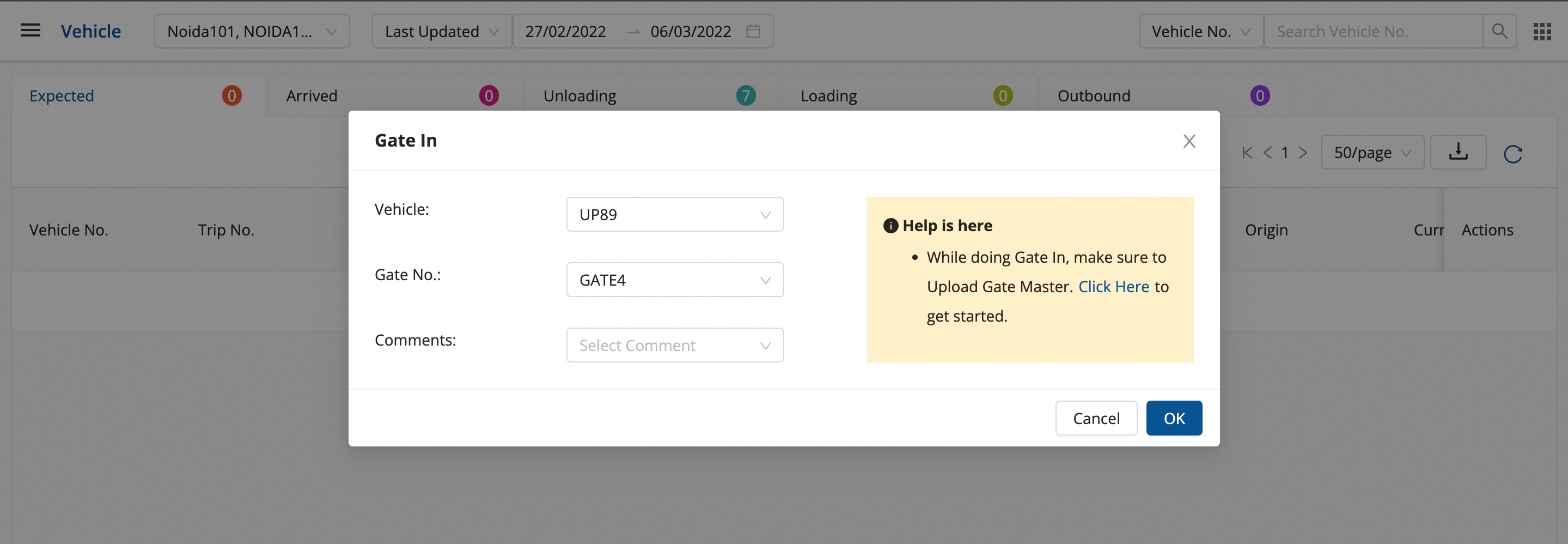
  • Enter Vehicle Number, Gate Number and Comments(optional).image.png
  • Click on OK for the successful gate in of the vehicle.

Was this article helpful?
On this page
Images: 3
Words: 350
Ask AI about this →
© 2026 Shipsy. Knowledge Base · sourced from helpcentre.shipsy.io
ContactSecurityshipsy.ai