
Apply exception while loading/unloading manually
Article lkqu5GXW · sourceDescription : This page covers the process of applying exception during unloading of a vehicle at the destination hub.
- During the following unloading process, scan the required waybills.
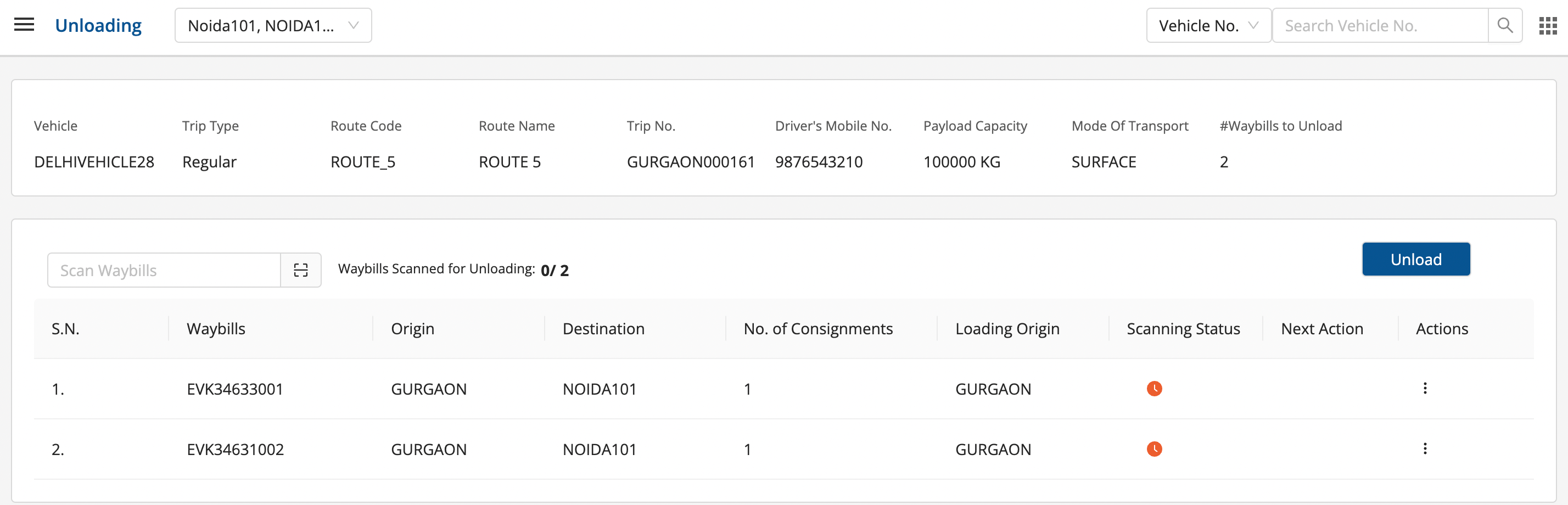
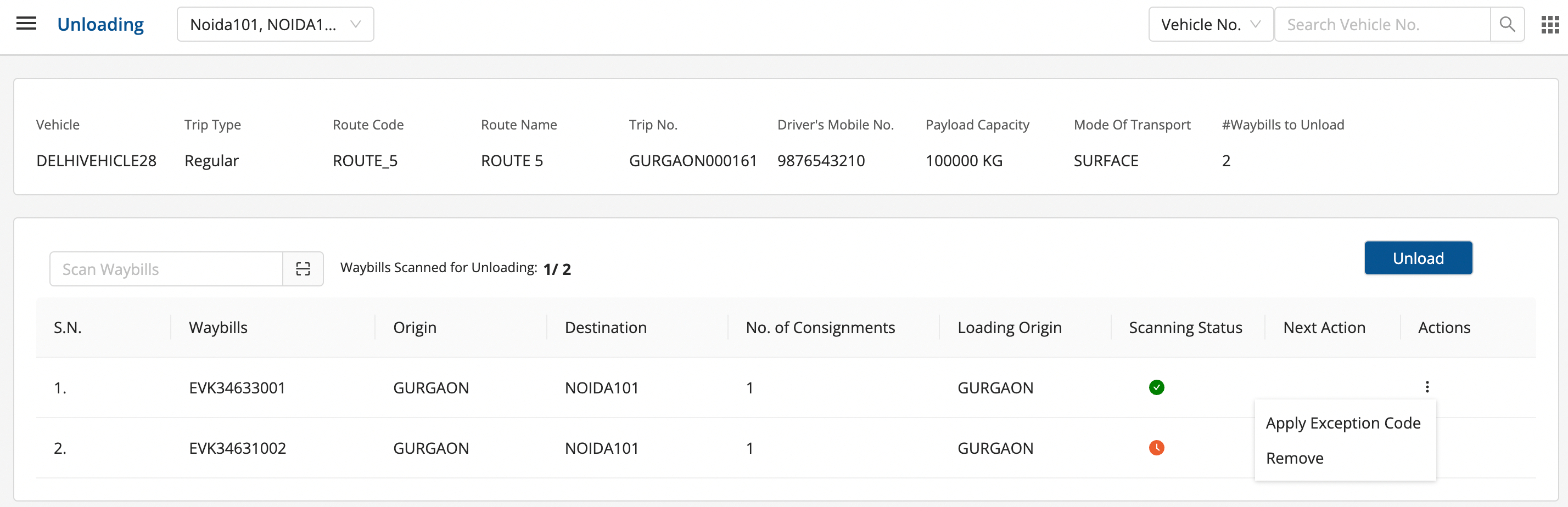
- In order to apply the exception code, click on the three vertical dots in the action column and click on “Apply Exception Code”.
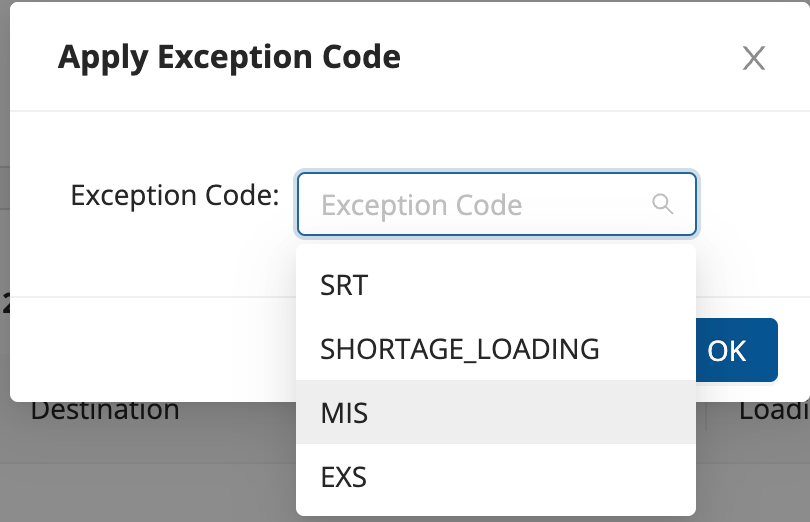
- Select the required exception code, and click on ok.
- The exception code would be applied and now, click on “Unload” to unload the middle mile vehicle.
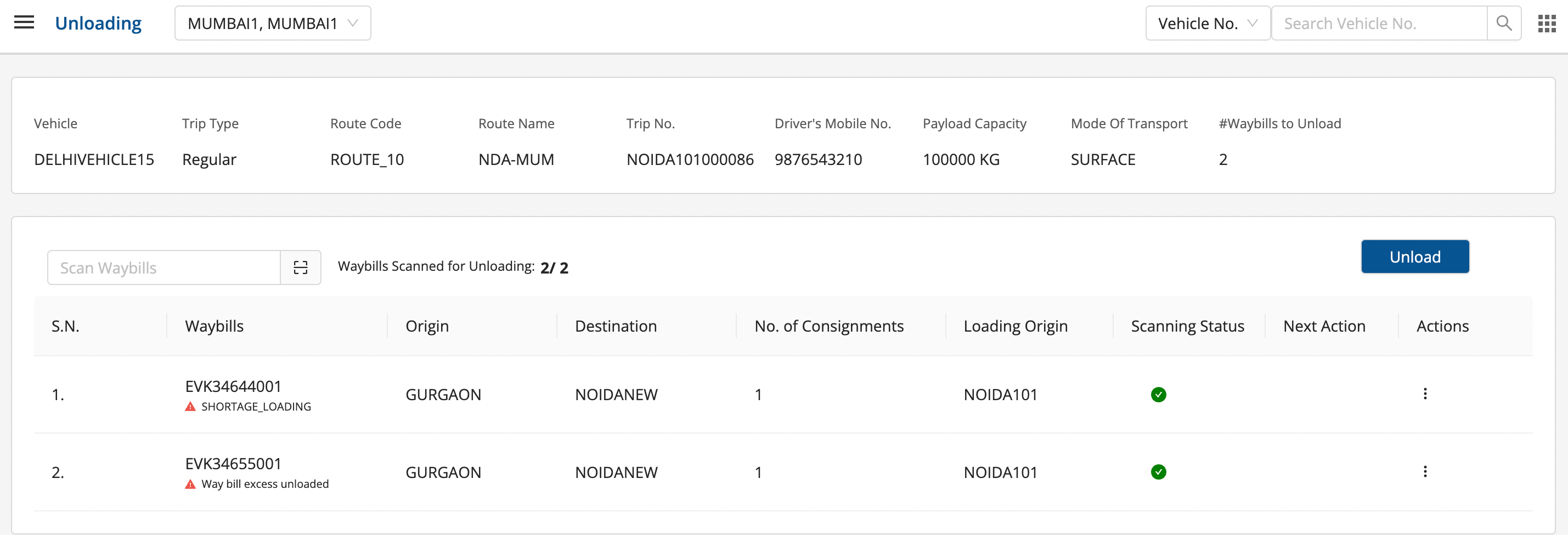
- The consignments would be unloaded successfully along with the exception code.
Was this article helpful?