
Create a Pure Bag
Article bh8M88X2 · sourceDescription : This page covers the process of creating a pure bag.
The bags containing consignments which have the same destination hub code as that of the bag’s destination hub code are known as Pure Bags.
In order to create a pure bag, we must only add those consignments in the bag which satisfy the above statement.
To create a bag:
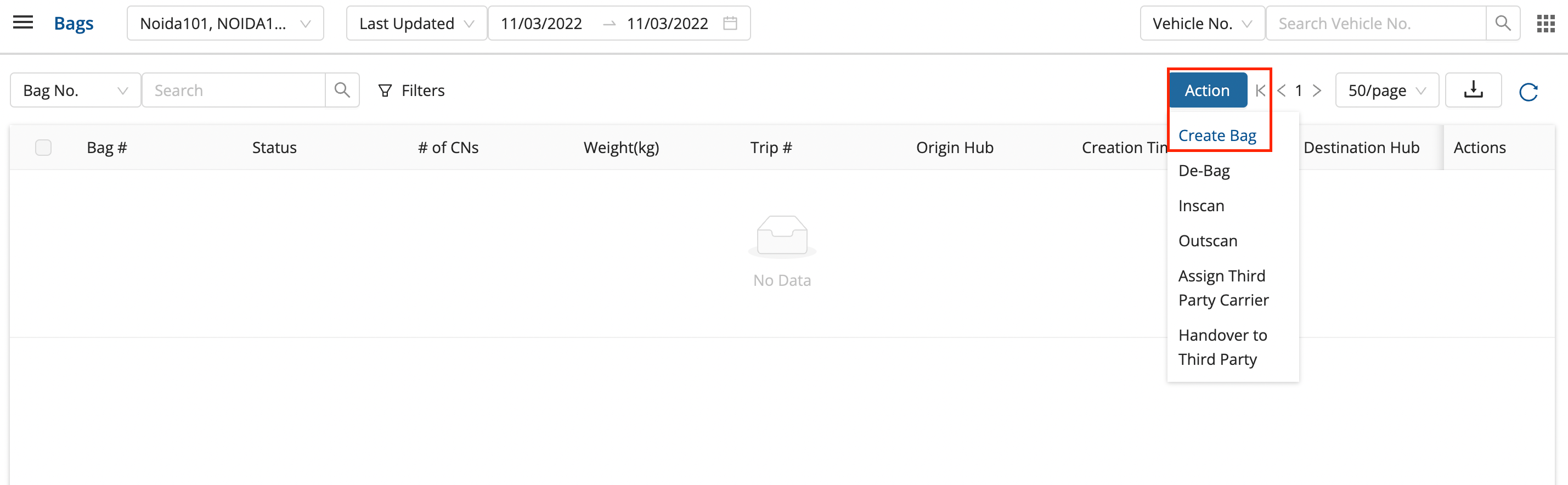
- In the main dashboard, click on Middle Mile → Bags.
- Click on Actions → Create Bag.
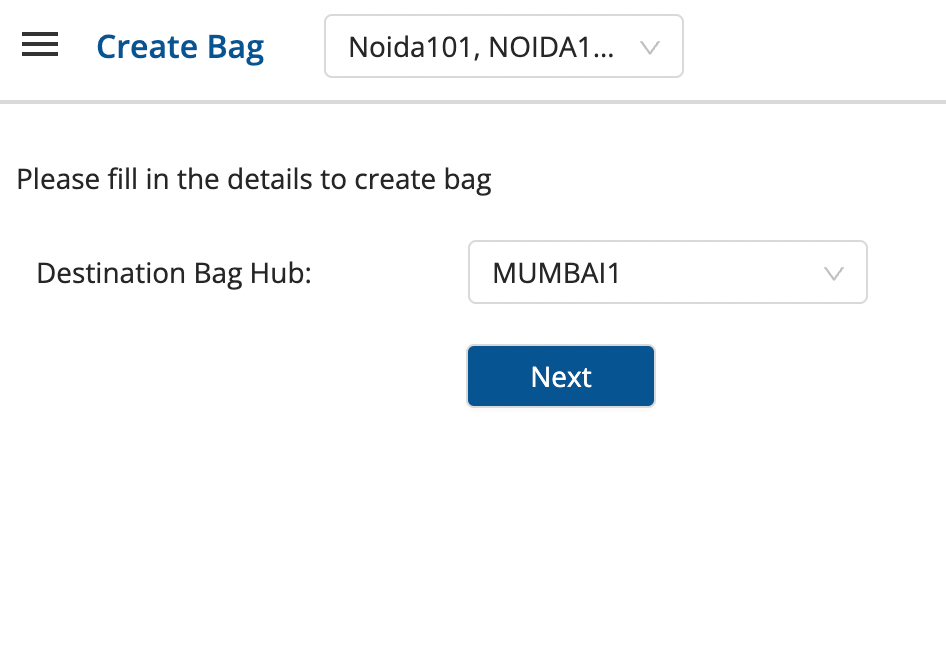
- Select Destination Bag Hub and click on Next.
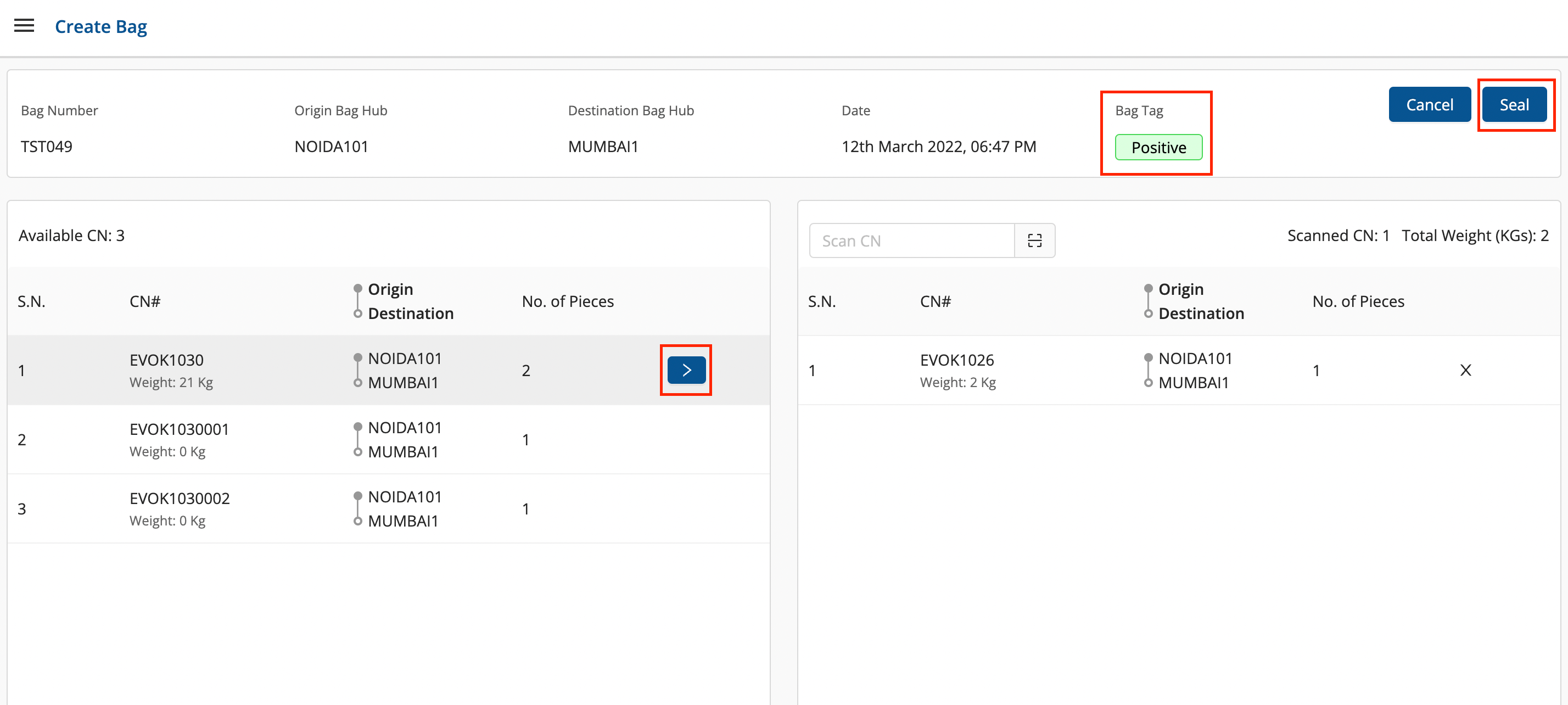
 The green positive bag tag represents a pure bag.
-
The left block shows the available Consignments for the defined destination bag hub, and the right block shows the scanned consignments which are now present in the bag.
-
Click on the blue arrow '>' symbol to add the consignments in the bag.
- The blue symbol appears when the mouse pointer is brought close to the particular position.
- This also be done by scanning the consignments directly.
-
Add the required consignments to the bag and click on Seal.
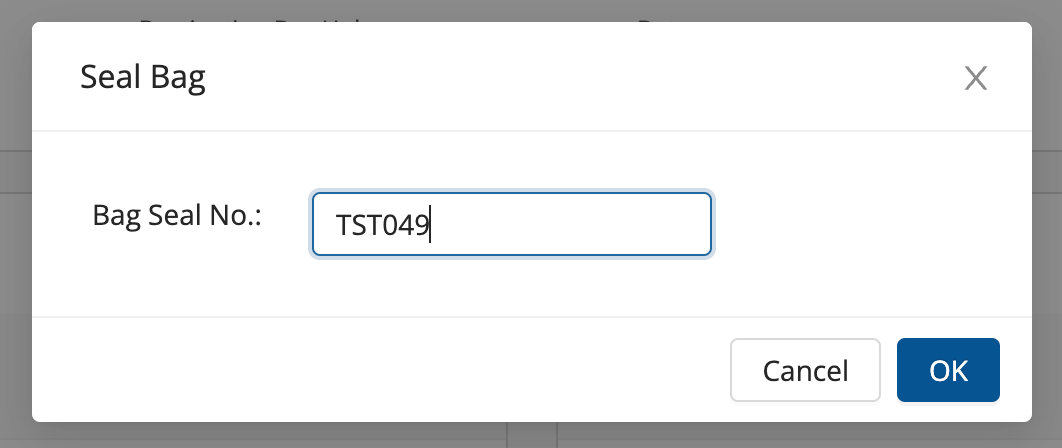
- Enter the Bag Seal Number and click on OK.
A pure bag has been created successfully.
Was this article helpful?