
Virtual Series - Introduction
Article 2sAx20_6 · sourceVirtual series are the pre-defined set of reference numbers/inventories, allocated to customers for booking.
We may check the available inventory for any given customer, following the steps below:
-
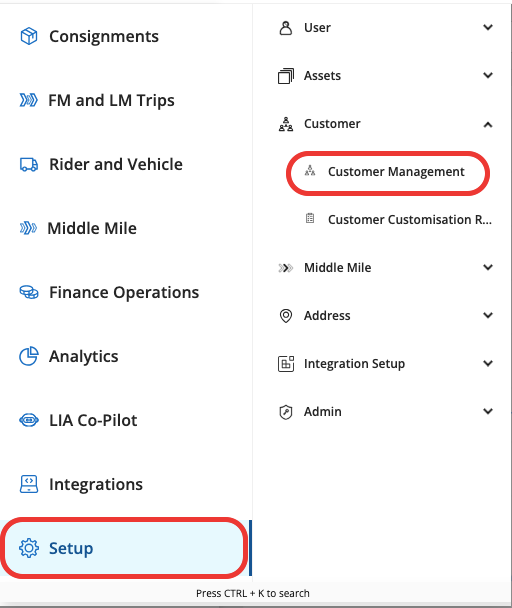
Go to Setup → Customer → Customer Management
-
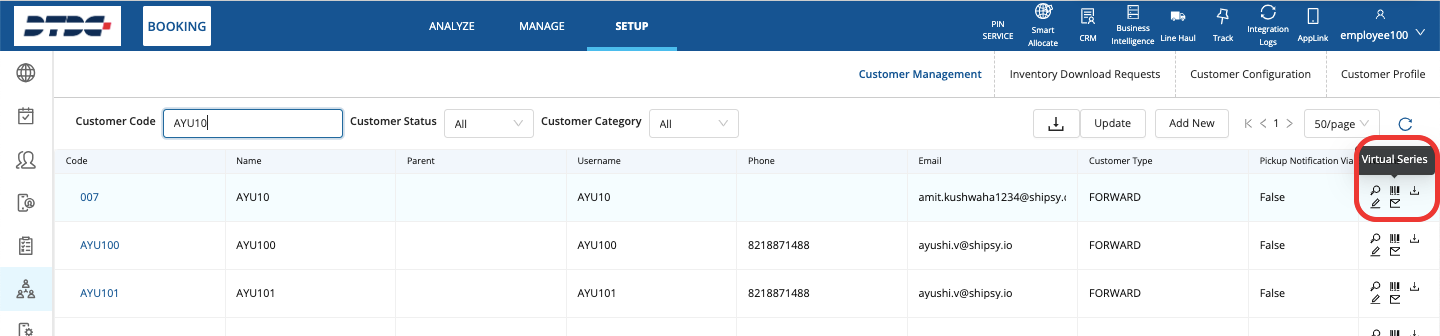
Search the desired Customer → click on Virtual series icon on the right side menu:
-
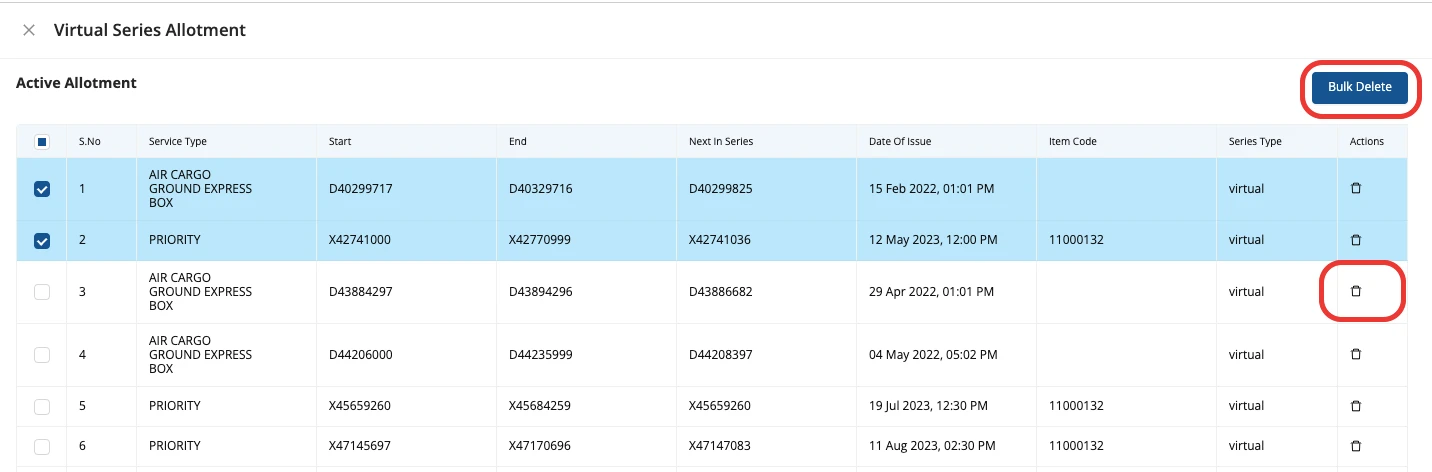
Clicking on Virtual series opens up a new pop-up window as (which shows all the active allotment that exists for the customer (with the following details-Service Type, Start/End ref no. of the series, the Next available no. of the Series, Date Of Issue, Item Code, Series Type):
-
User with permission can also delete the inventory from this page (either bulk/single):
Was this article helpful?