
Bulk Customer edit
Article 1coTdqd- · sourceIn order to create a new customer via bulk customer creation, perform the below mentioned steps-
-
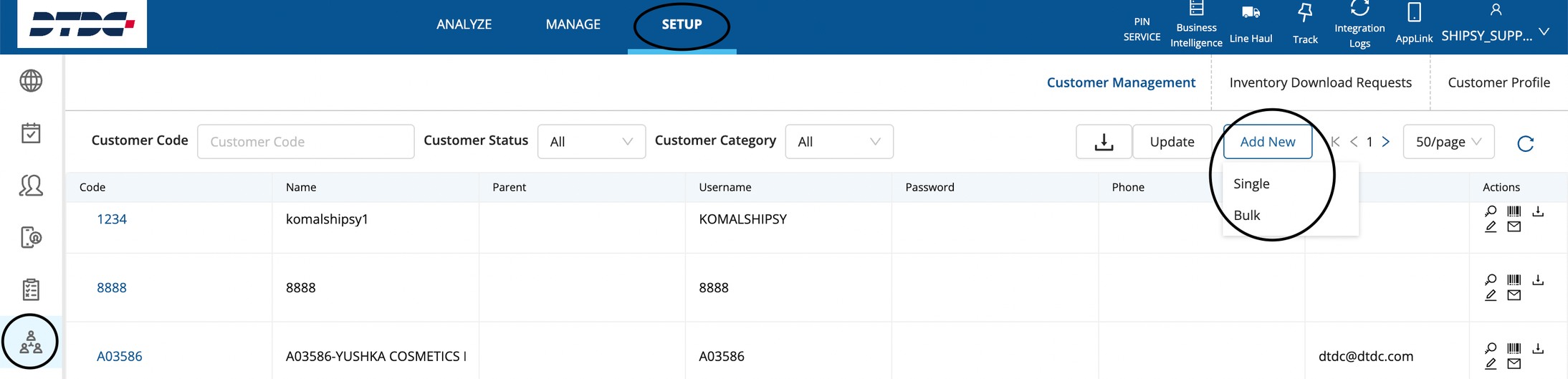
Go to Setup → Customer Management (6th option in the hamburger menu) and click on Add New button and a dropdown will appear. Click on Bulk.
-
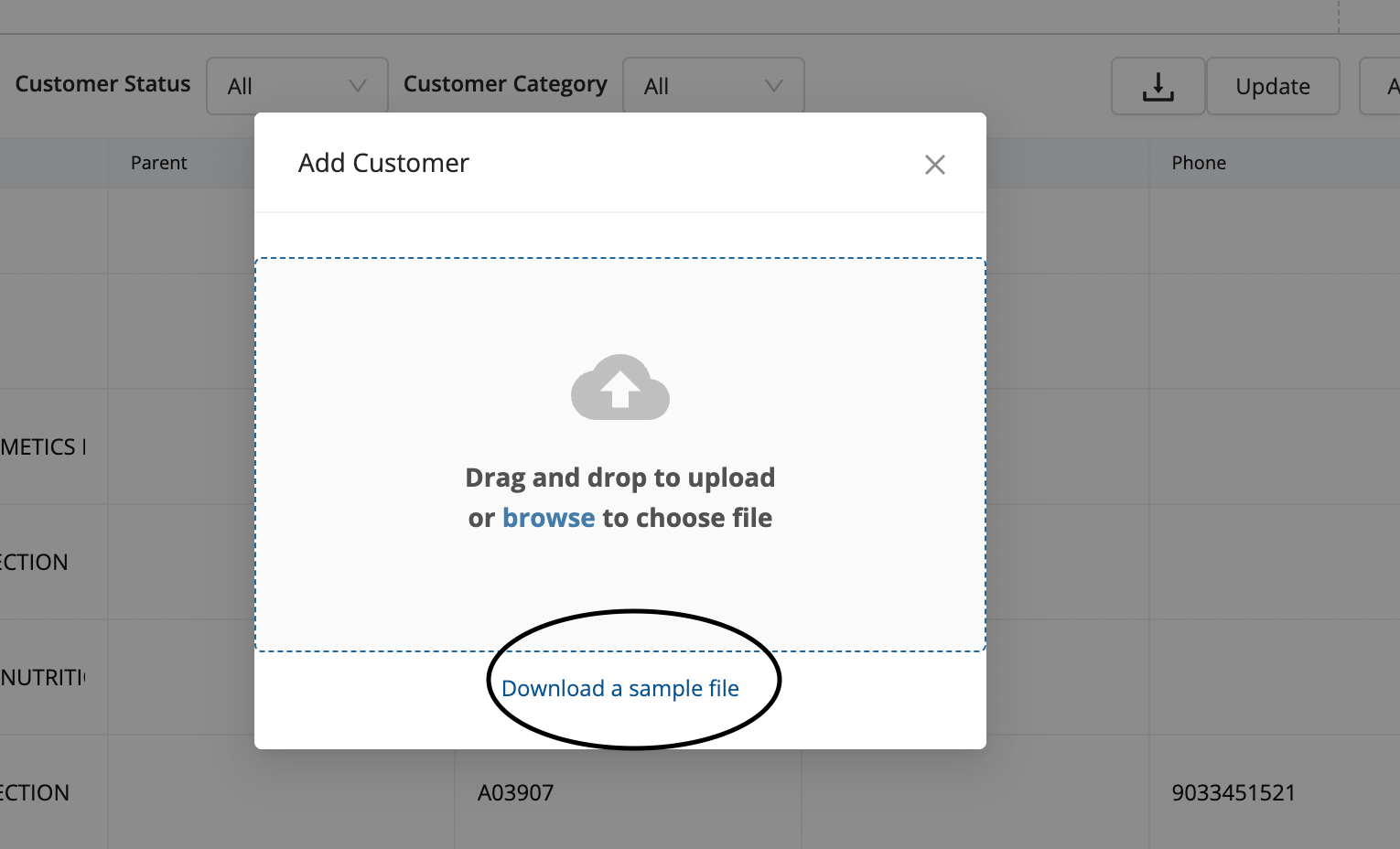
A pop-up will appear. Click on- Download a sample file
-
A sample excel file will be downloaded Sample.xlsx , having multiple fields
-
Enter the values for the mandatory fields and other fields which you have the data for and click on browse button in the screenshot given in point number 3 and upload the sample file and a new customer will be created. Pls note that you can create multiple customers via this excel in a go.
Was this article helpful?