Supplier Master Creation
Article AtAMUqHg · sourceSupplier Master Creation
Supplier : In a Warehouse Management System (WMS), a supplier is an entity or business that provides goods or materials to the warehouse. The supplier is a critical component in the supply chain, as they are the source of inventory that the warehouse receives, stores, and manages. Properly managing supplier information and interactions within a WMS is essential for maintaining efficient operations and ensuring that inventory levels are adequate to meet demand.
Activity decription:
Supplier master creation can be achieved in two ways as follows.
1.Supplier creation through UI:
We need to navigate to StockOne's Masters. There, we can find the Supplier Master. By clicking on it, an option labeled 'New Supplier' will be visible at the top right. We need to click on this option, and a pop-up will open showing all the fields that need to be filled to create a supplier
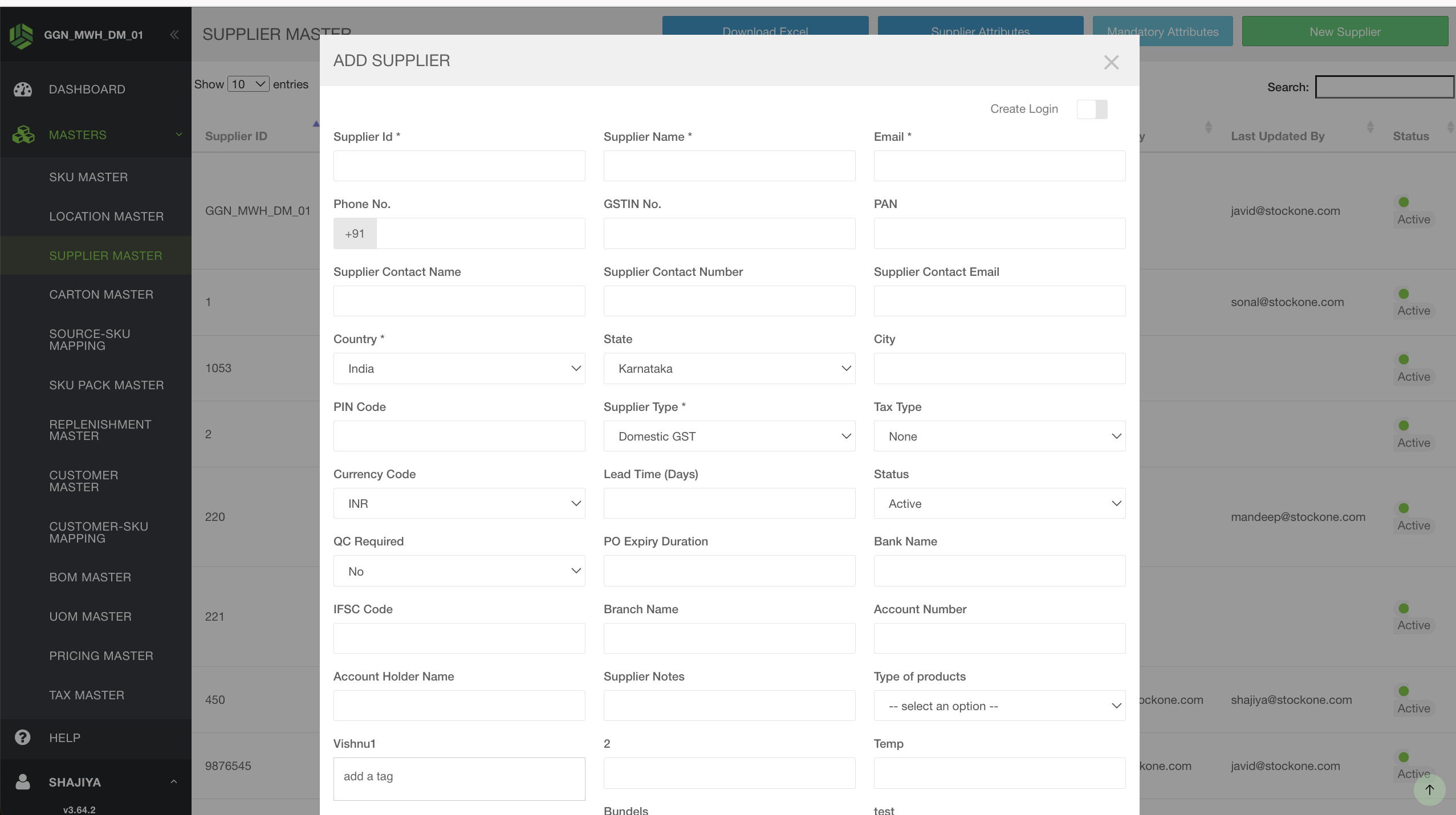 Once all the required fields are filled, we can scroll down and click on 'Save'. The supplier will then be created and will be visible under Supplier Master as shown below.
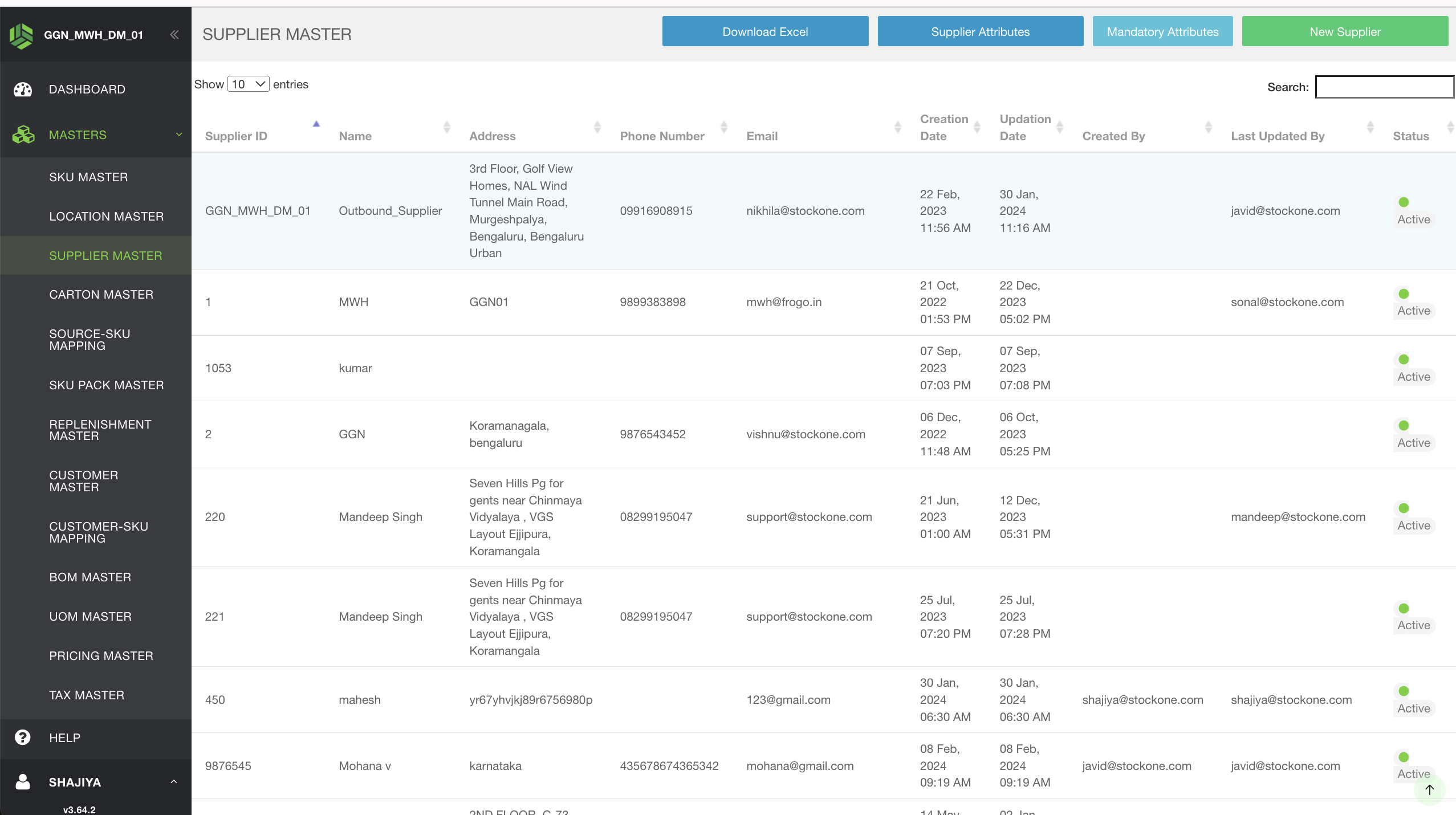 Note: Normally Supplier name can be any name but in the stock transfer case, the supplier name should be the warehouse name from where we are receiving the inventory.
2.Supplier creation through uploads:
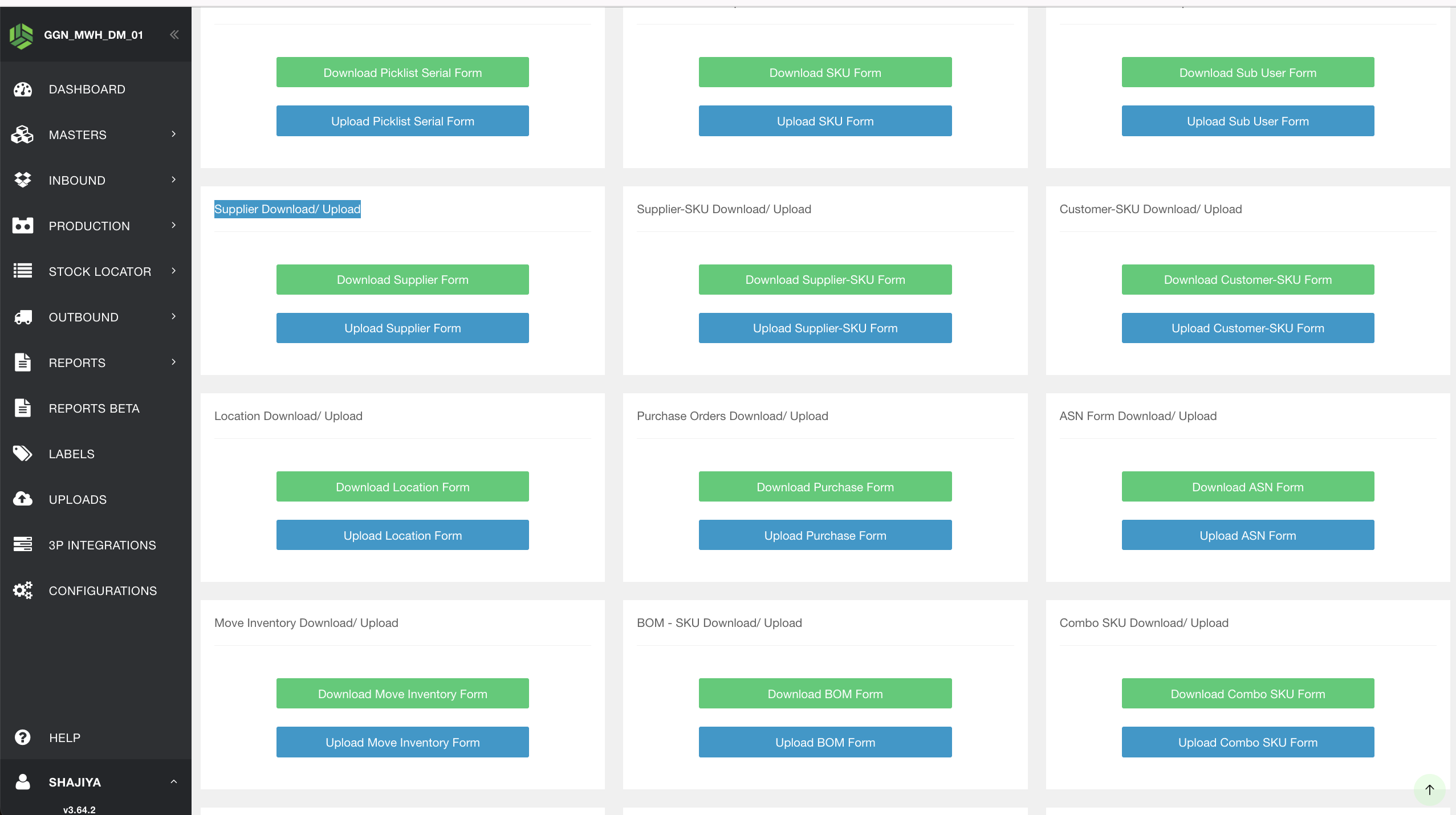
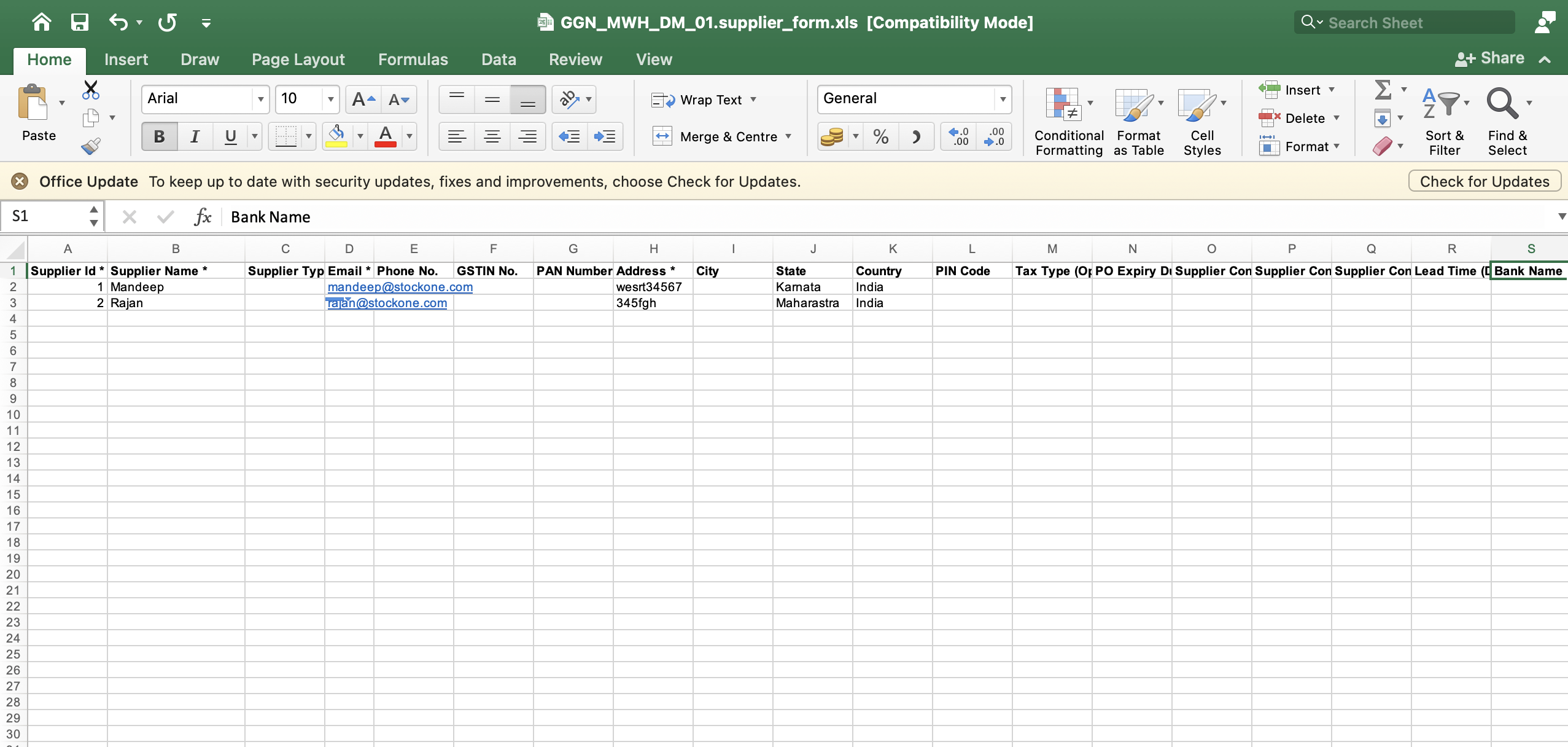
Through the upload approach, we can create more than one supplier at a time. That is, a bulk of Suppliers can be created using this upload method. We need to navigate to the uploads option in StockOne, where we can find both the Supplier download and upload options. By clicking on download, we will get an empty Supplier creation form where we need to enter all the Supplier details that need to be created. Once we have filled in the required Supplier details, we should upload the same form.