
SKU Master Creation
Article EVAsvLzy · sourceSKU Master Creation
SKU(Stock keeping unit): In a Warehouse Management System (WMS), an SKU (Stock Keeping Unit) is a unique identifier assigned to each distinct product or item in inventory. SKUs are used to track inventory levels, manage stock, and facilitate the efficient organization and retrieval of products within a warehouse
Pre Requisites:
SKU name, SKU Description,SKU type, MRP , Weight etc..
Activity Description:
SKU master creation can be achieved through two ways as follows
1. Sku master creation through UI
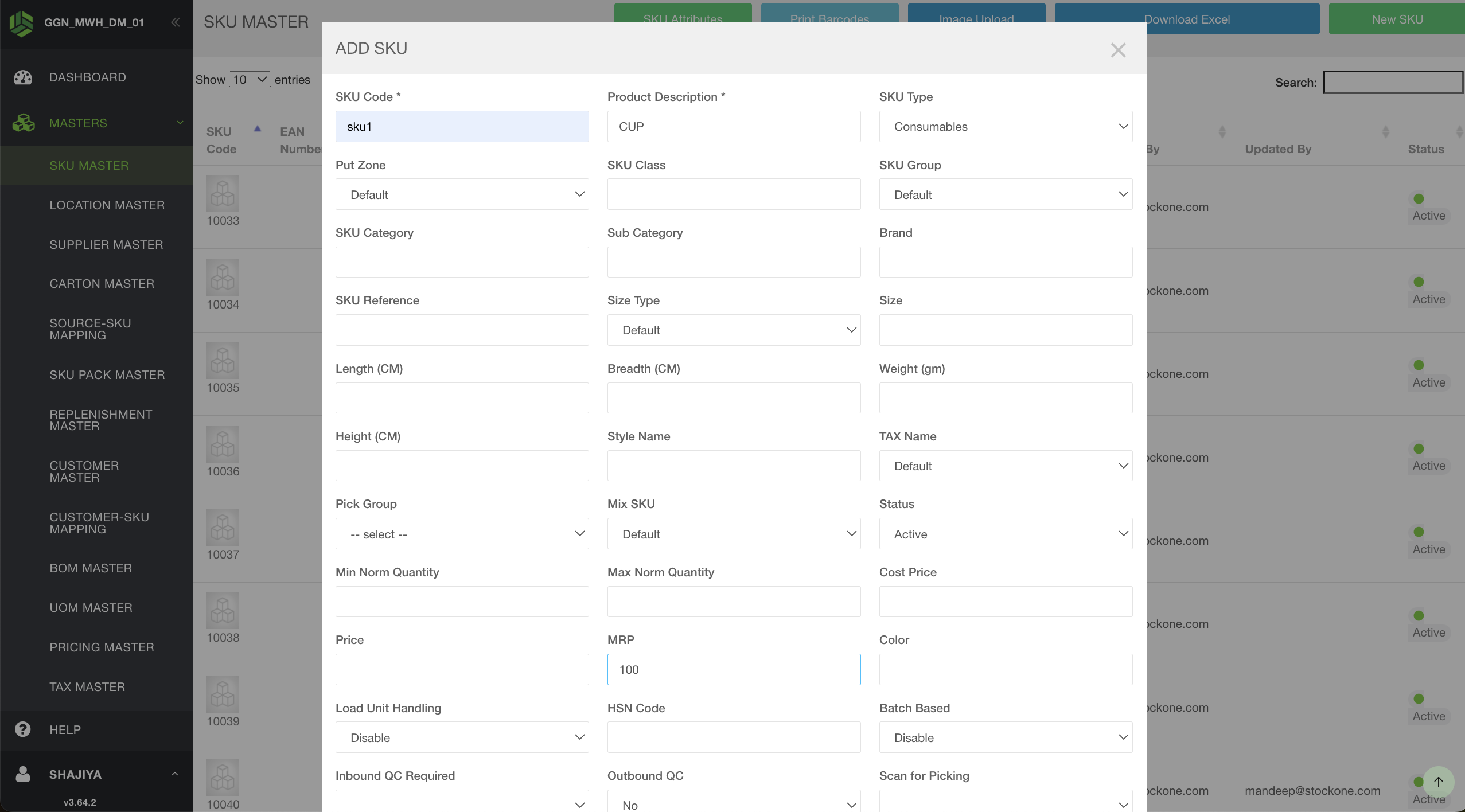
We need to navigate to the stockone's masters and there we can find sku masters at the top of it. Once we click on the sku masters, there will be a tab at the top right saying "New SKU". Once we click on it, a pop will open which shows all the required fields which are needed to create the sku.
2.SKU master creation through uploads
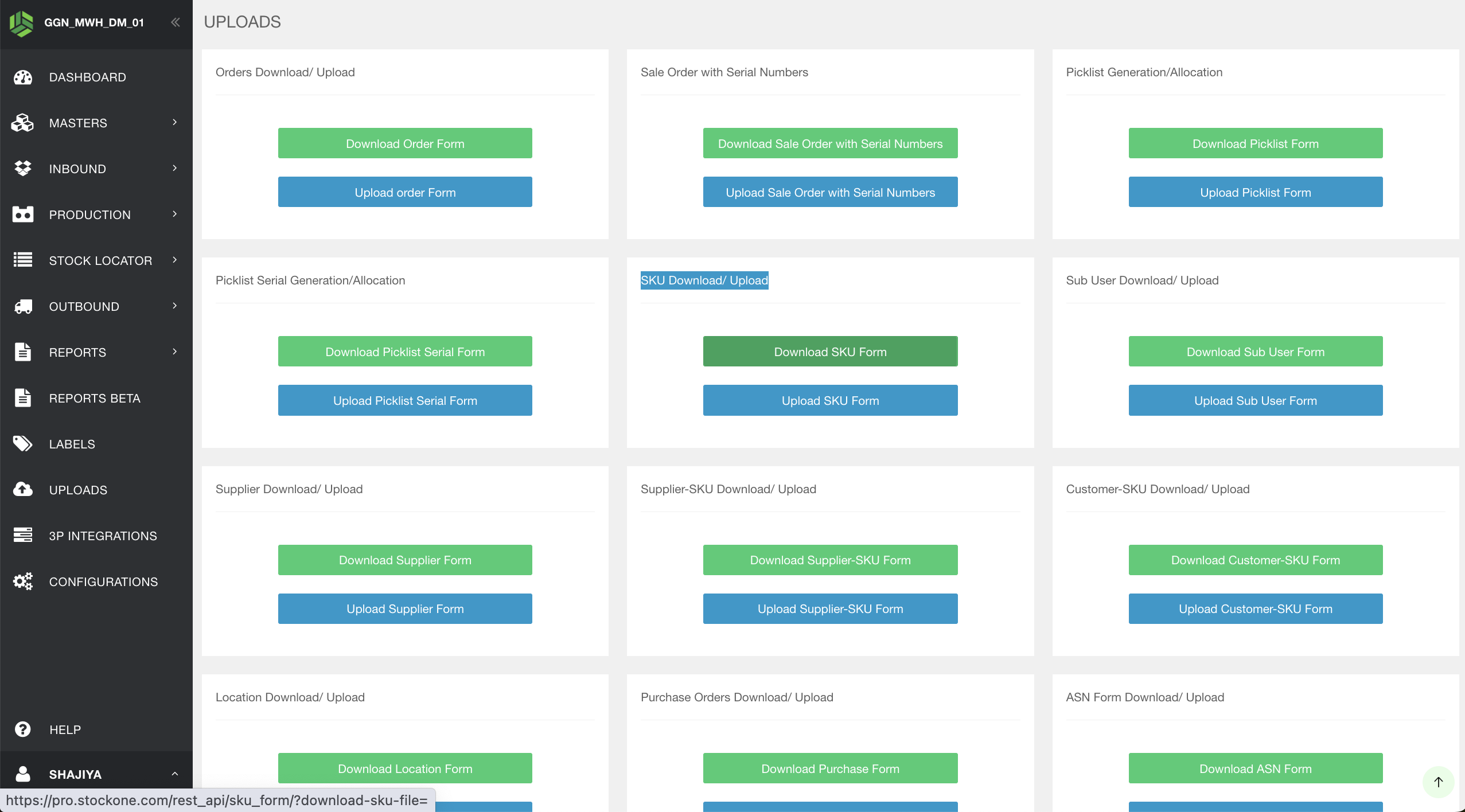
Through the upload approach, we can create more than one SKU at a time. That is, a bulk of SKUs can be created using this upload method. We need to navigate to the uploads option in StockOne, where we can find both the SKU download and upload options. By clicking on download, we will get an empty SKU creation form where we need to enter all the SKU details that need to be created. Once we have filled in the required SKU details, we should upload the same form.
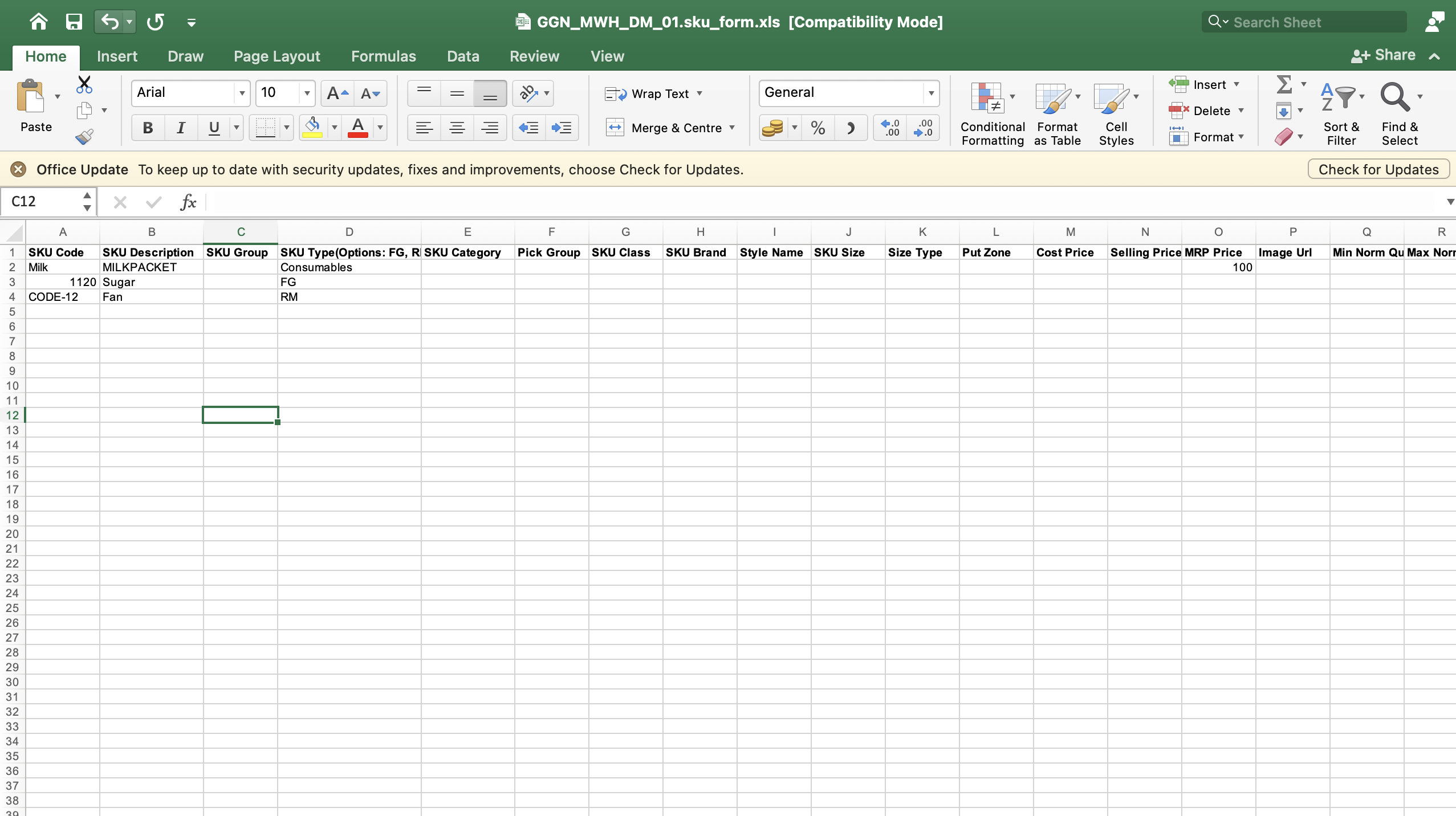 Once we have uploaded the form, the sku's will be created and can be seen in sku masters.