
WMS-Inbound-RTV
Article 4IzZ62eO · sourceReturn to Vendor:
**Activity Introduction:**To return the material back to the vendor whenever the material is received in Excess or when the material is Damaged, Broken, Expired, etc.
Activity Description:
-
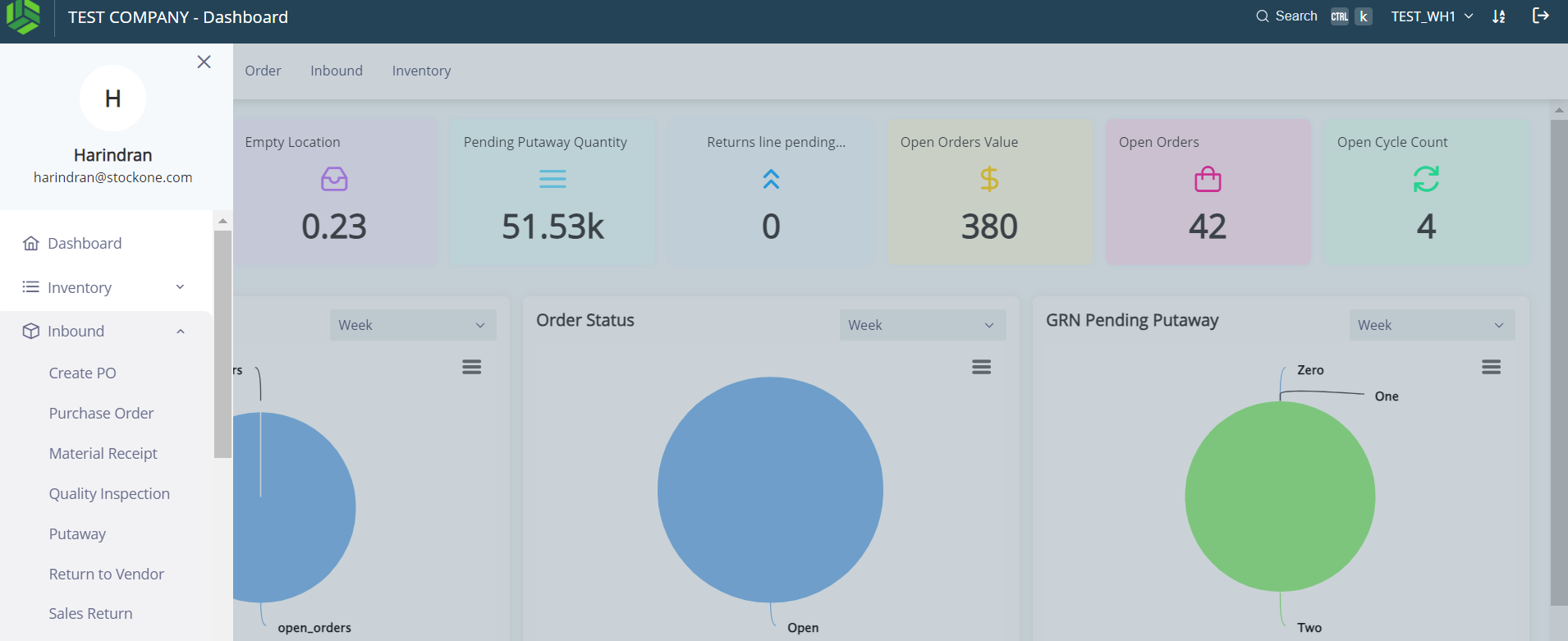
Click Menu > Click on “Inbound” > Click on “Return to Vendor”.
-
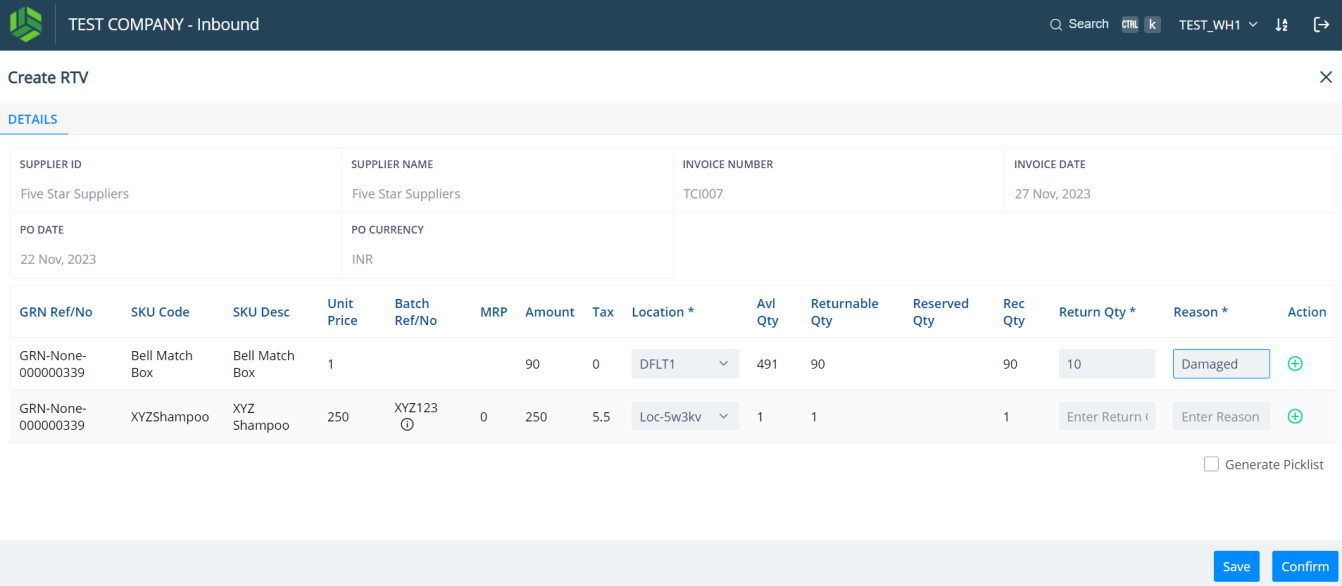
Click on the row > Select the Location > Enter the Reason as shown in Screenshot #50.
-
Click in the “Confirm” blue button seen at the bottom right corner of the screen.
-
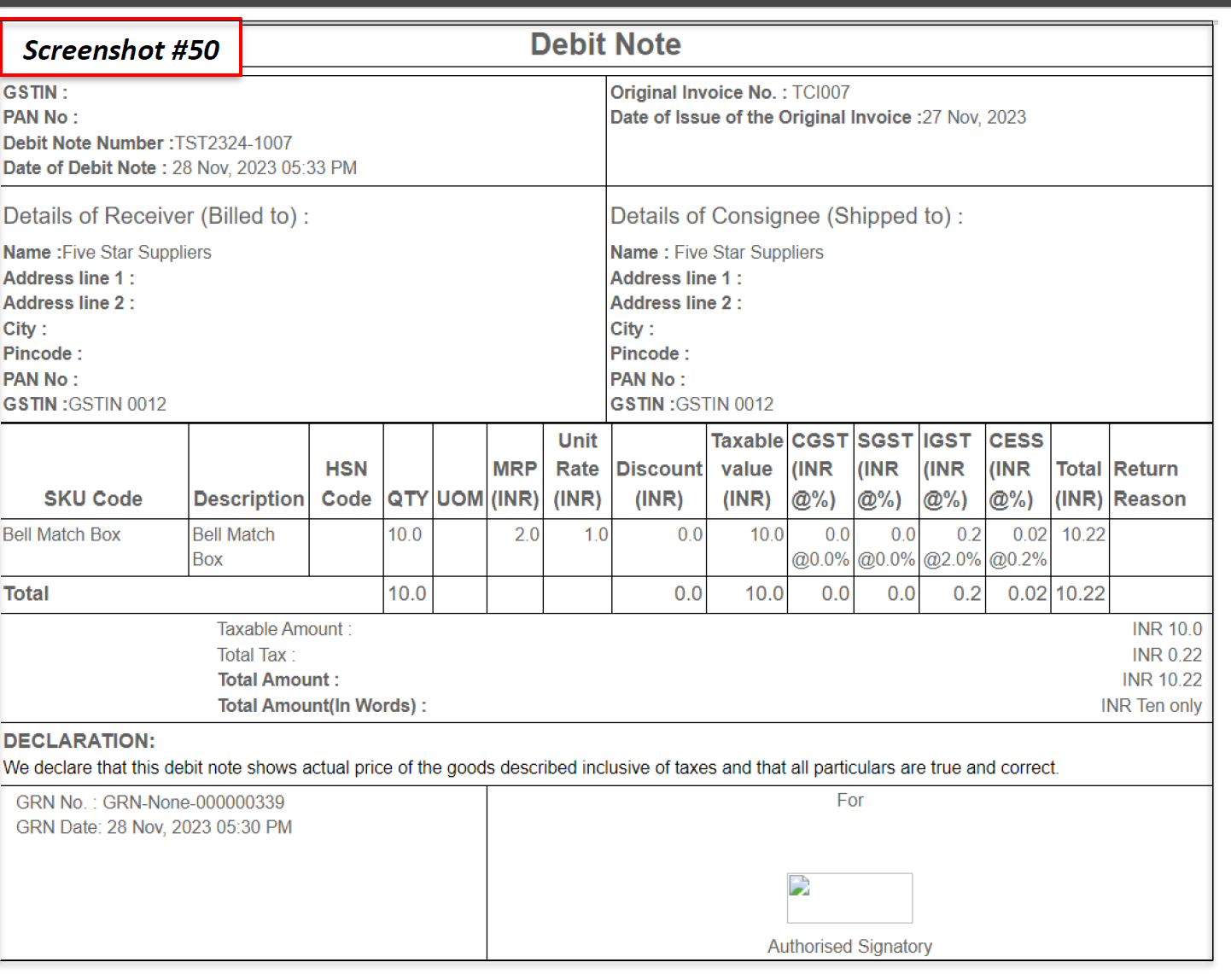
A Debit Note will be generated as shown in Screenshot
Was this article helpful?