WMS-Inbound- Putaway
Article 13G4sxzY · sourcePUTAWAY:
➢Activity Introduction:To systematically stock material in the warehouse for space optimization, easy retrieval, quick picking, it needs to be put in a designated spot.
Activity Description:
-
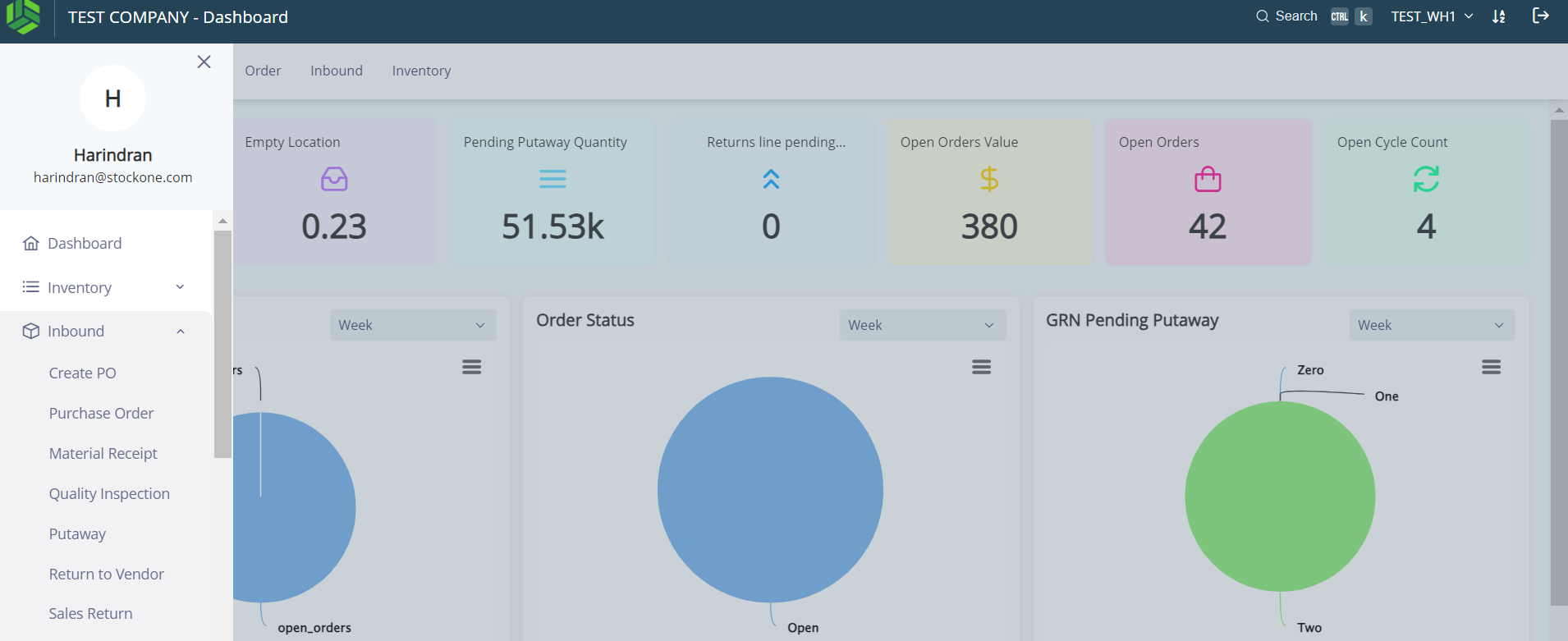
Click Menu > Click on “Inbound” > Click on “Putaway”.
-
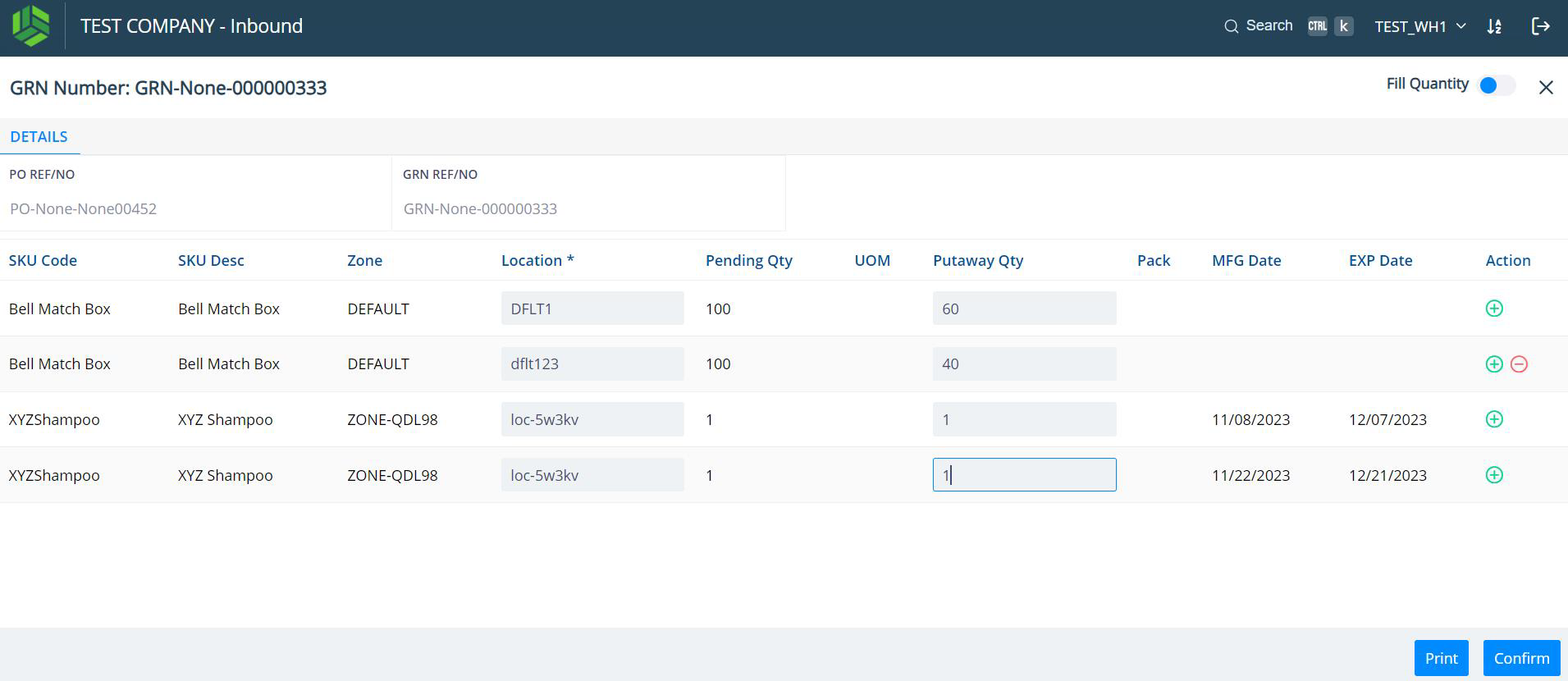
Find the GRN that needs to be putaway and click on the GRN to open it.
-
Enter the Putaway Quantity as shown in Screenshot #47 below.
-
Once all the quantities are entered, click on the “Confirm” blue button seen at the bottom right corner of the screen.
-
The inventory is ready for Putaway.
-
The Putlist can be printed and handed over to the putter or else, the putter can use his mobile phone to scan the tote / bin & shelf for Putaway.
-
The putter will take the material along with the Putlist and physically Putaway them in the designated shelves / storage bins and confirms the Putlist.