Delivery - Flow for a rider
Article ZKf-FBzz · sourceTable of Contents
Prepare DRS
Delivery Task list
Delivered/ Not Delivered
Steps involved in delivering a consignment
The consignments in 'Reached At Hub' status will be eligible for delivery. The delivery will be performed by the rider using the steps below.
Prepare DRS
There are two ways in which a rider is assigned for a delivery.
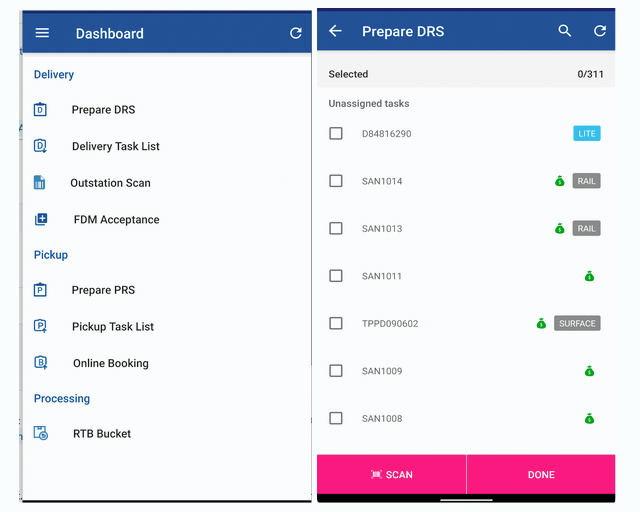
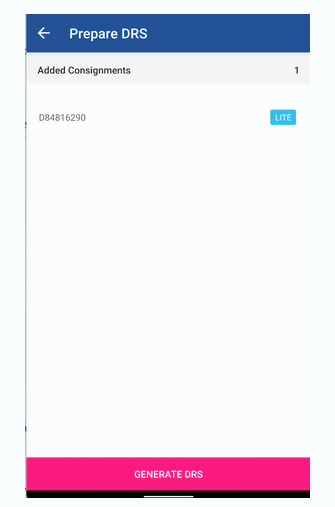
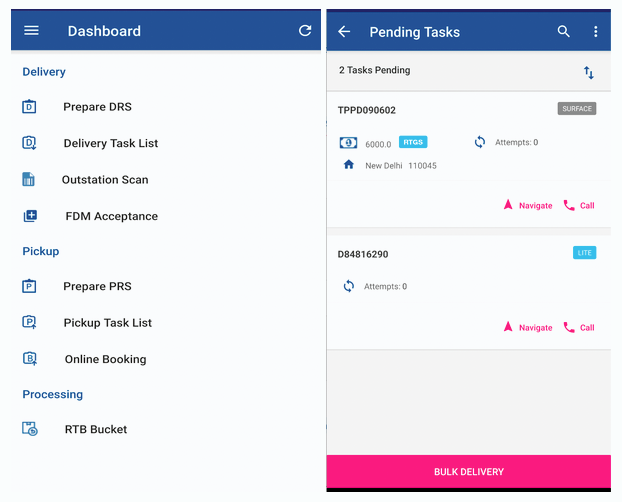
Smart Track: The CNs that need to be delivered will start reflecting in the Smart App in the ‘Prepare DRS’ section. The rider can navigate to prepare DRS, and choose and accept a CN based on their feasibility. The path to accept a CN is as below.
Prepare DRS > select the CN(s) > Scan/Done > Generate DRS.
Ops Dashboard:
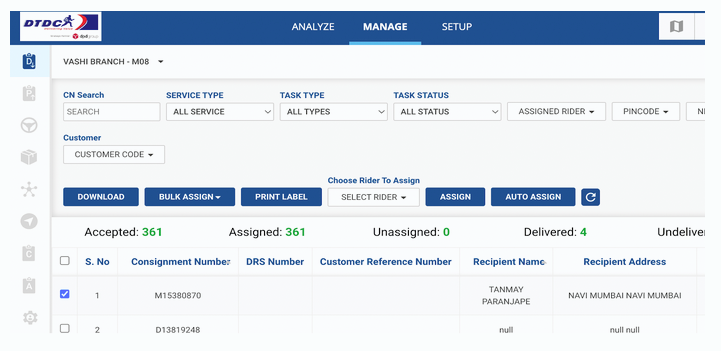
The hub manager can assign a rider for delivery of a CN from Ops dashboard > Manage > Delivery section.
Delivery Tasks List
Once the rider accepts a delivery or the hub manager assigns it to a rider, it will start reflecting in ‘Delivery Task List’ of the smart track app.
The CN will only reflect when logged in using the rider credentials.
Delivered/ Undelivered
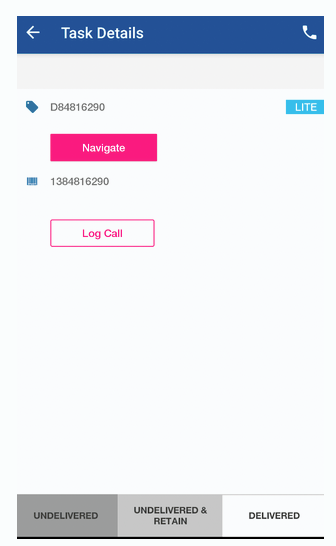
The rider reaches the location and opens the corresponding task in the ‘Delivery Task List’.
Once the CN is chosen, the rider will get the options to either mark undelivered or delivered.
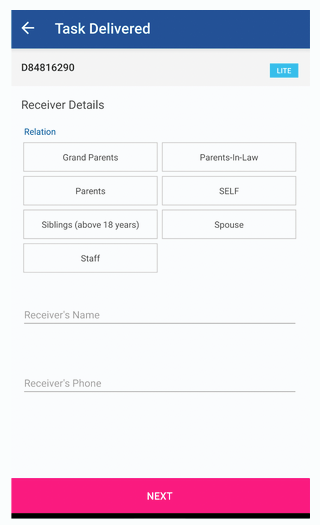
DELIVERED:
If the rider chooses to deliver the CN, the DELIVERED option should be chosen in the above screen.The rider also needs to mark the receiver details i.e choose one of the options from the Relations available.
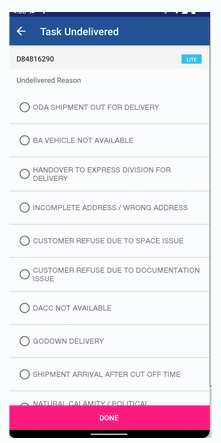
UNDELIVERED:
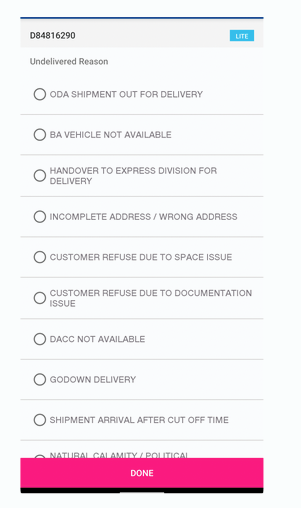
The riders will choose this option when they are unable to deliver the consignment due to various reasons shown in the undelivered reason screen.
These CNs where undelivered is marked, the rider needs to return these to the destination hub. The next day a Manifest is generated again and they will be made available for delivery.
Undelivered and Retain:
This option is chosen when the rider is unable to deliver the shipment and he wants to keep the shipment with him for delivering it the next day instead of returning to the hub.
For outstation hubs or 24/48 franchises, it will not be feasible for the rider to return to the hub as the franchises will be far away from the destination.
The appropriate reason for not delivering the shipment should be chosen from the screen displayed.
The same rider will be delivering the shipment the next day. The shipment will be visible in the delivery task list the next day.