
Link Existing Mapping with carrier account
Article Cs-IcTKV · sourceUser can understand how to link an already existing status mapping with the carrier account.
Prerequisites (if applicable): -
Instructions:
-
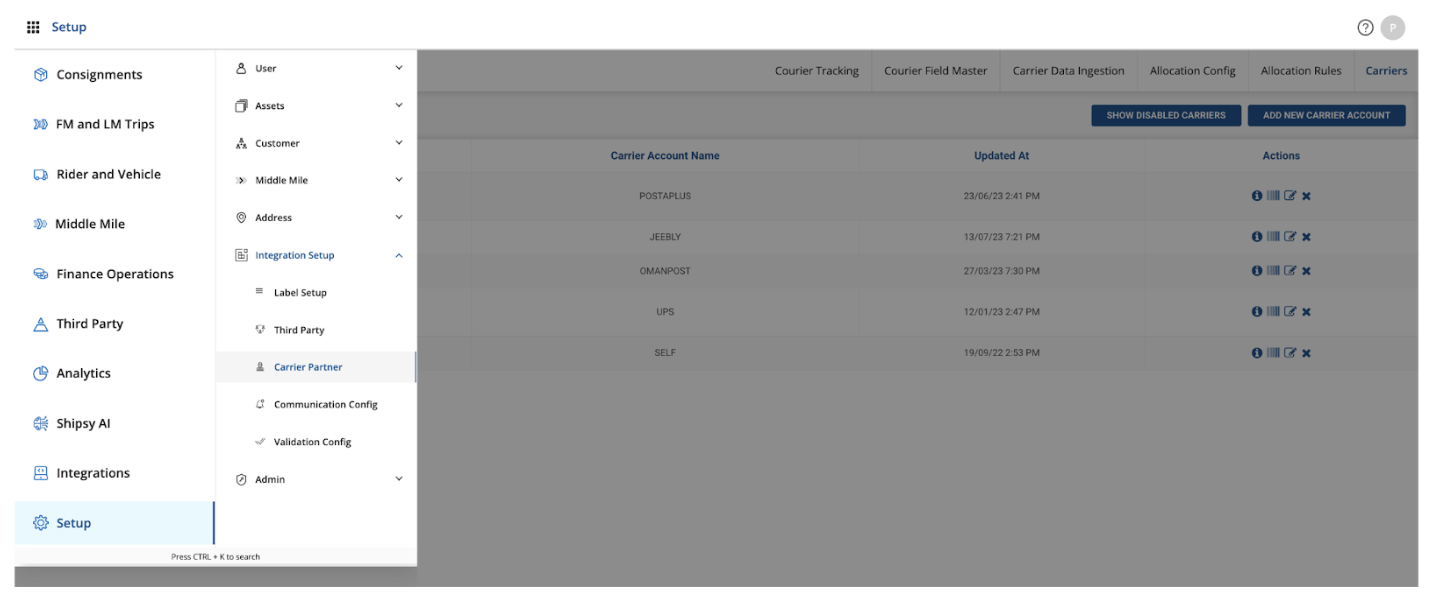
Navigated to Shipsy portal > Setup section > Carrier Partner > Courier Tracking
-
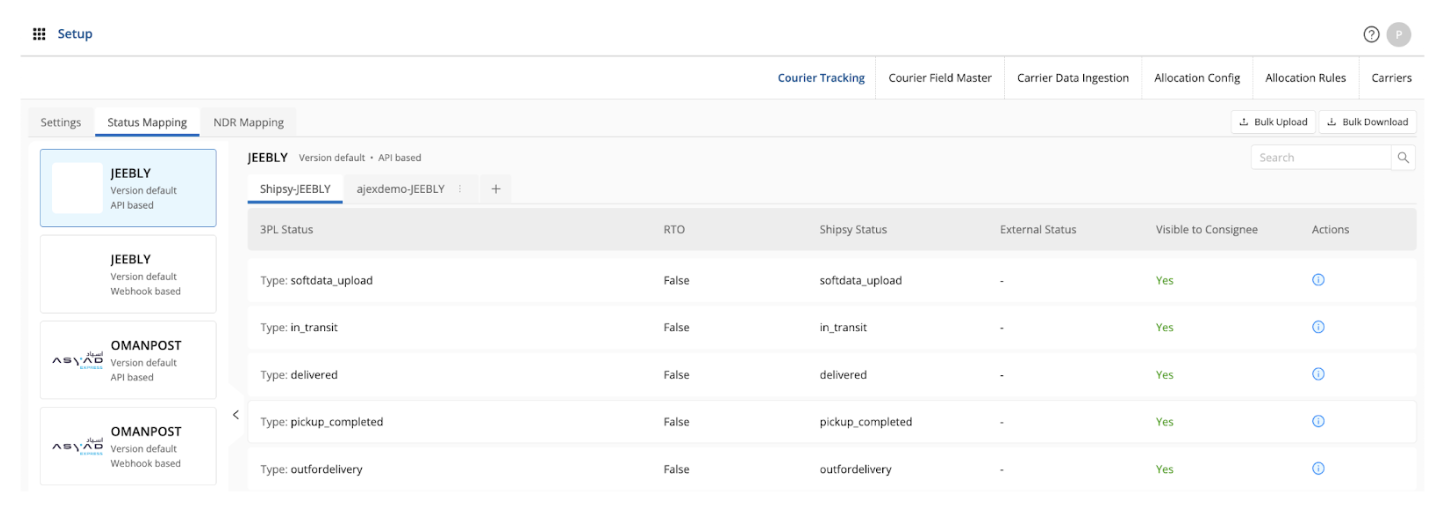
Check for the status mapping that has been defined in the Courier Tracking field with Shipsy status and 3PL status.
-
Now, navigate to Carriers tab and enter the details wrt Status Mapping and NDR mapping.
Click on the Submit option after the details have been entered.
Was this article helpful?